Four months of Design Engineering
My first Design Engineering project was Deriverse. Today I'm on Trade-Lab. In between, I shipped AgentUX and ran enough experiments (UI, UX, and engineering) that "ship and learn" became the rhythm. This week I was on Trade-Lab, working on loading and motion smoothness.
Same patterns, different feel
AgentUX motion feels right. Trade-Lab motion, with the same patterns applied, feels off. Same hands, same code grammar, same easing curves, but one app reads as smooth and the other reads as heavy. Describe it in words and it slips away. I needed to see why.
The tab I'd never opened
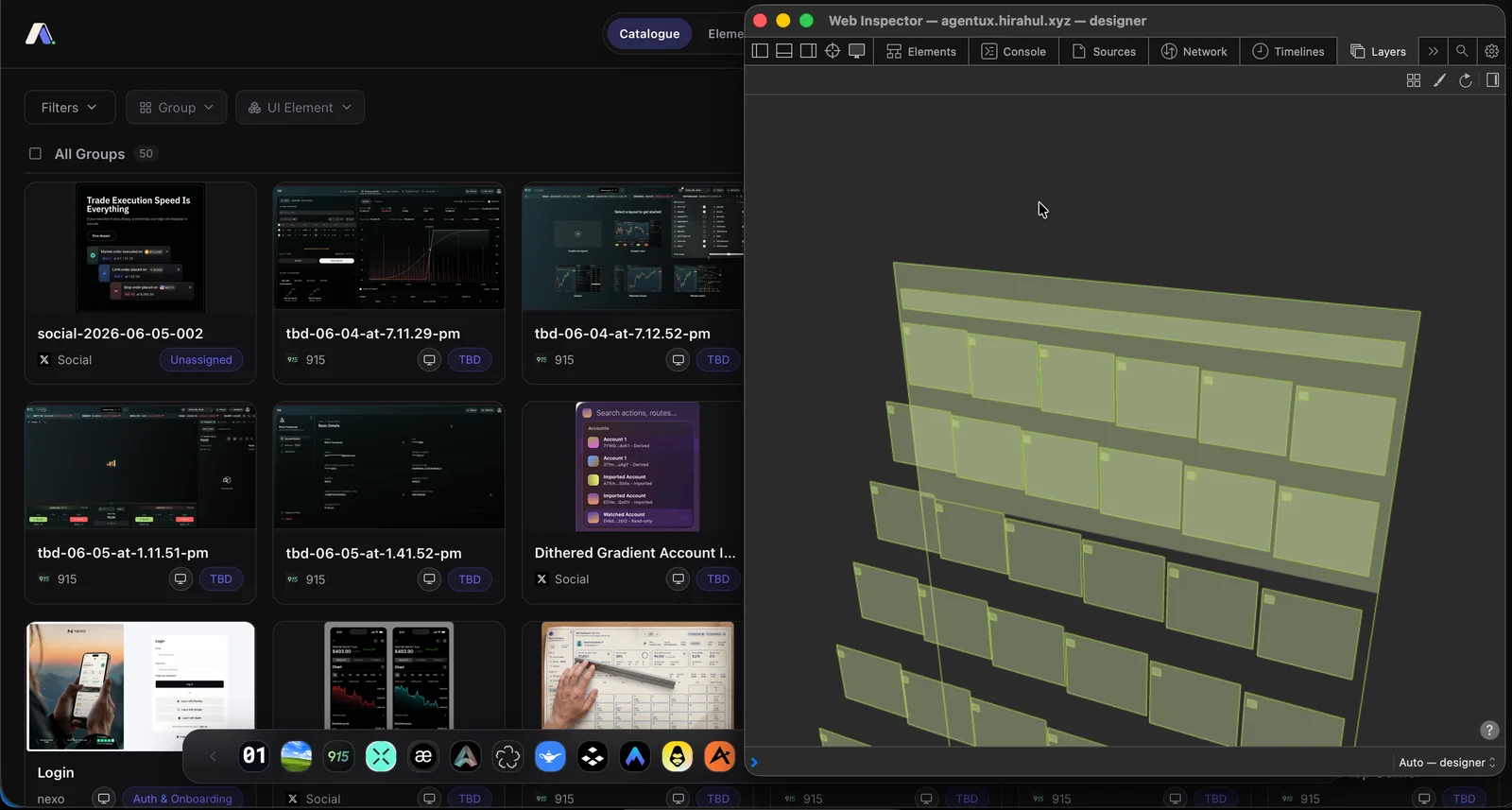
I opened Safari's Web Inspector to dig in. There's a tab called Layers I'd never paid attention to. It draws the compositor view of the page: every element the browser has promoted to its own painting surface, stacked in 3D so you can see how they sit. That's when web apps stopped being flat for me.
How web apps are layered
The Layers tab shows every active component on the page as its own 3D-stacked surface. Every box is something the browser is painting on its own texture, and tracking, and re-painting, every time state changes.
There are a lot of boxes. Every one of them gets impacted the moment you trigger motion or a transition. That's a lot of compute to re-render every frame, which is why the motion ends up feeling heavy.
So why does AgentUX feel cheap?
Watch the motion and the layering together. The header comes in first; it's first in the layer stack. Then the next element, then the next. The visible cascade is the layer order playing back. That's the link I'd missed for four months: motion follows the stack.
So what's the best way to layer?
It can be fixed with skills and guides. Vercel gives a generous set away through their Vercel Labs, at vercel-labs/agent-skills. All the skills in there help with development; react-best-practices is the one most people use. There's another one in there called composition-patterns that's specifically about how components layer, and that's the one I'm leaning on now.
Here's what well-layered looks like in the wild: 915, Groww's trading terminal:
I'm applying composition-patterns to Trade-Lab and for a start, it's working. The easiest place to see it: I made the footer sticky to the viewport. Same element, one CSS property, and the Layers tab makes the change visible.
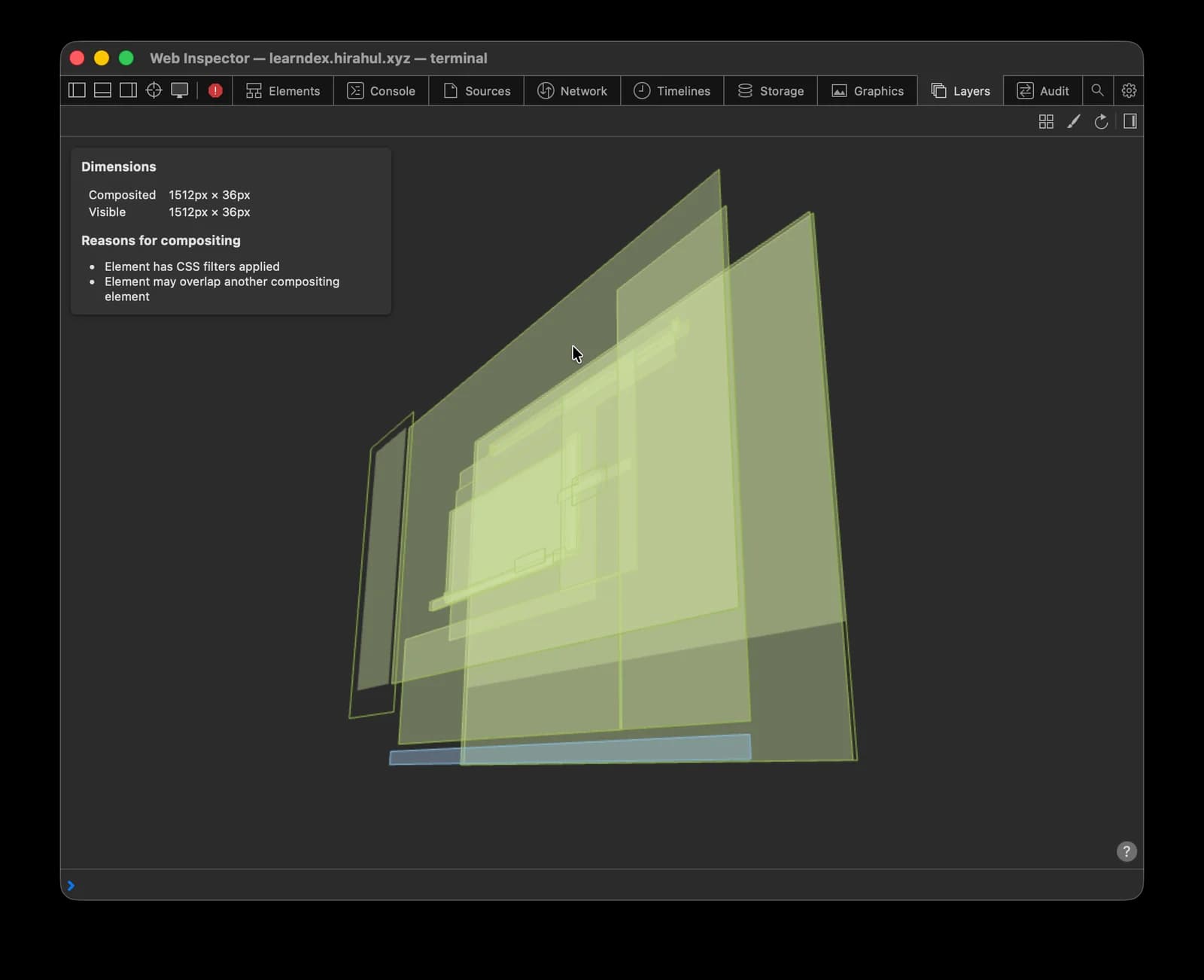
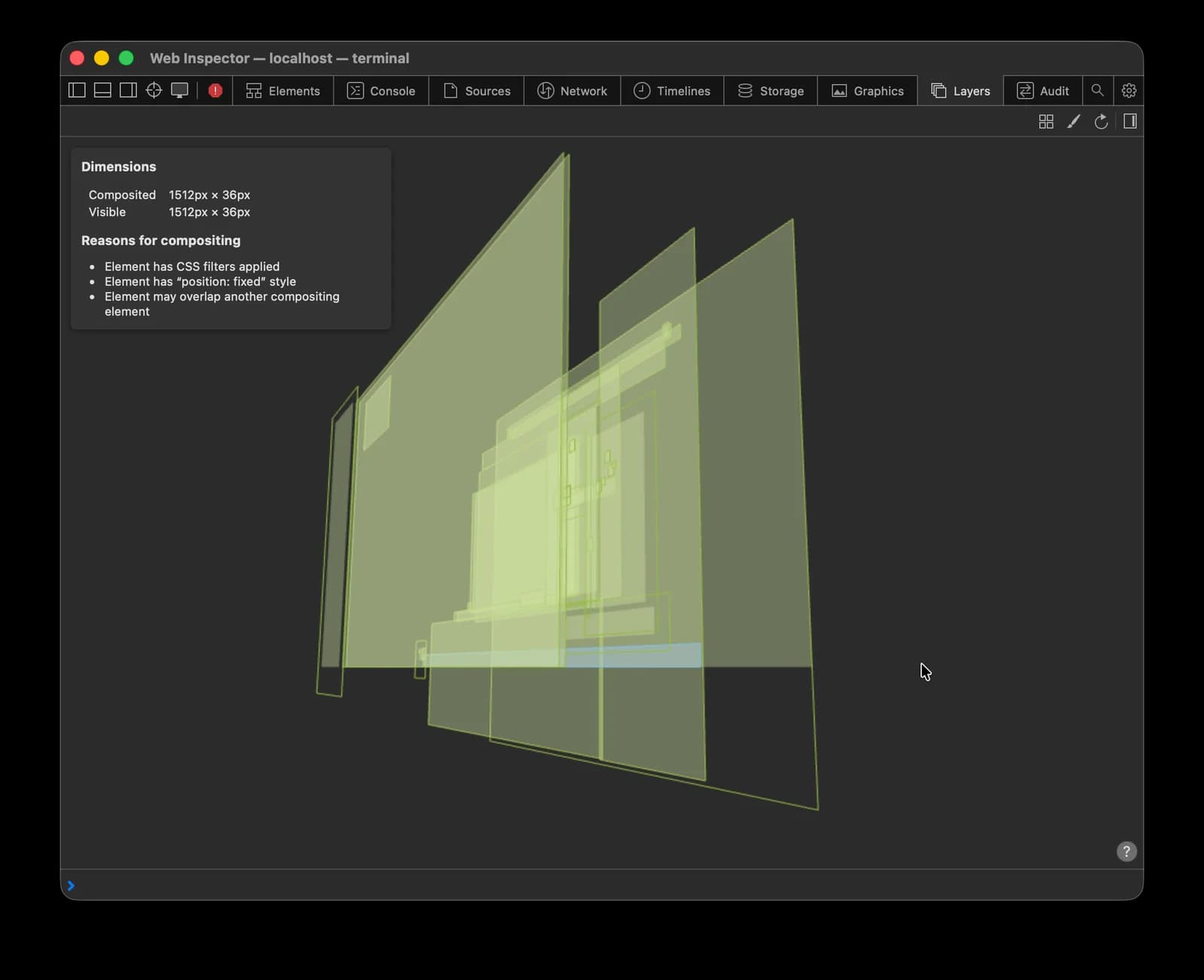
position: fixed, sticky to the viewport.This page is a living note. I'll keep updating it as the rest of Trade-Lab's layering settles in.