Home

Trade Lab · Research

In progress

Chart Trading

How exchanges run chart-first trading: place an order straight from the chart, with candles, drawing tools, order entry, and TP/SL on the surface.

What is chart trading

Chart trading is for people who use the app as a quick view: they place an order straight from the chart, instead of filling everything into an order form.

Chart trading helps scalpers (traders who make frequent, short-term trades) execute more efficiently, which directly lifts the number of transactions and revenue.

How the market solves it

3 competitors compared

Backpack

Mobile

Context. Backpack mobile futures reference, annotated for Trade Lab’s mobile research. These are patterns I am studying, not a shipped Trade Lab mobile interface.

  • Keep the chart primary

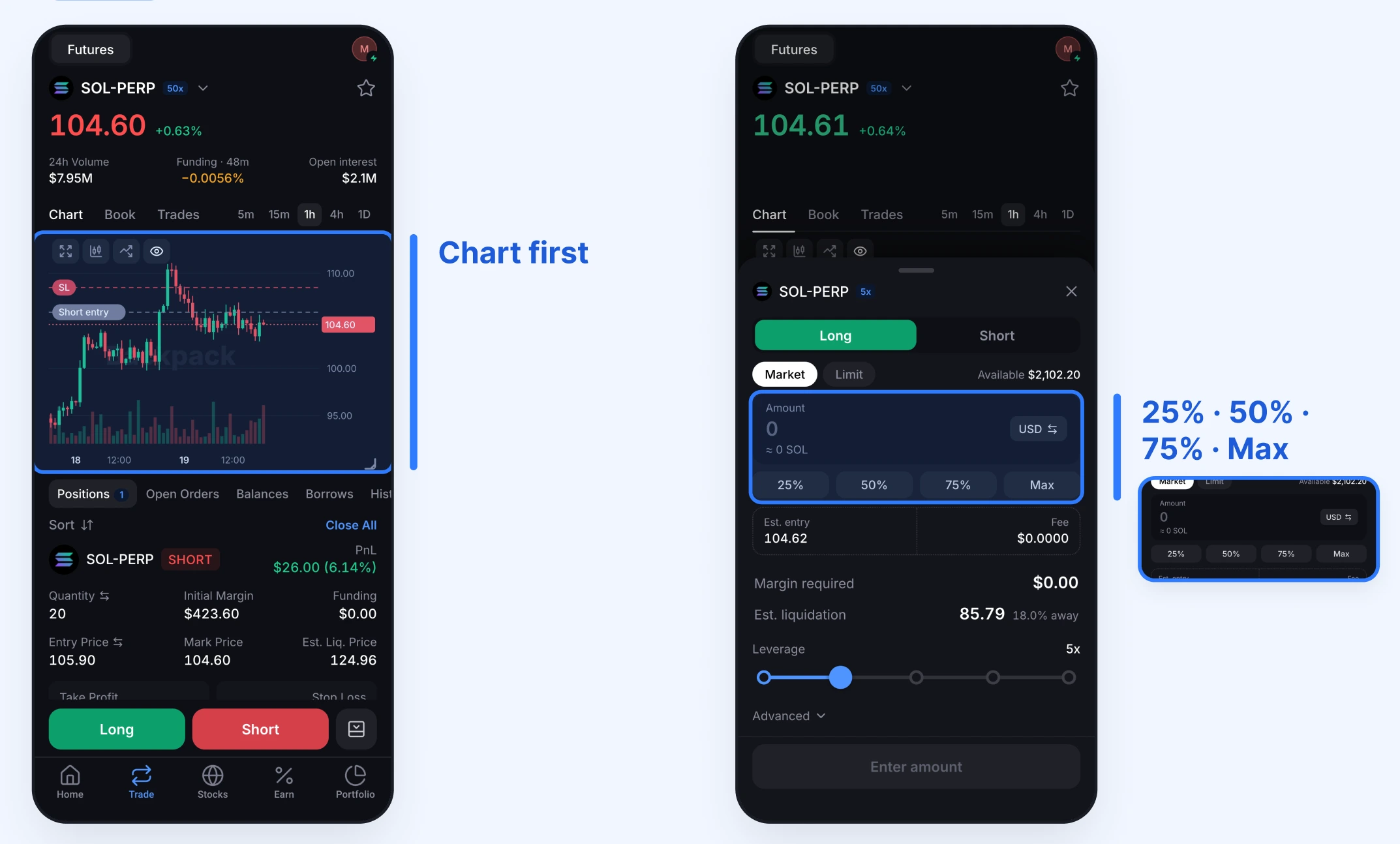
    The chart stays central to the trading view. Order entry opens in a bottom sheet, keeping the ticket separate from the main chart surface.

  • Make order sizing quicker

    The amount field includes 25%, 50%, 75%, and Max shortcuts. I want to explore these alongside manual entry in Trade Lab’s mobile order ticket.

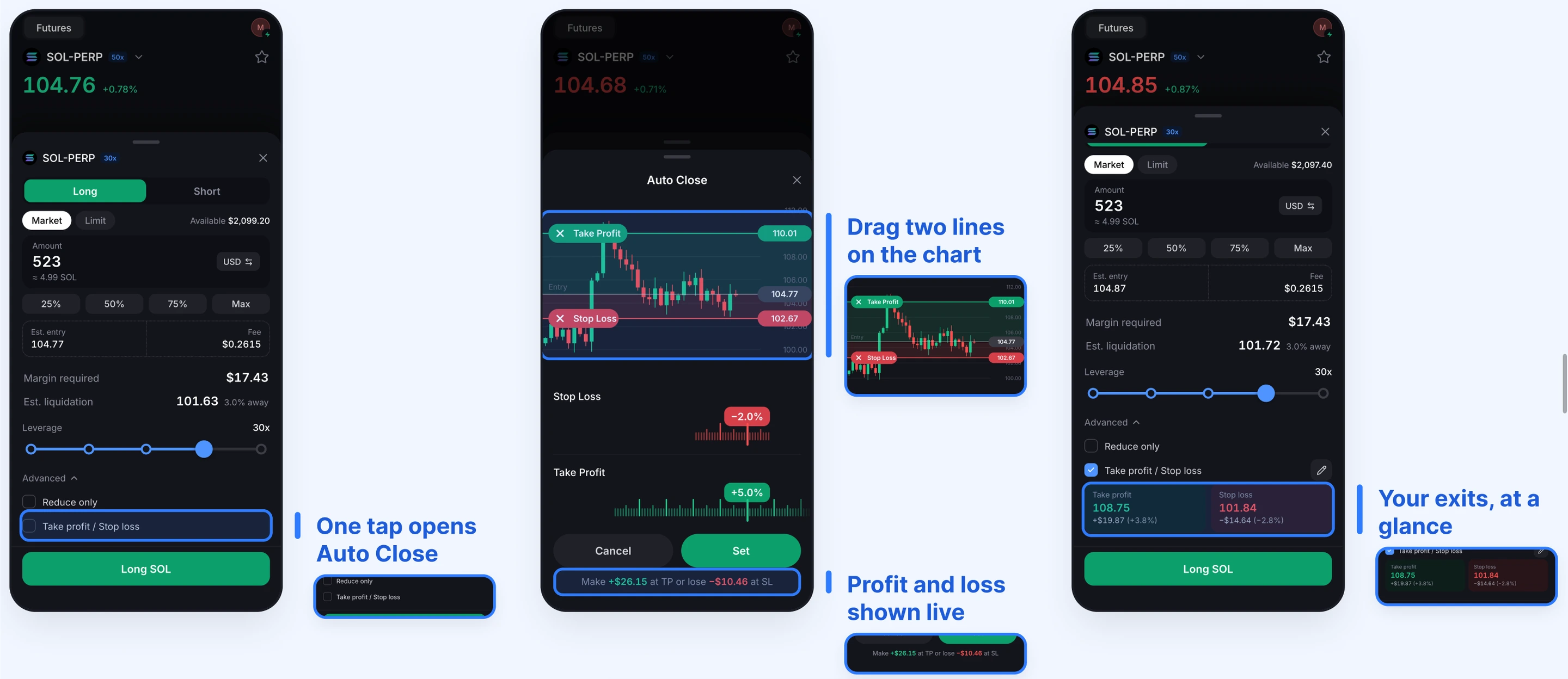
Annotated Backpack mobile futures reference: a chart-first SOL-PERP screen beside an order-entry bottom sheet, highlighting the amount field and 25%, 50%, 75%, and Max sizing shortcuts.

Two mobile patterns to explore: a chart-first view with an order-entry sheet, and percentage shortcuts for sizing an order.

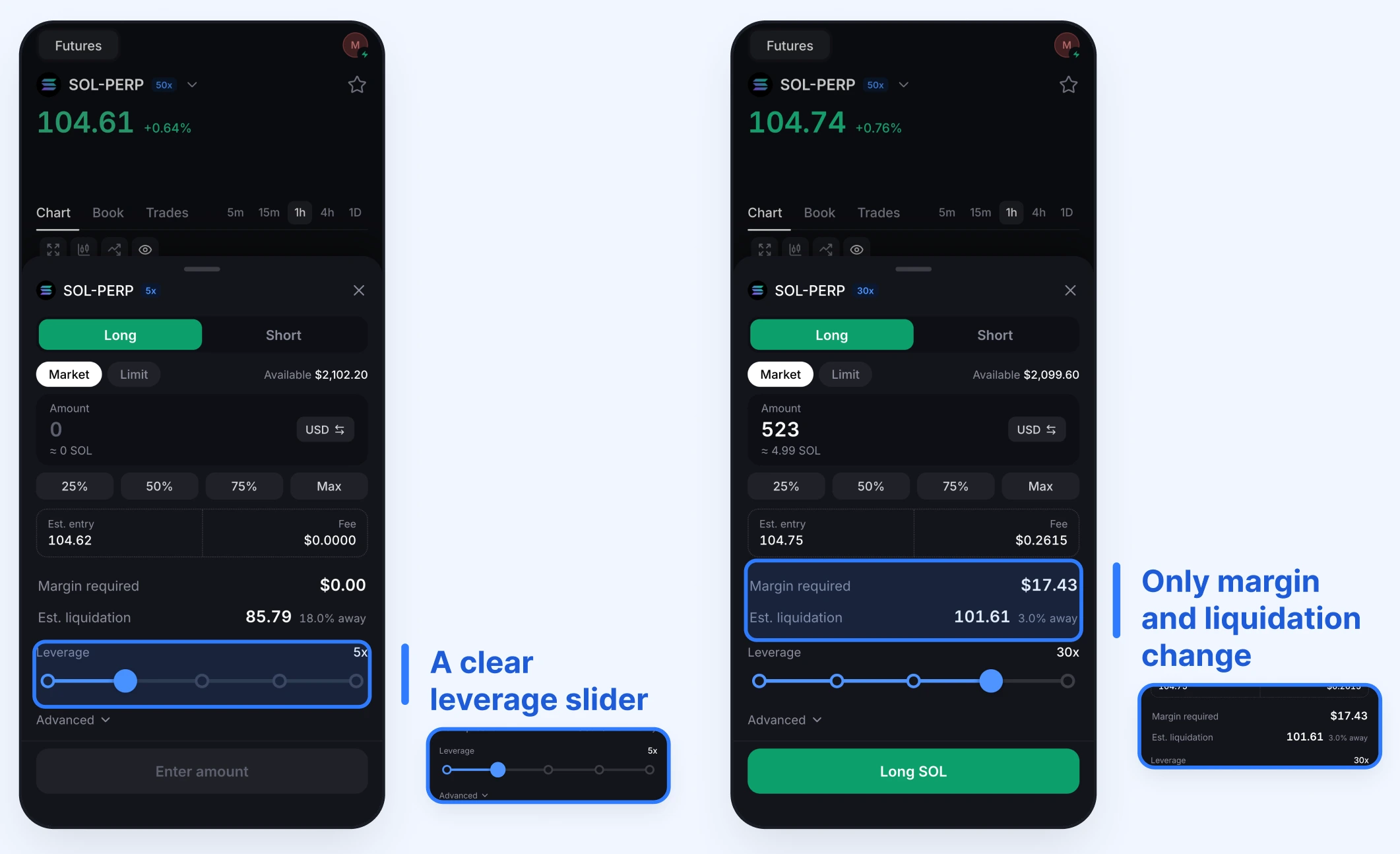
Annotated Backpack mobile order tickets showing the leverage slider, required margin, and estimated liquidation price.

Keep leverage and its risk readouts together. The slider, required margin, and estimated liquidation price stay visible in the order ticket, so the trader can review them before submitting.

Annotated Backpack mobile Auto Close flow showing draggable take-profit and stop-loss chart lines, estimated profit and loss, and an exit summary in the order ticket.

Make exits visible before placing the order. Take profit / Stop loss opens Auto Close, where chart lines and estimated profit or loss support the setup. The order ticket then shows a compact summary of both exits.

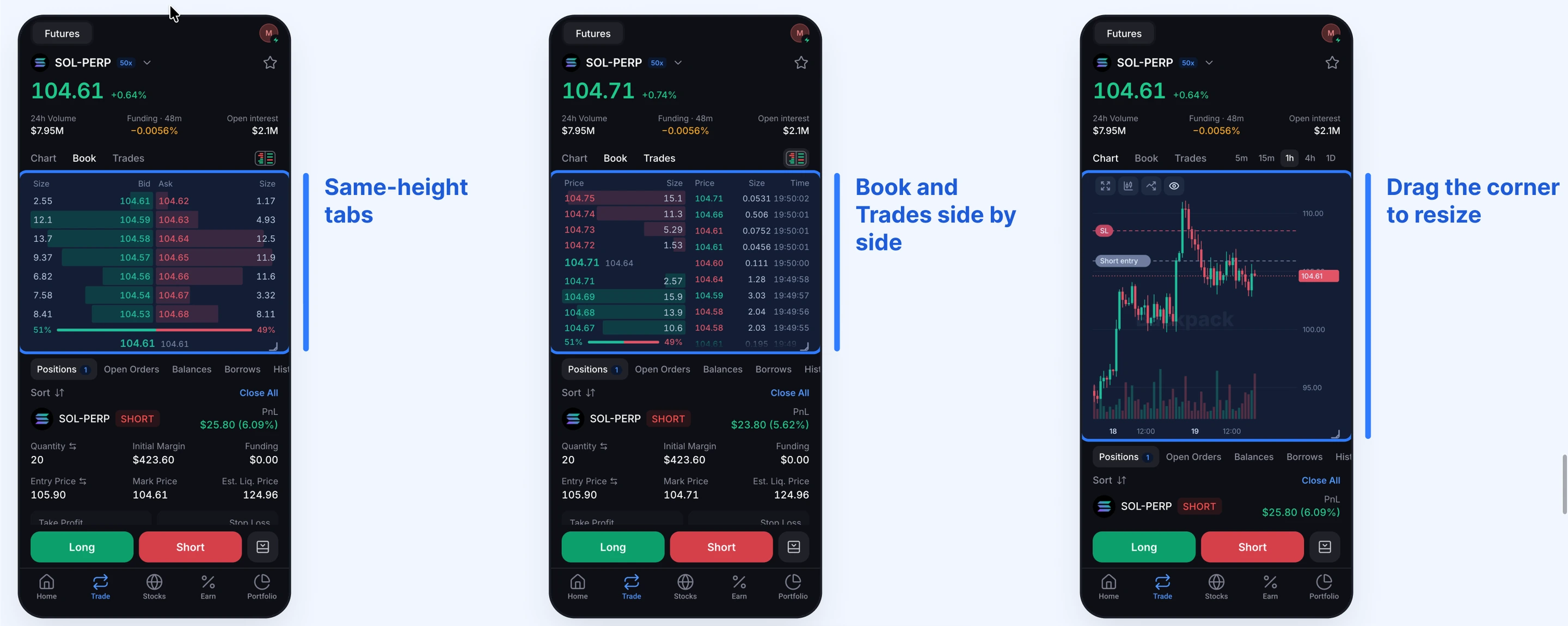
Annotated Backpack mobile Chart, Book, and Trades views showing consistent panel height, order book and recent trades side by side, and a chart resize handle.

Keep market views in a consistent space. Chart, Book, and Trades share the panel, with a side-by-side Book and Trades view and a corner handle to resize the chart.

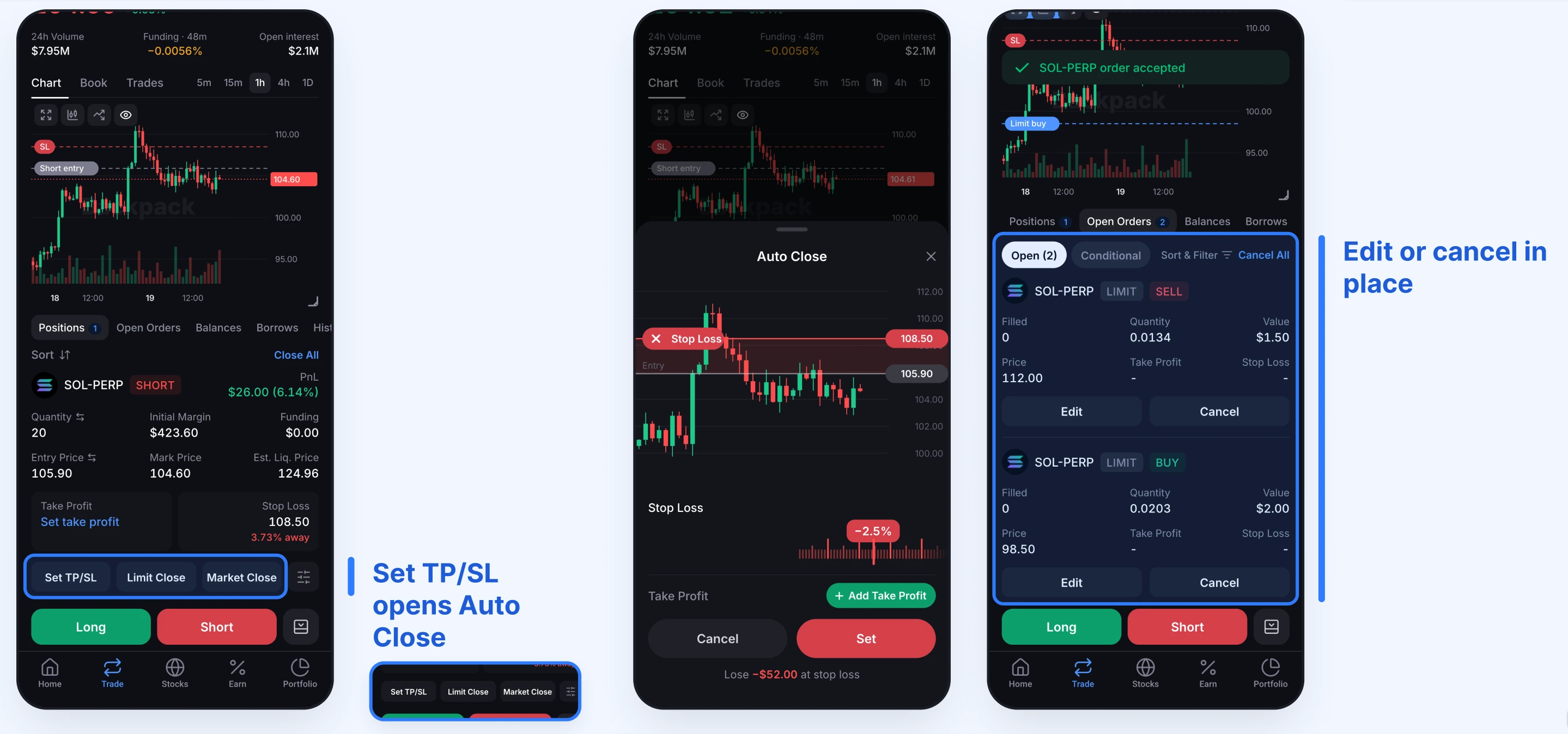
Annotated Backpack mobile position and open-order screens showing Set TP/SL, Limit Close, Market Close, the Auto Close sheet, and inline Edit and Cancel actions.

Keep management actions with the position or order. Set TP/SL opens Auto Close from the position, beside Limit Close and Market Close. Working orders expose Edit and Cancel in place.

Fyers

Mobile

Context. Fyers compresses spot, options, and futures execution into one chart-first mobile surface. Mohan K documented these public references, and I curated them in AgentUX for Trade Lab research.

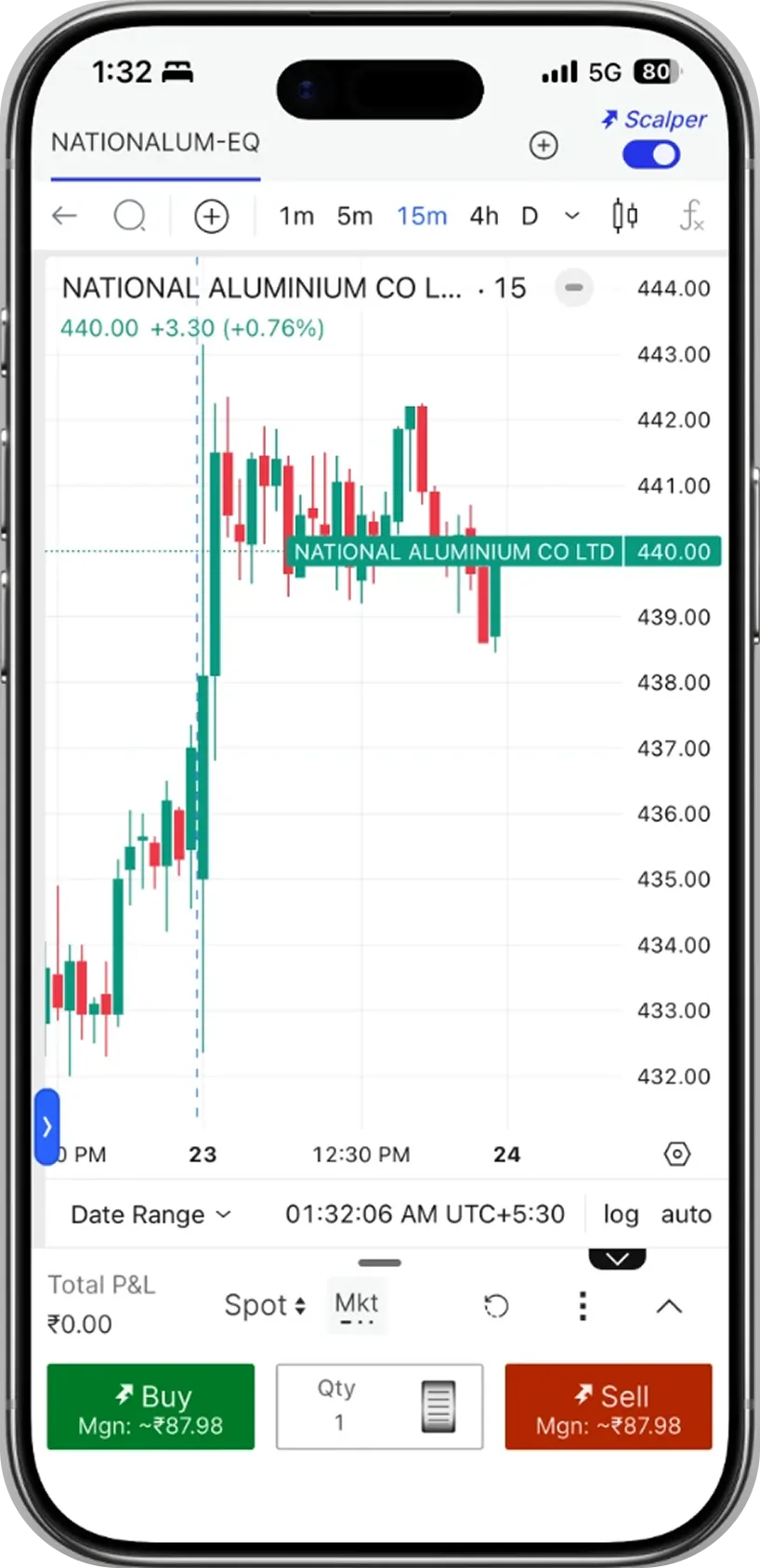
Fyers chart trading spot scalper screen with candlestick chart, market order controls, quantity, margin, and Buy and Sell actions.

Spot keeps execution fast: the chart remains primary, while the bottom sheet exposes market order, quantity, margin, and Buy/Sell actions.

View on AgentUX
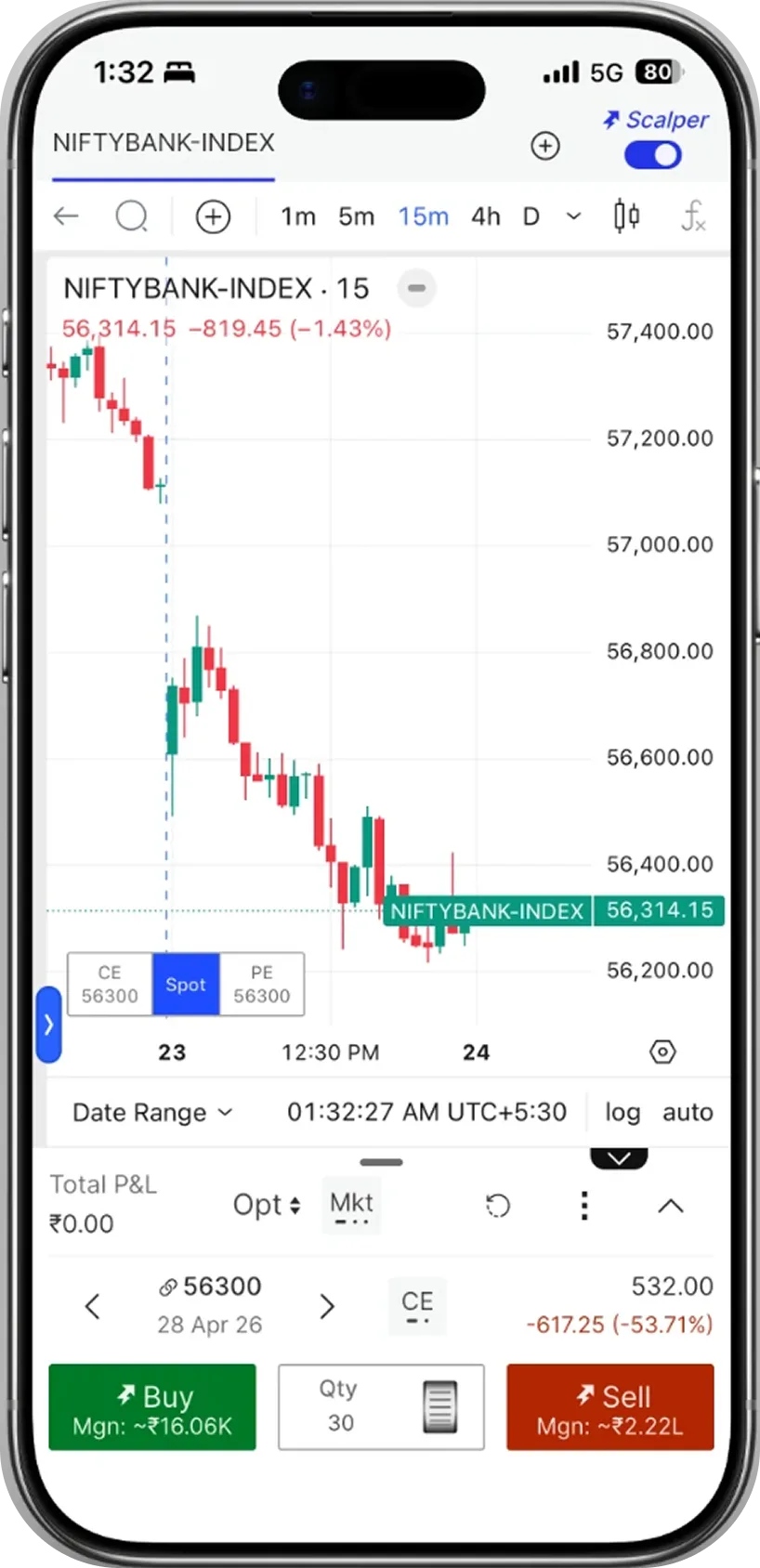
Fyers chart trading options scalper screen with CE, PE, strike, expiry, option price, quantity, margin, and Buy and Sell actions.

Options adds instrument context into the same chart shell: CE/PE, strike, expiry, option price, P&L, quantity, and margin.

View on AgentUX
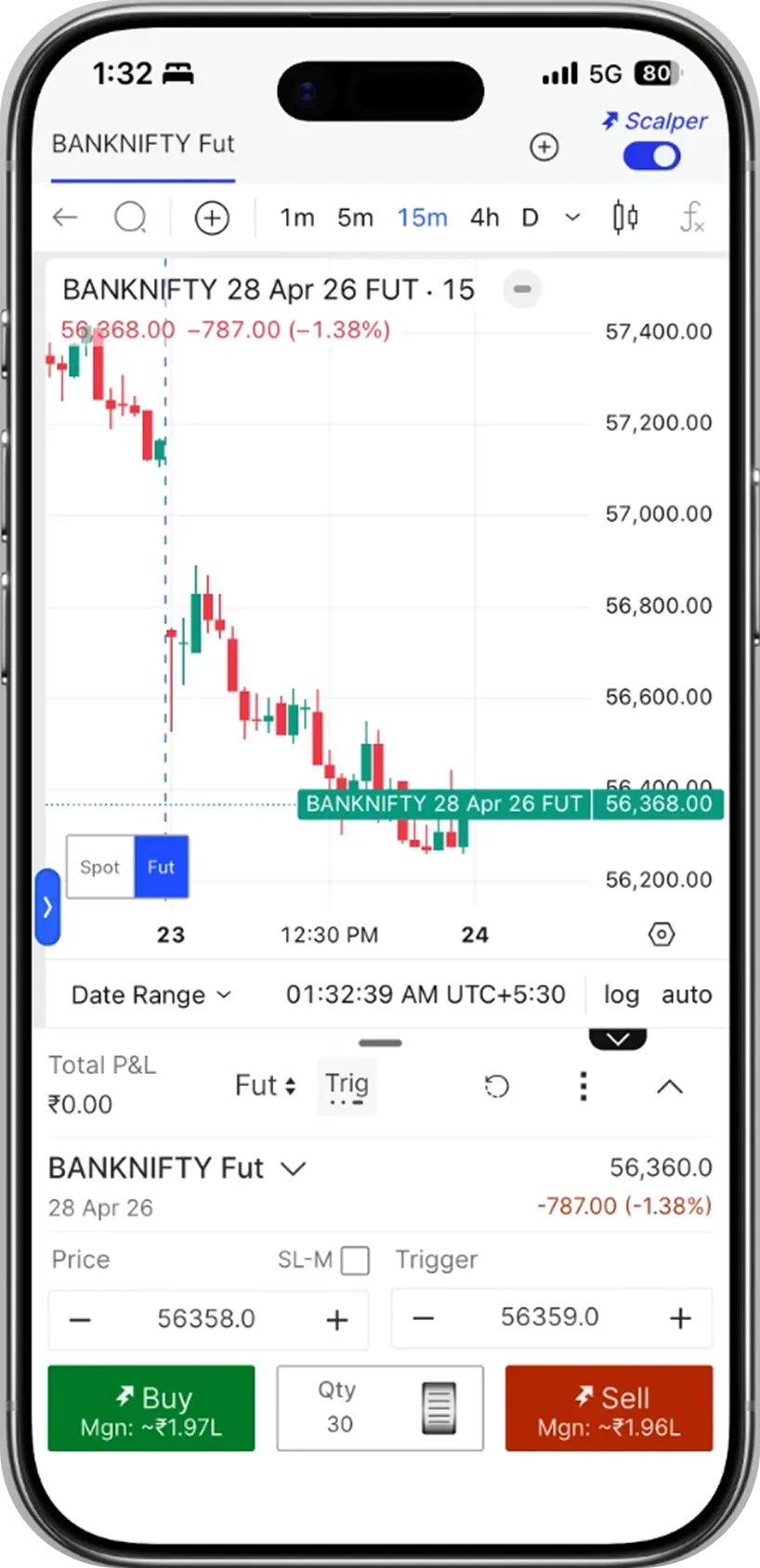
Fyers chart trading futures trigger order screen with spot and futures switch, price input, trigger input, quantity, margin, and Buy and Sell actions.

Futures shifts the ticket toward precision: Spot/Fut switching, trigger order, price and trigger inputs, SL-M, quantity, and margin.

View on AgentUX

CoinDCX

MobileIn progress

Context. The chart-trading feature was built by the CoinDCX team between May and July 2025. I researched it in September 2025 while getting a deeper read on the market.

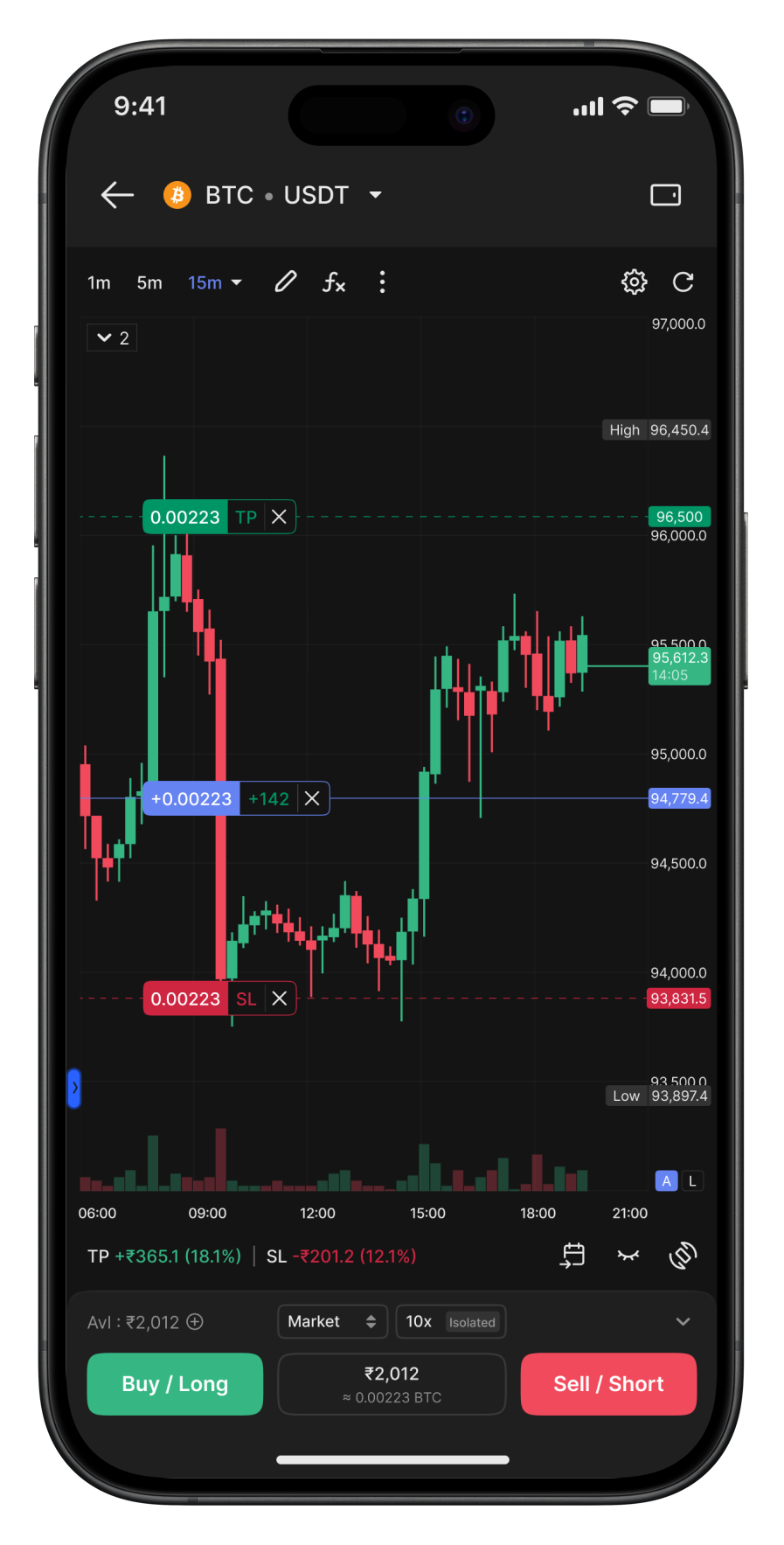
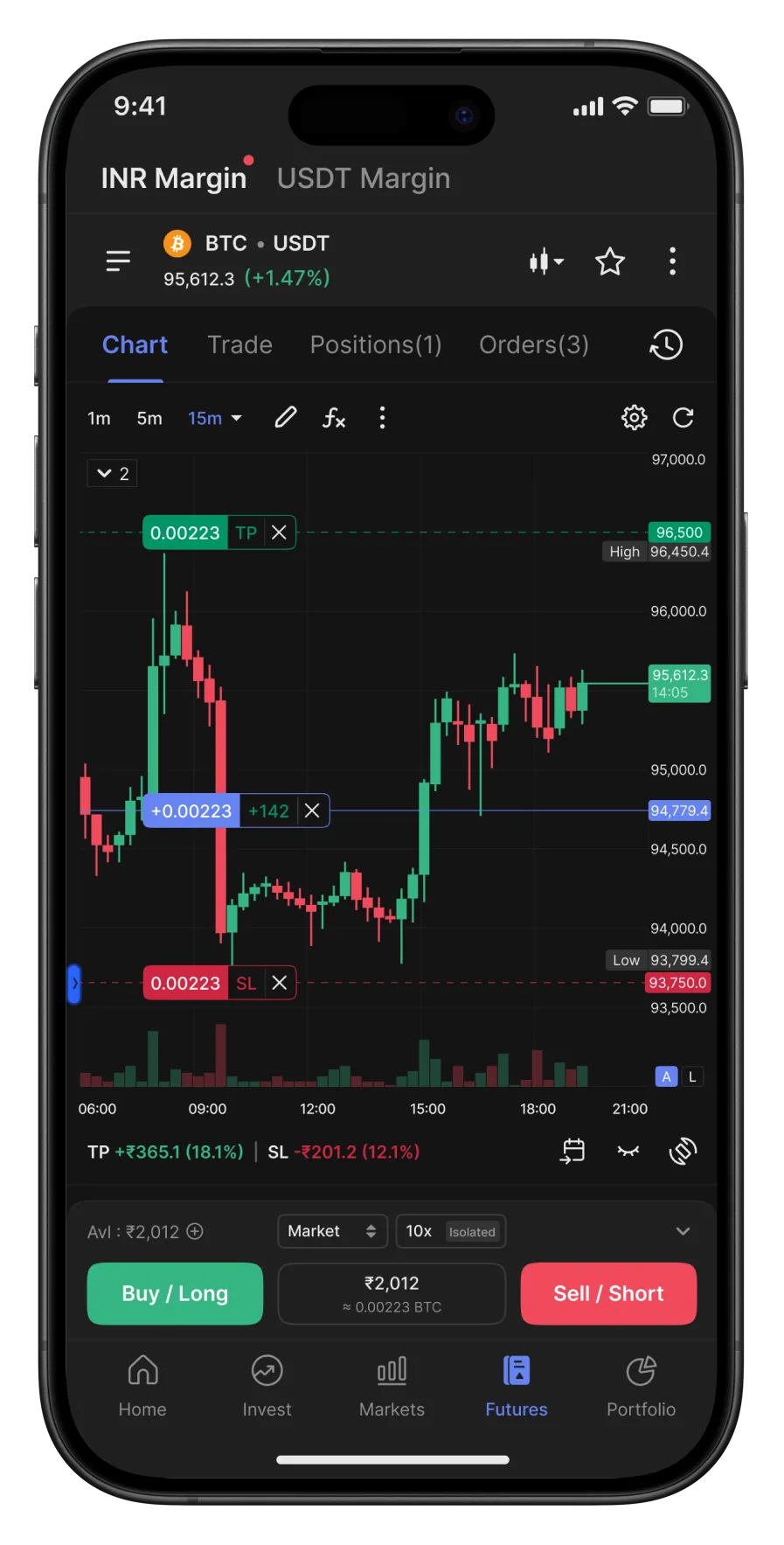
CoinDCX full-screen chart trading: the chart fills the screen with no tabs or bottom nav, TP/entry/SL drag-lines, and a docked order ticket.

Full-Screen Mode

Tailored for scalpers who trade constantly. It maximizes screen real estate for focus and feature density.
View on AgentUX
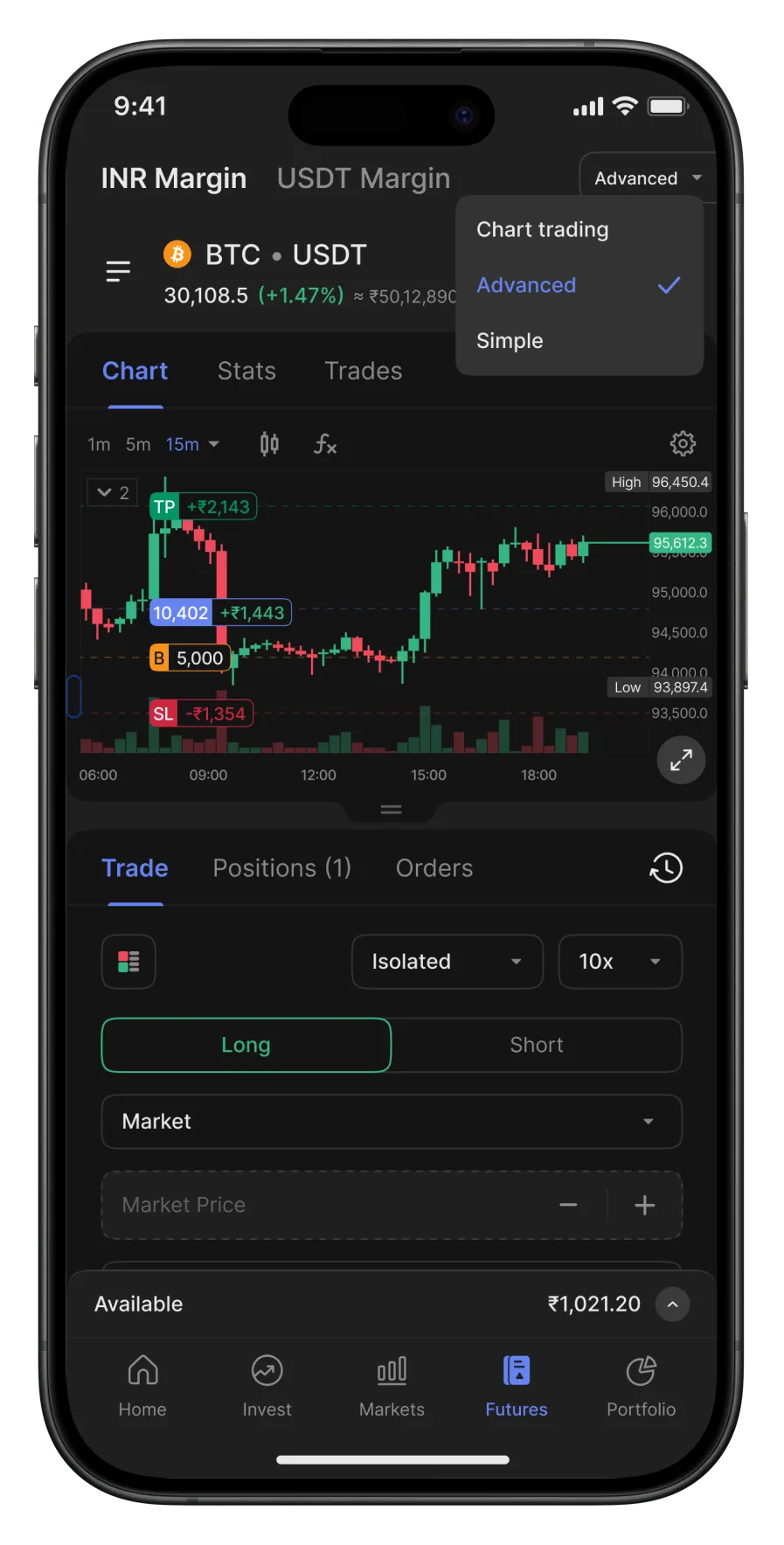
CoinDCX scalper mode: a compact chart with rupee PnL on the TP, entry, and SL lines above an inline Long/Short order form, plus a Chart-trading/Advanced/Simple mode picker.

Scalper Mode

Hyper-optimized for scalpers. The interface adapts to their workflow, cutting distractions for quick interaction.

View on AgentUX
CoinDCX tab mode: chart trading integrated into the main futures screen with Chart, Trade, Positions, and Orders tabs and the bottom navigation.

Tab Mode

Accessible to every kind of trader. It sits inside the primary experience, integrated seamlessly.

View on AgentUX

Next

Back to the research pages.

Open Research