Home

Collection

Healthcare
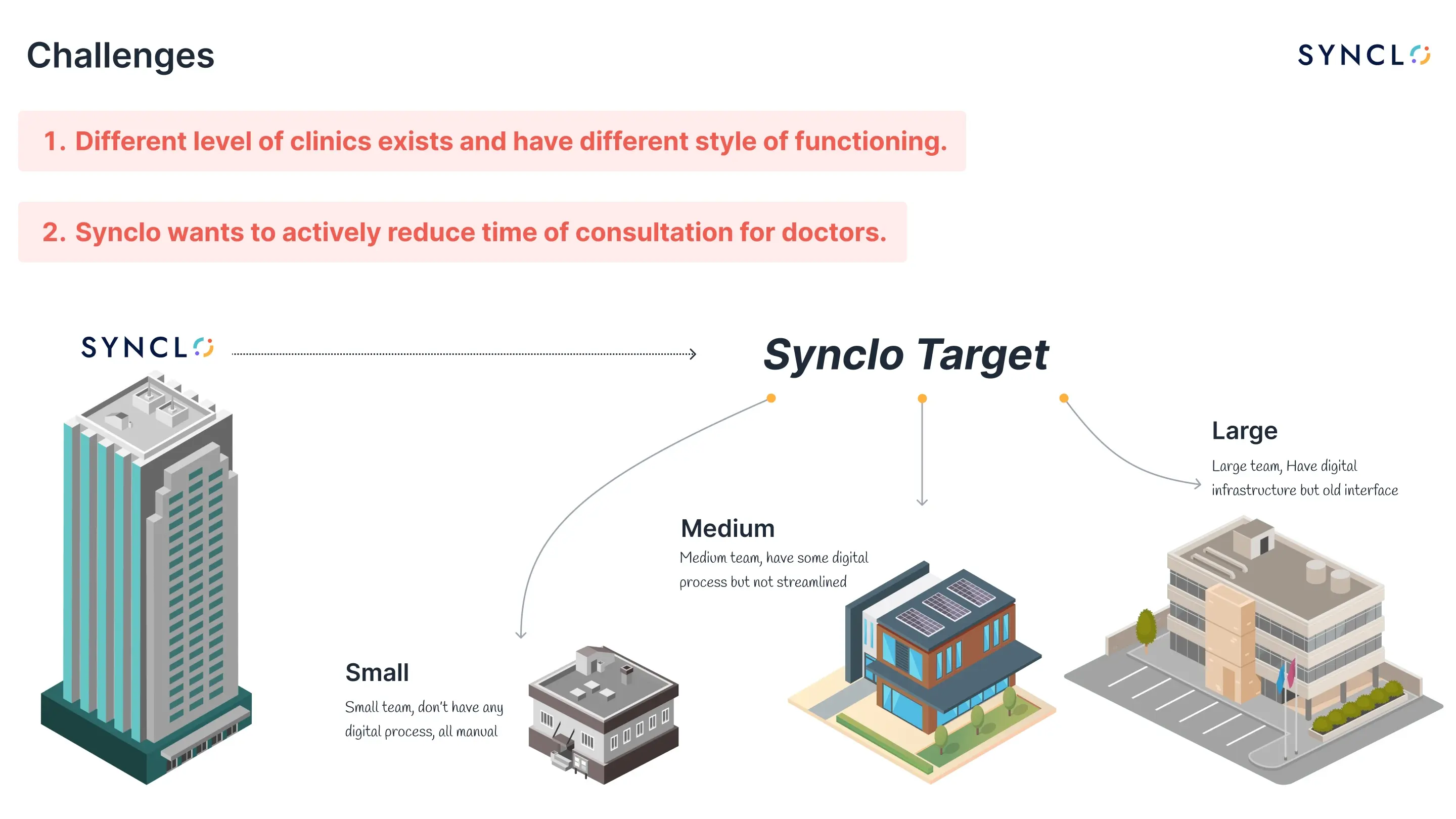
  1. Synclo challenges slide: clinics of different levels function differently, and Synclo wants to reduce consultation time, over small, medium and large target clinics
    The brief, as it was actually written: clinics of different sizes work in different ways, and consultation time is the thing to cut.
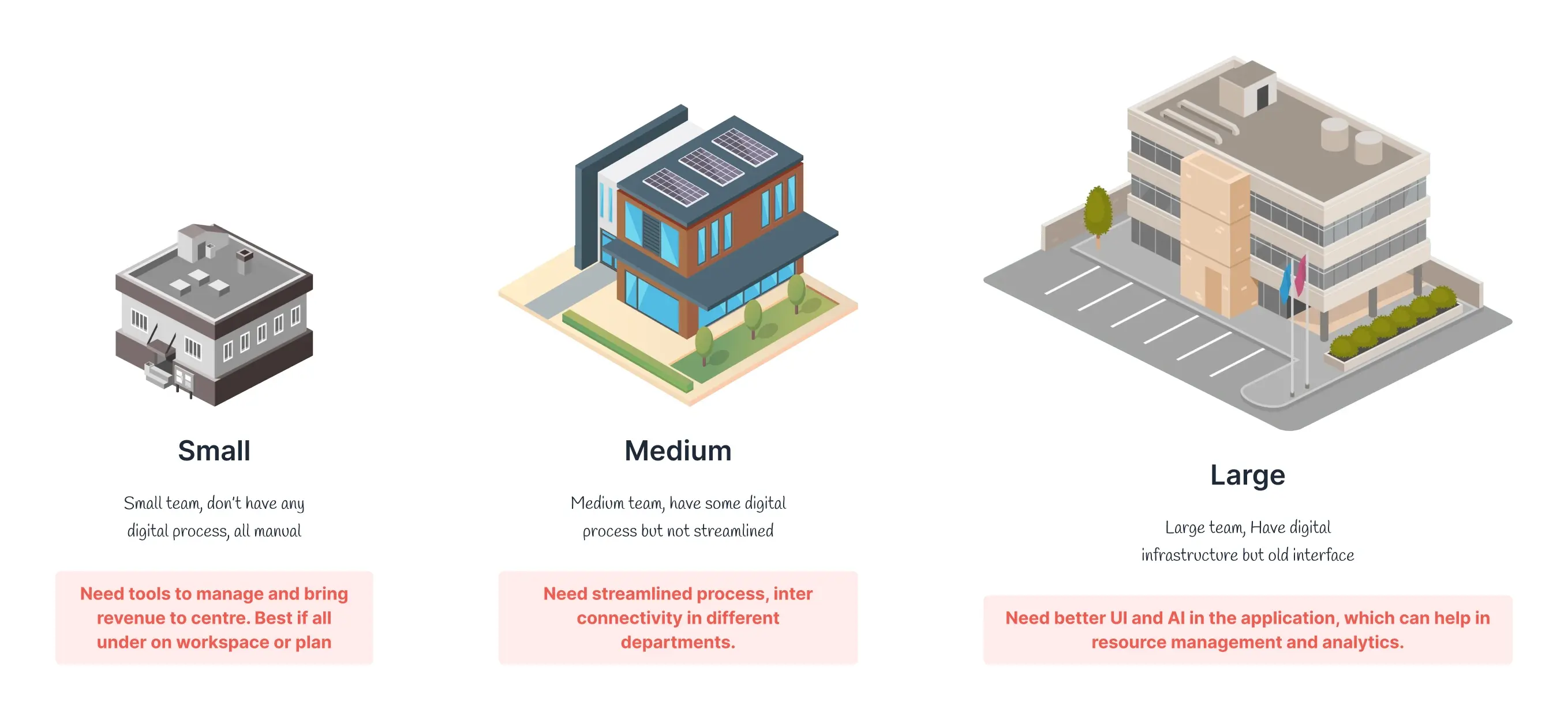
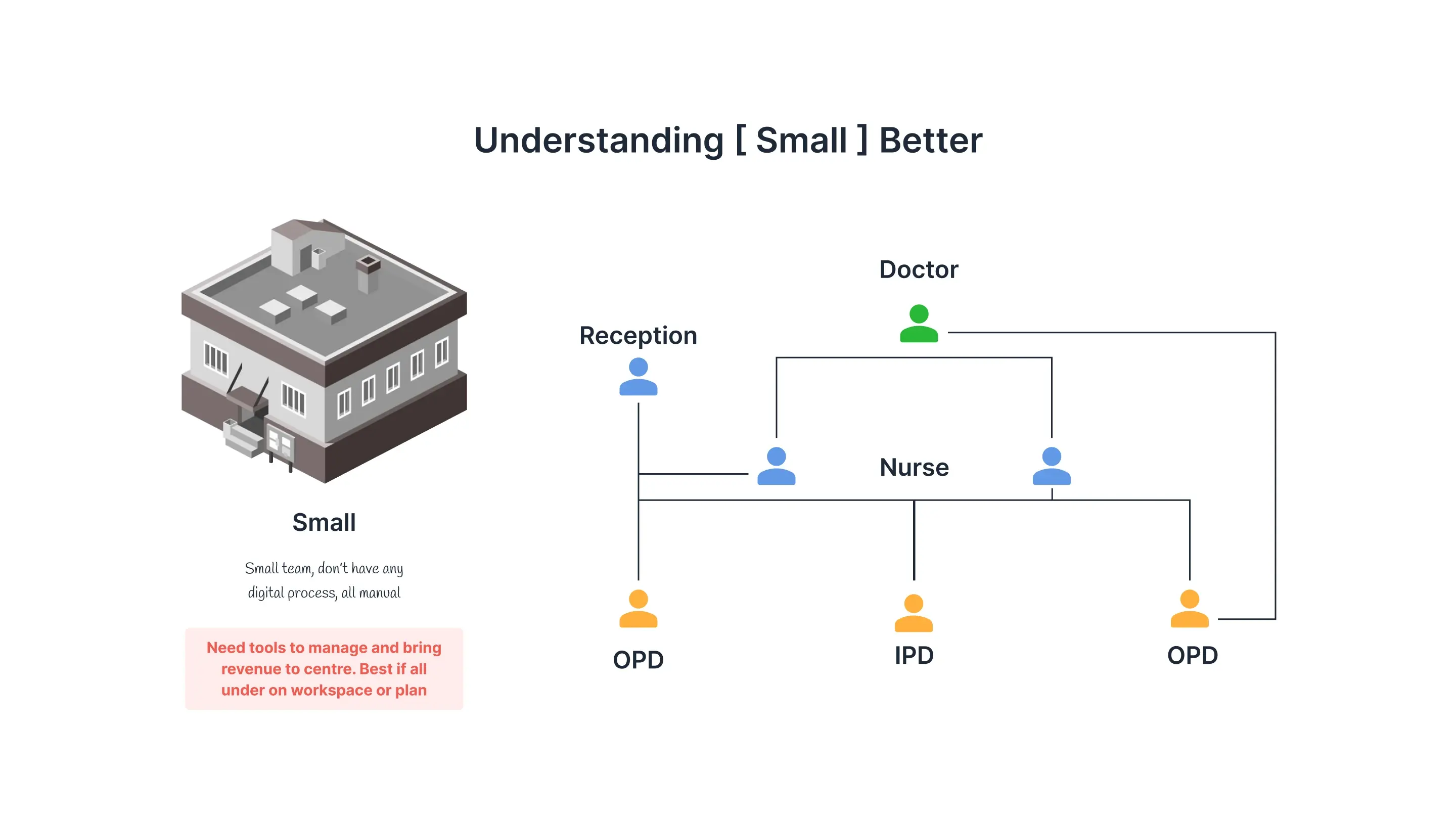
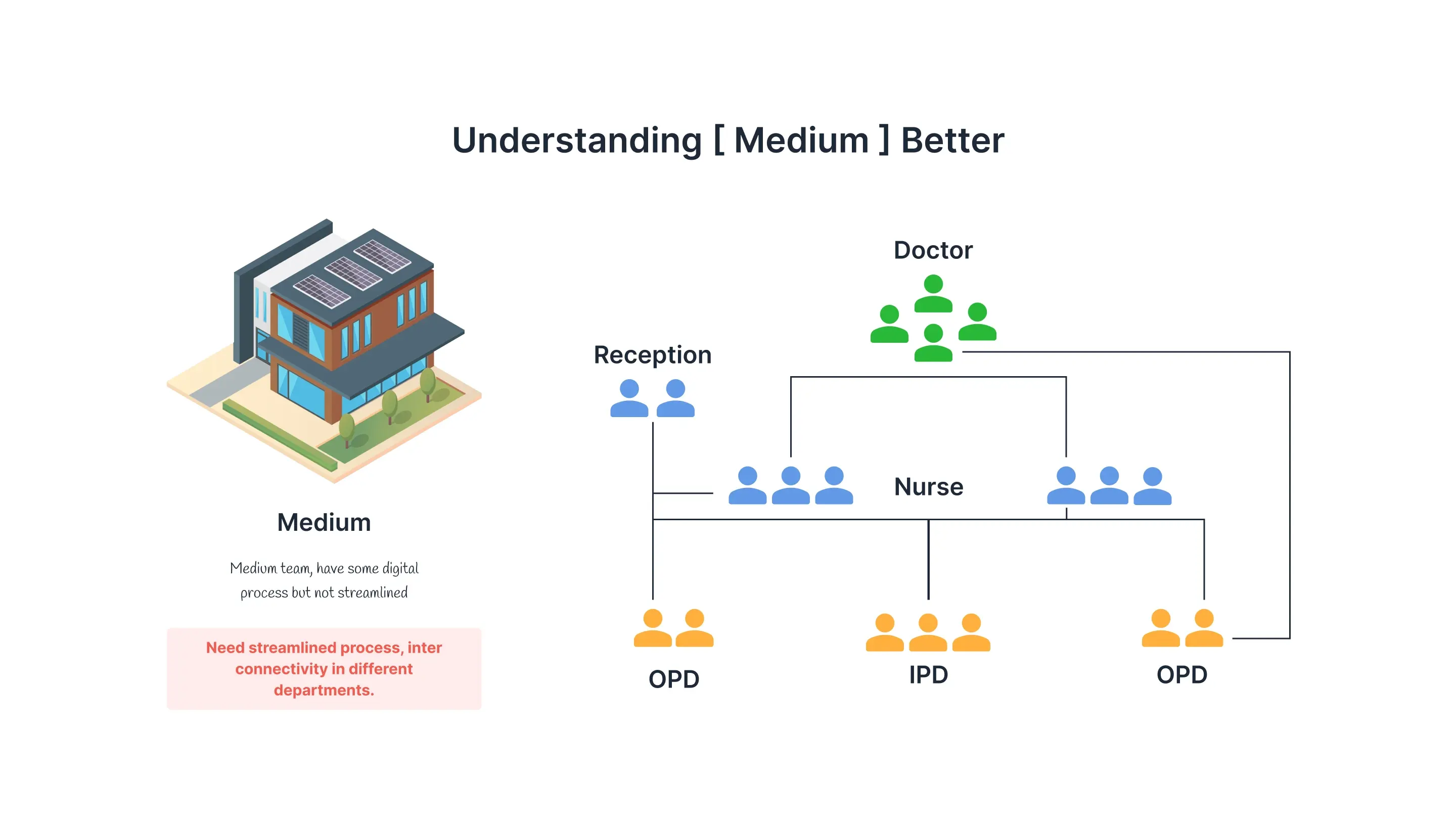
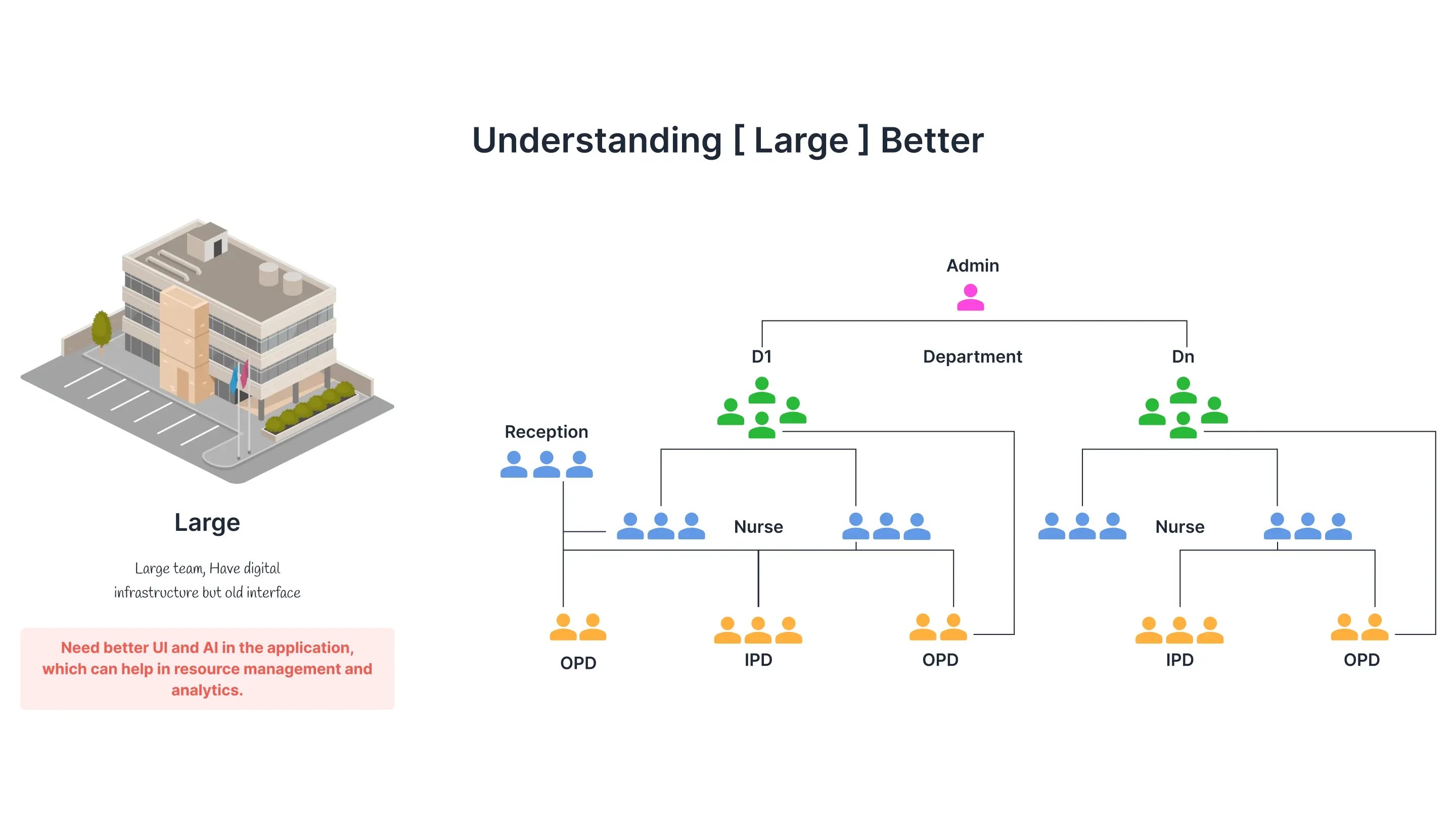
  2. Small, medium and large clinics with their stated needs: one workspace, streamlined interconnected process, and better UI plus AI for resource management and analytics
    Three segments, each asking for something different. The largest asked for AI by name, for resource management and analytics, which is why there is a model in the architecture three frames down.
    • Small clinic roles: reception, doctor, two nurses, OPD and IPD
      Small, all manual
    • Medium clinic role structure
      Medium, partly digital
    • Large clinic roles: an admin above departments, each with reception, nurses, OPD and IPD
      Large, admin over departments
    The same clinic drawn at three sizes. Small runs on one doctor, two nurses and a reception desk. Large grows an admin above departments that each repeat the whole structure. Any role model that fits one of these fits neither of the others.
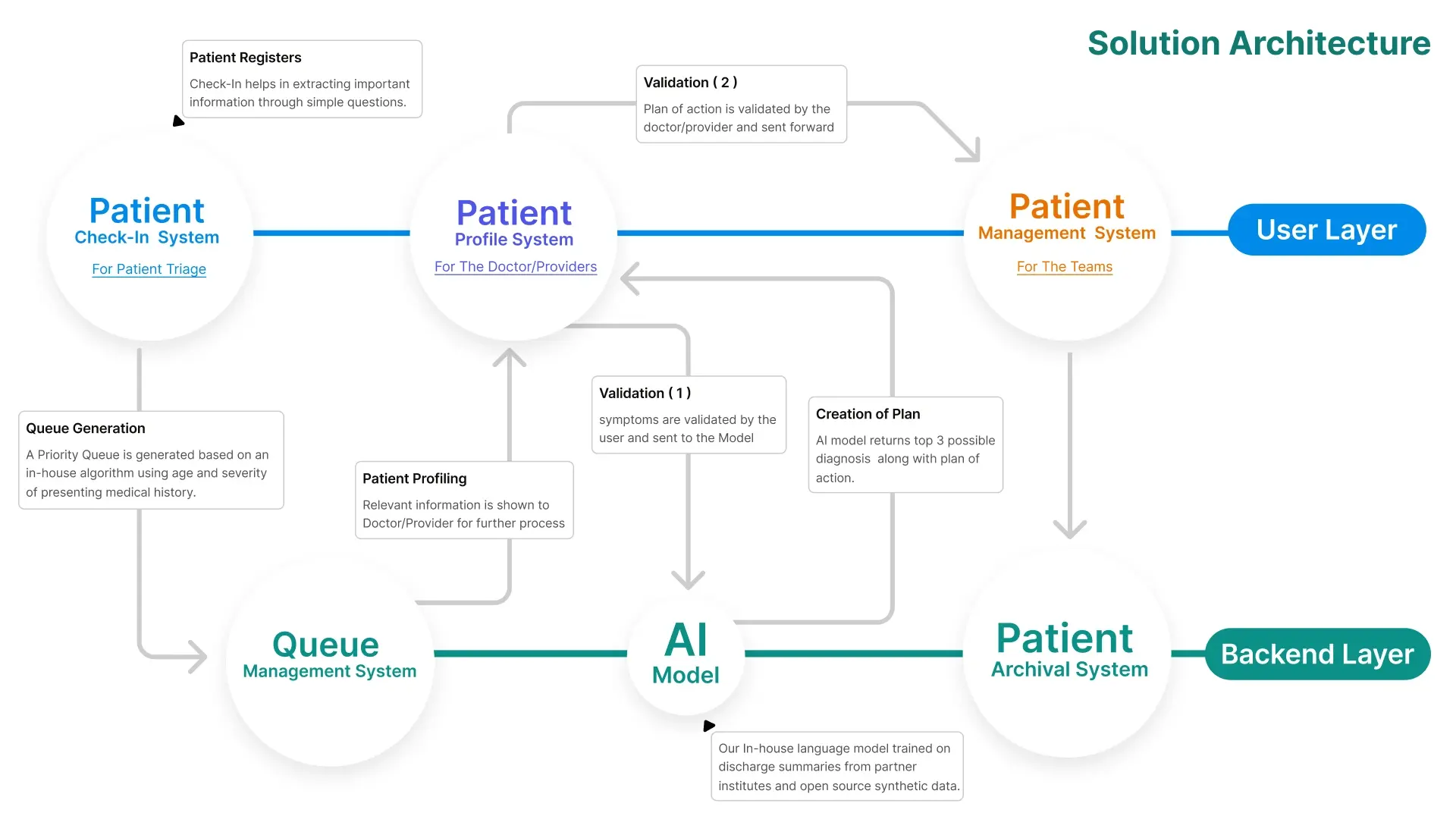
  3. Synclo solution architecture, showing check-in, profile and management systems over a backend of queue management, an AI model and archival, with two validation gates
    Where the AI actually sits: it returns three possible diagnoses and a plan, and two human validations gate it. Symptoms are confirmed by the patient before the model sees them, and the plan is confirmed by the doctor before it moves forward.
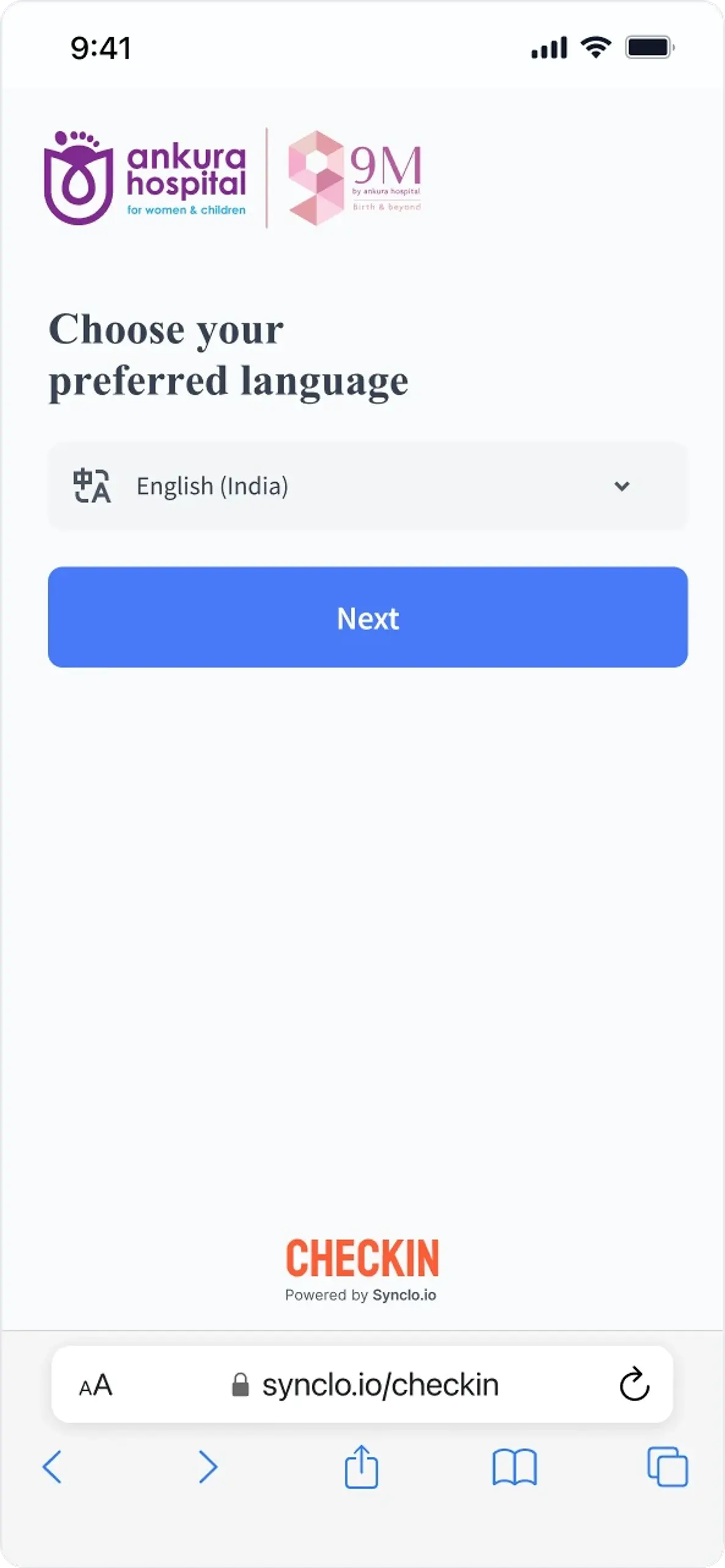
    • Synclo Check In asking the patient to choose a preferred language before anything clinical, co-branded with the hospital
      Language first
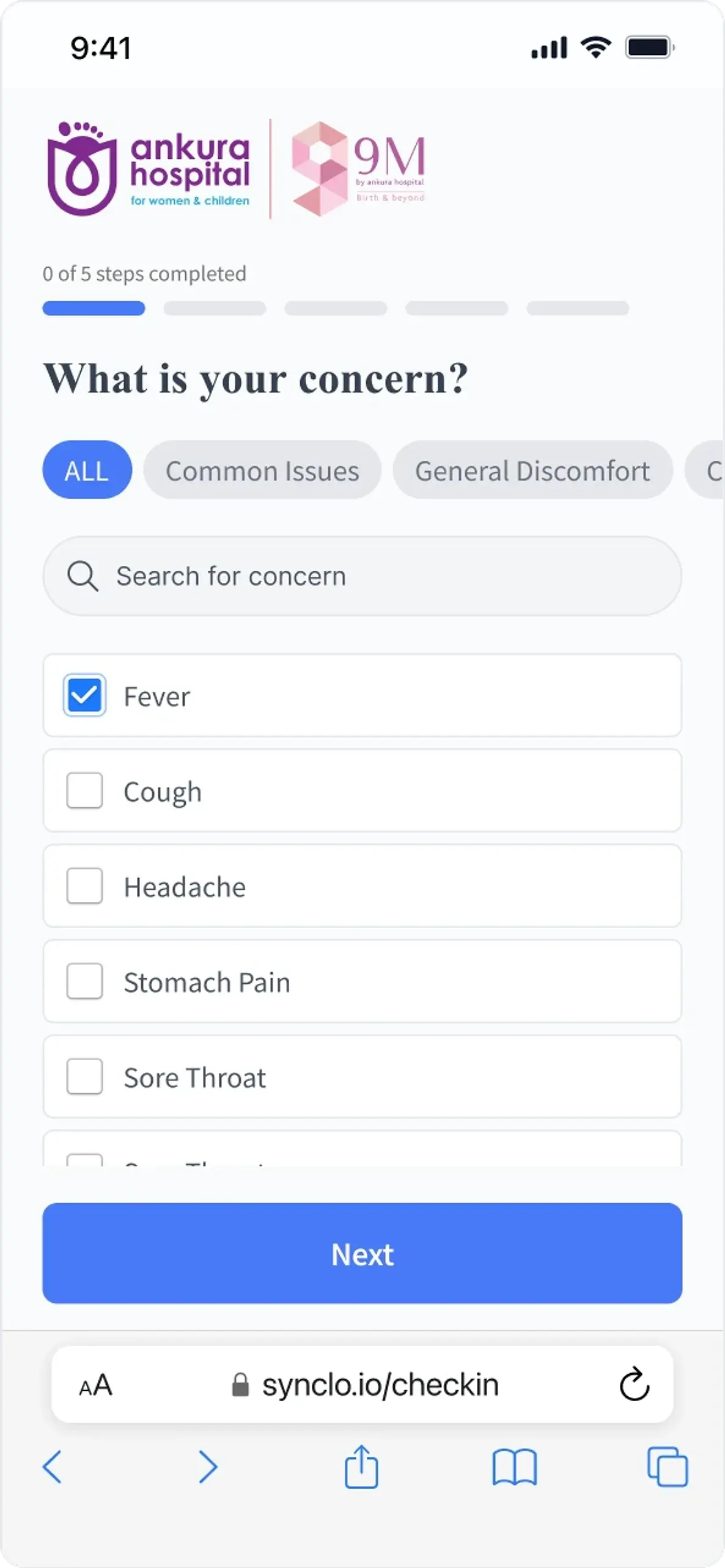
    • Check In asking what is your concern, with searchable categories and a checklist of common symptoms
      Their own words
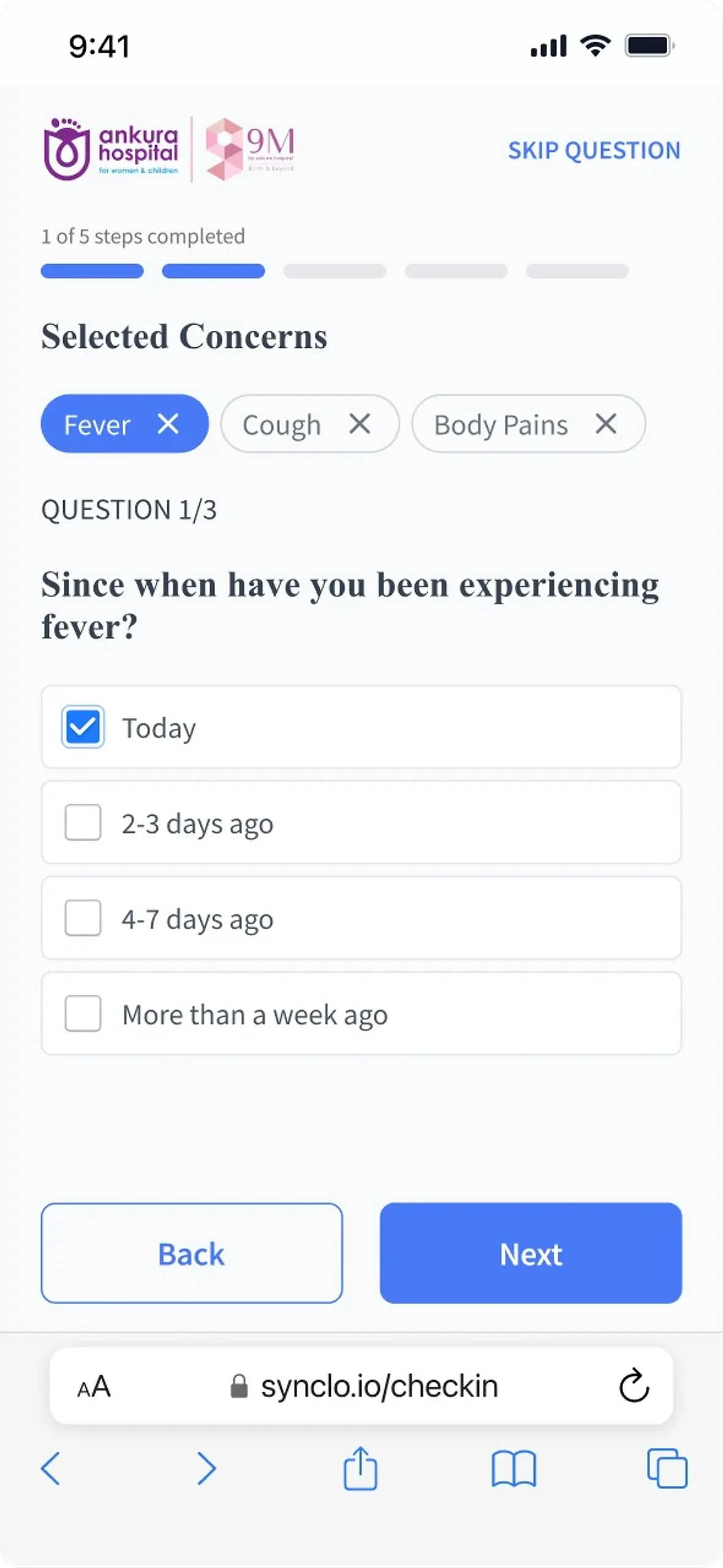
    • Check In asking how long the patient has had a fever, with the selected concerns shown as removable chips above
      Follow-ups
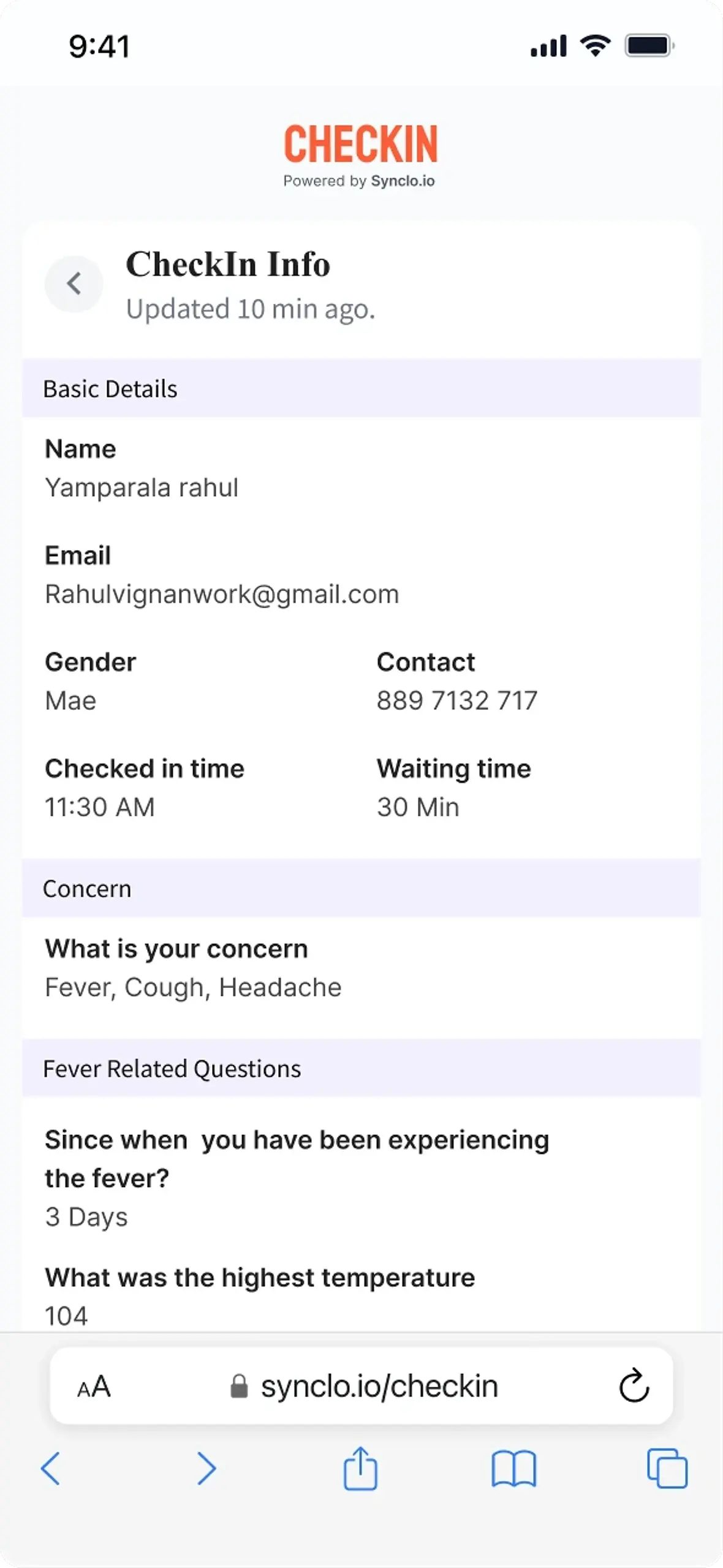
    • Check In reading back the captured details, concerns and answers for the patient to verify before they are sent on
      They confirm it
    The patient triages themselves before arriving. Language first, then their own concerns, then follow-ups per concern. The last frame is the gate: they read back exactly what will reach the clinician, and confirm it.
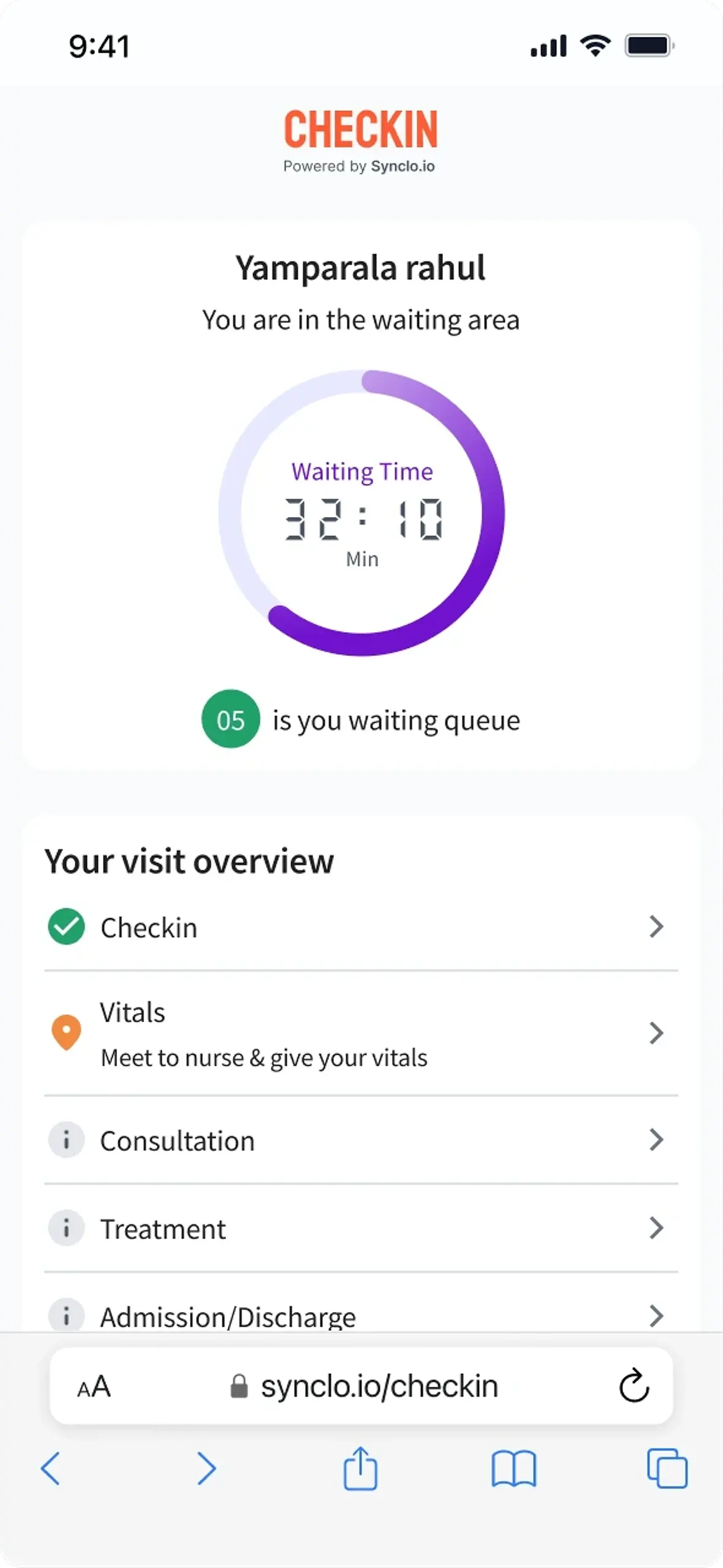
  4. Check In waiting area screen counting down the wait with the queue position and a visit overview from check-in through to discharge
    The queue as the patient sees it: how long, where they are in it, and what the visit will consist of. One mechanism, first of three seats.
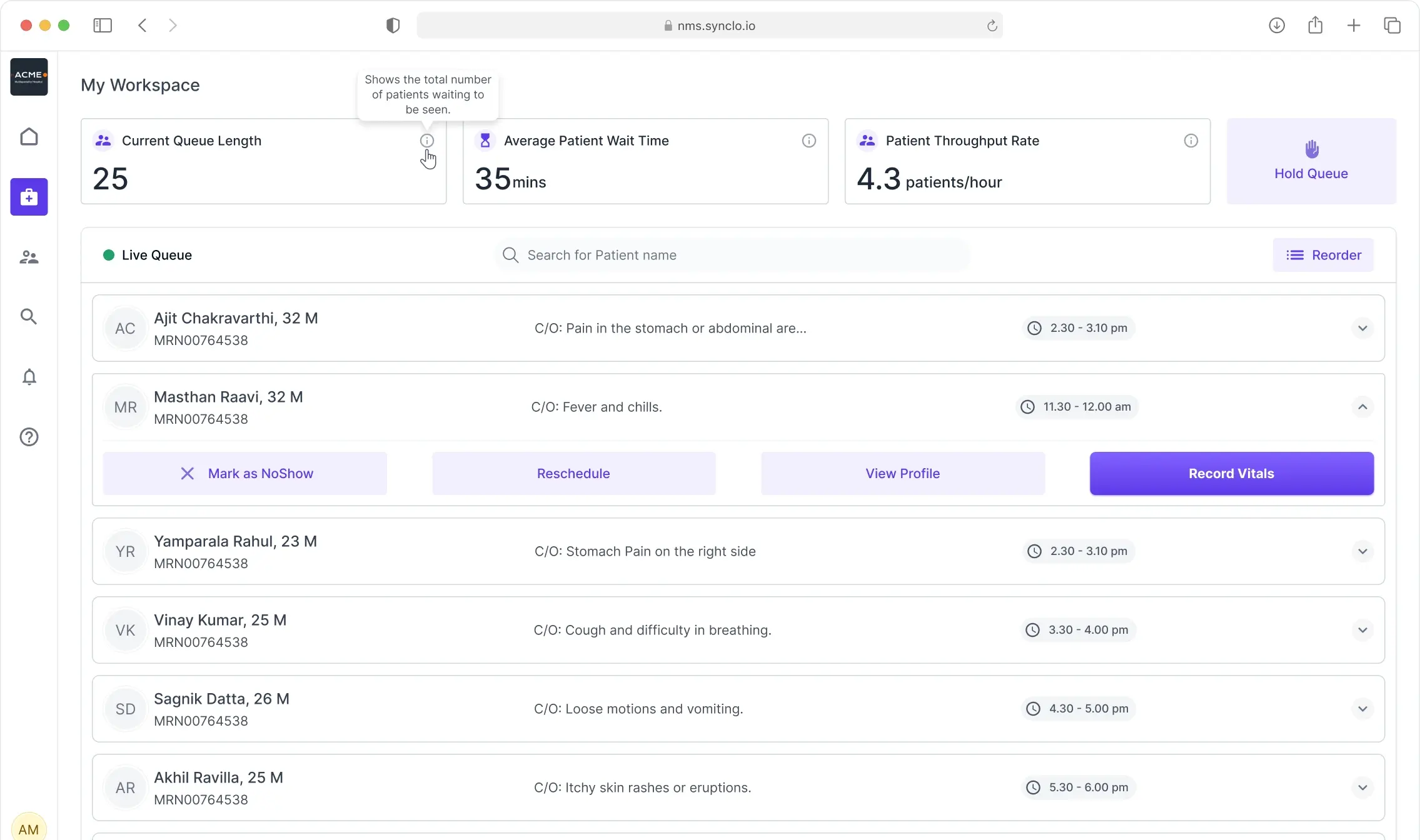
  5. NMS live queue showing current queue length, average wait and throughput above a searchable, reorderable patient list with a hold-queue control
    The same queue as the nurse works it: length, average wait, throughput per hour, a hold control, and every patient one click from no-show, reschedule or record vitals.
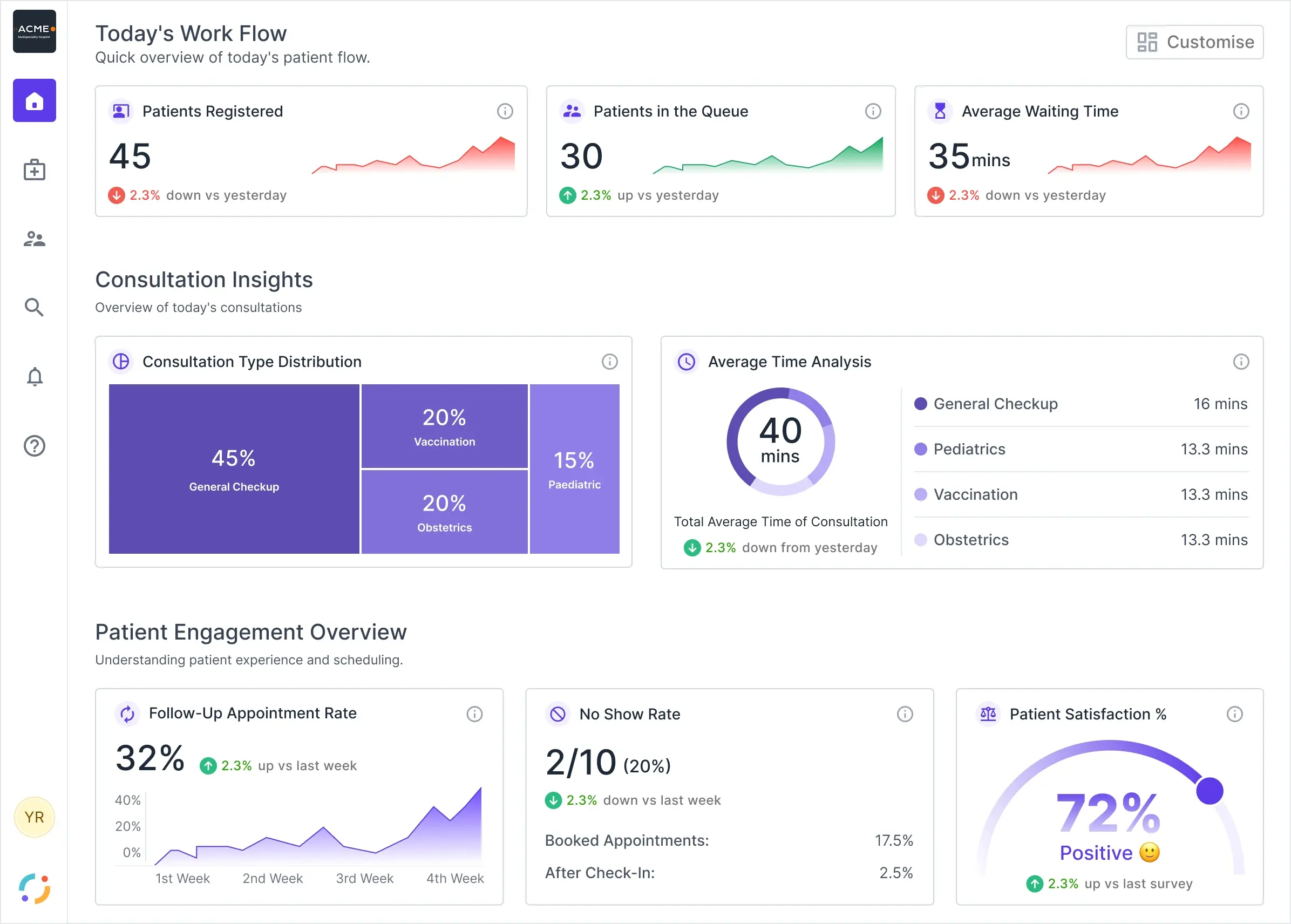
  6. Synclo QMS home on iPad, showing patients registered, patients in the queue and average waiting time above consultation and patient-engagement panels
    And the same queue as the doctor composes it: a whole day as one board, who is registered, who is waiting, and where consultation time actually goes. Three seats, one mechanism, designed three times.
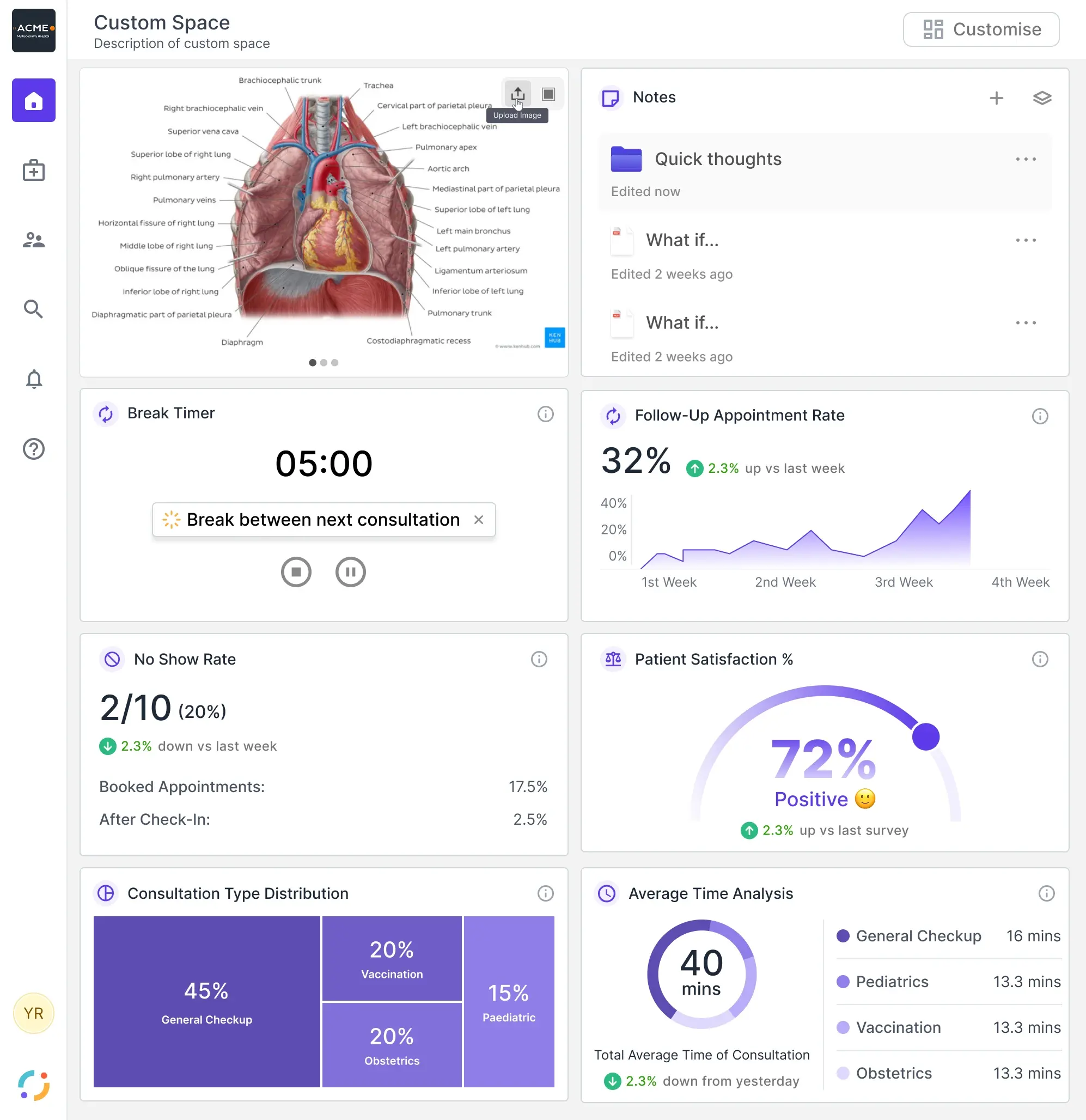
  7. Synclo QMS custom space, a doctor-composed board mixing an anatomy reference image, notes and a break timer with the standard consultation widgets
    Every panel is a widget, so a doctor composes the board they need instead of the one the product assumed.
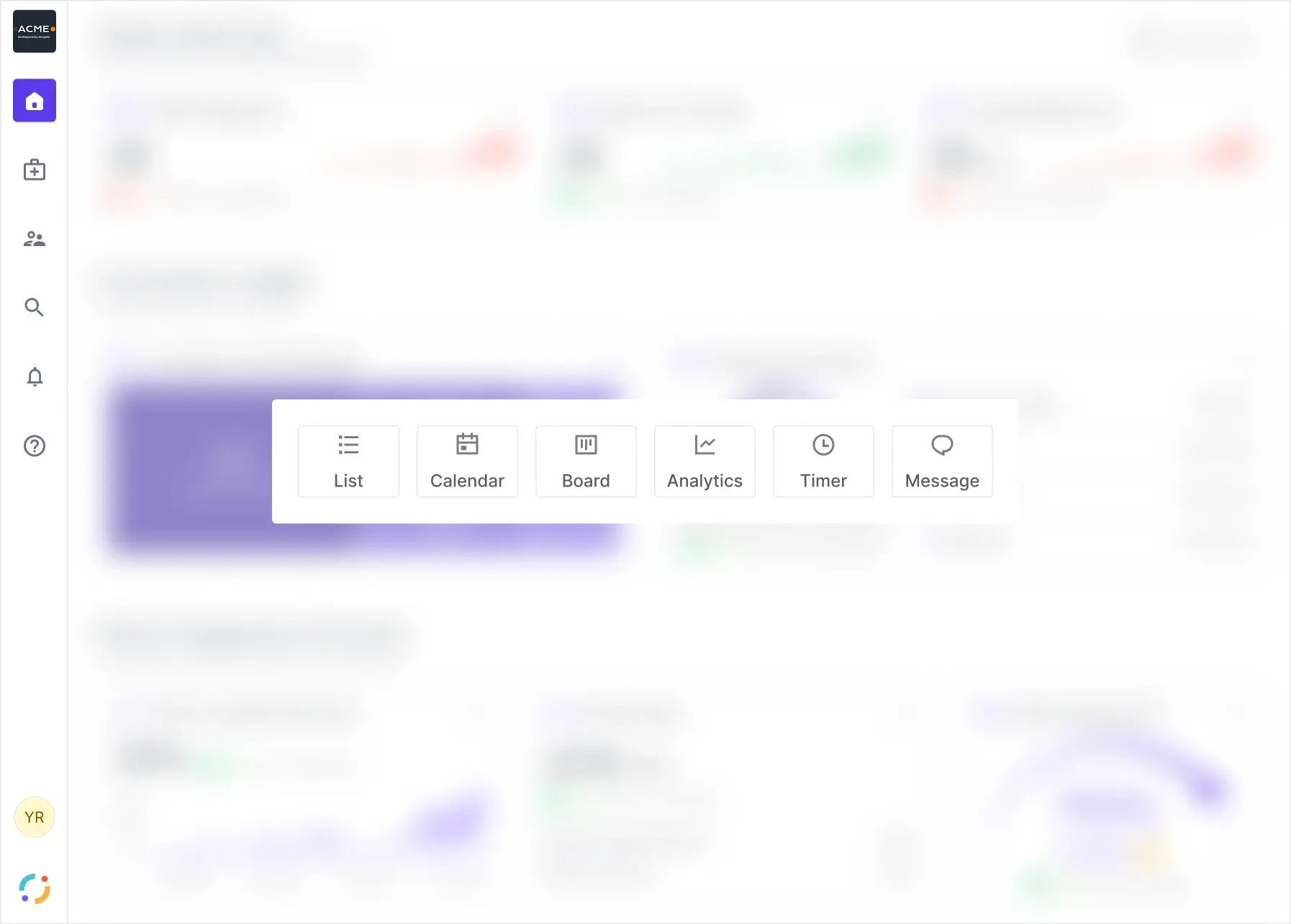
  8. The QMS block picker over a blurred board, offering List, Calendar, Board, Analytics, Timer and Message
    The chooser behind that board. Six block types, and the doctor decides which of them their day needs.
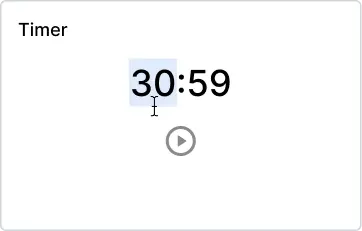
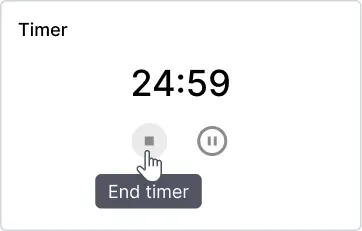
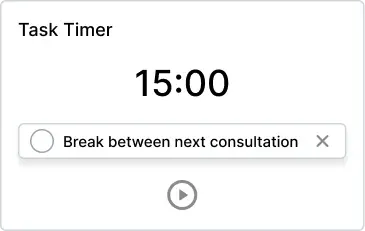
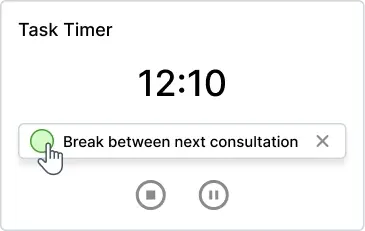
  9. One of those widgets, rebuilt to run: idle, editing in place, running, paused, and the task row's two separate exits. Click to interact.
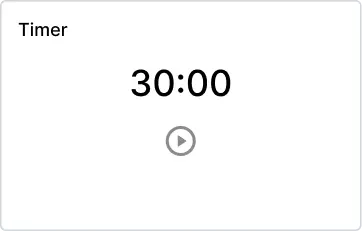
    • Timer widget idle at 30:00 with a single play control
      Idle
    • Timer widget with the minutes segment selected for editing
      Editing in place
    • Timer widget running, with the End timer tooltip on the stop control
      Running, End timer
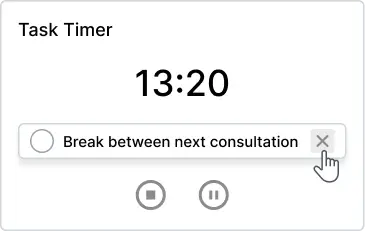
    • Task Timer widget with an unchecked task row
      Task attached
    • Task Timer with the task row checkbox being ticked
      Task ticked
    • Task Timer with the cursor on the task row dismiss control
      Task dismissed
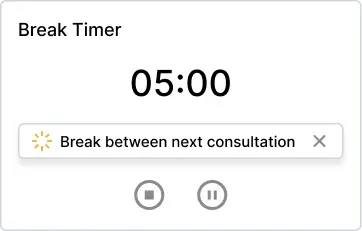
    • Break Timer widget at 05:00
      Break Timer
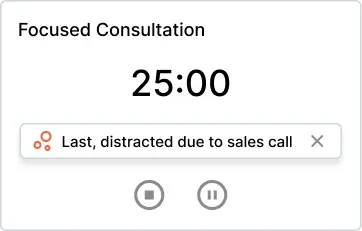
    • Focused Consultation widget at 25:00, noting the last consultation was interrupted
      Focused Consultation
    The same timer under four titles, across idle, editing, running and done. One primitive doing four jobs, which is what a widget has to be if the board is composable.
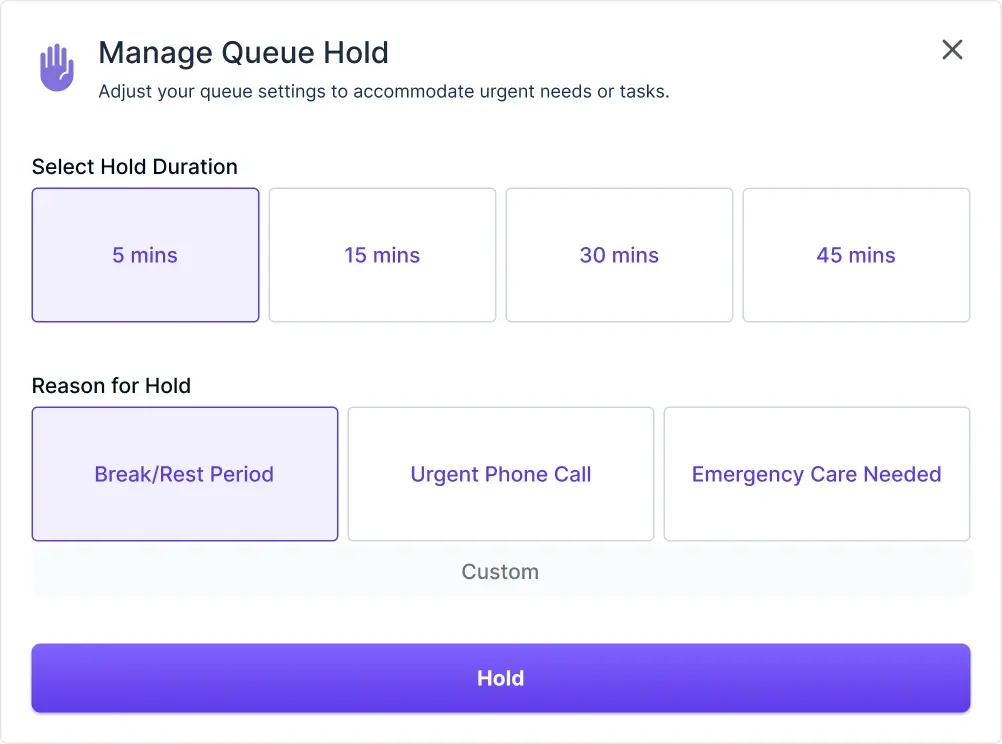
    • Manage Queue Hold modal with a five minute duration and Break or Rest Period selected
      How long, and why
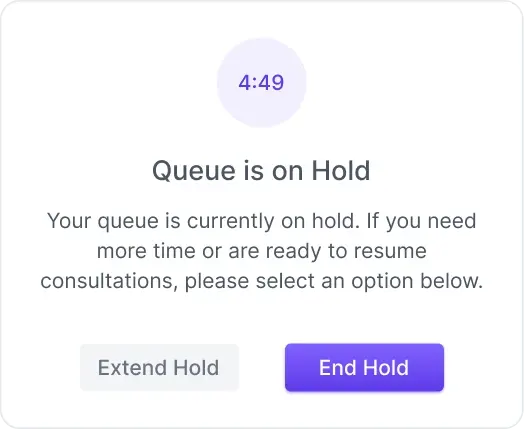
    • Queue is on Hold panel counting down, offering Extend Hold or End Hold
      On hold, with a way out
    • Toast reading Checkin with Dr. John about P1234
      The nudge back
    Holding the queue, end to end: how long and why, then the hold itself with a way out of it, then the nudge back. A doctor stepping away is a state the whole hospital can see.
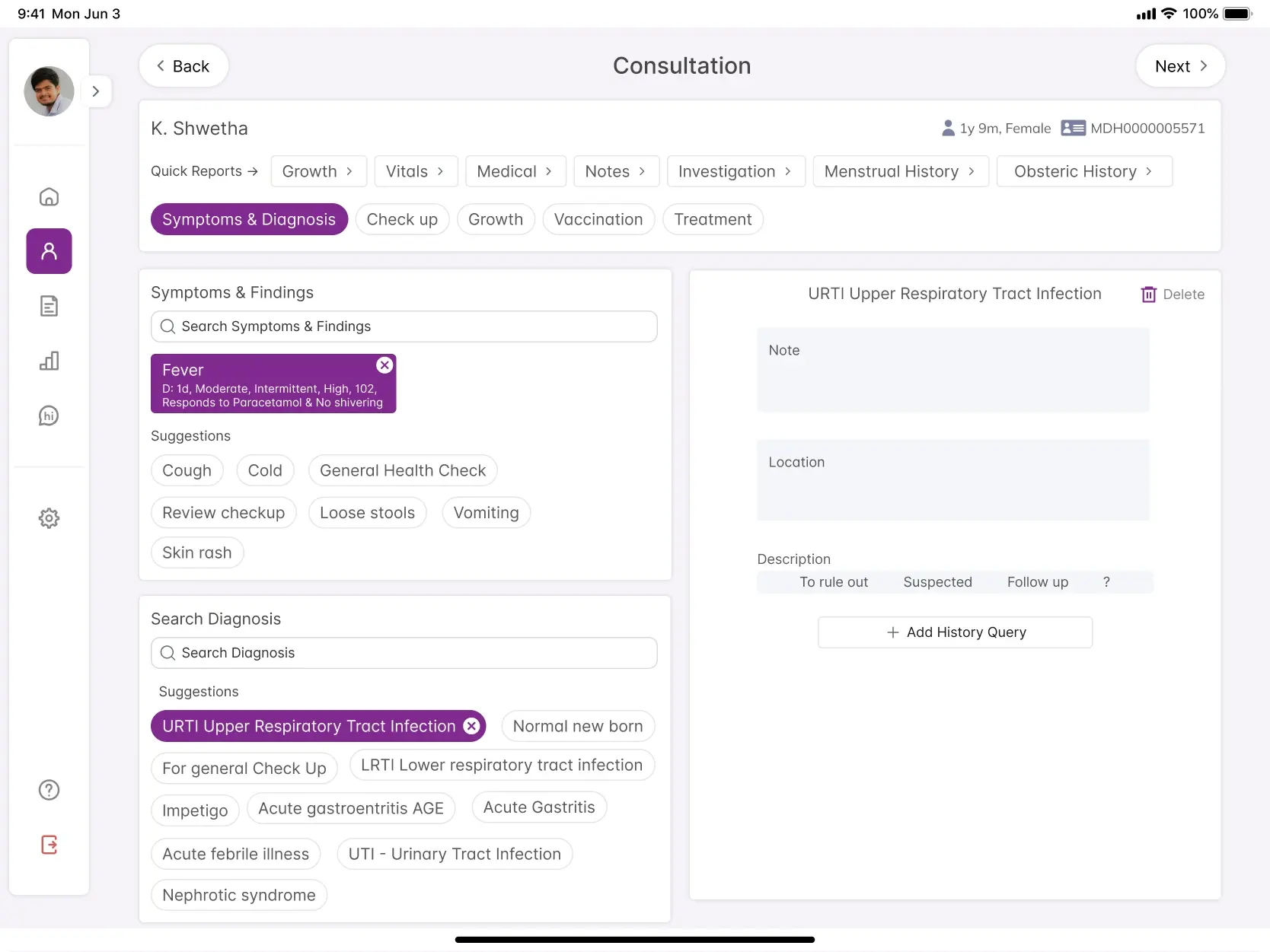
  10. Consultation capture, with suggested symptoms and suggested diagnoses the doctor selects from, and a panel to mark each one as to rule out, suspected or follow up
    Inside the consultation, symptoms and diagnoses arrive as suggestions the doctor selects from, and each one gets qualified: to rule out, suspected, or follow up.
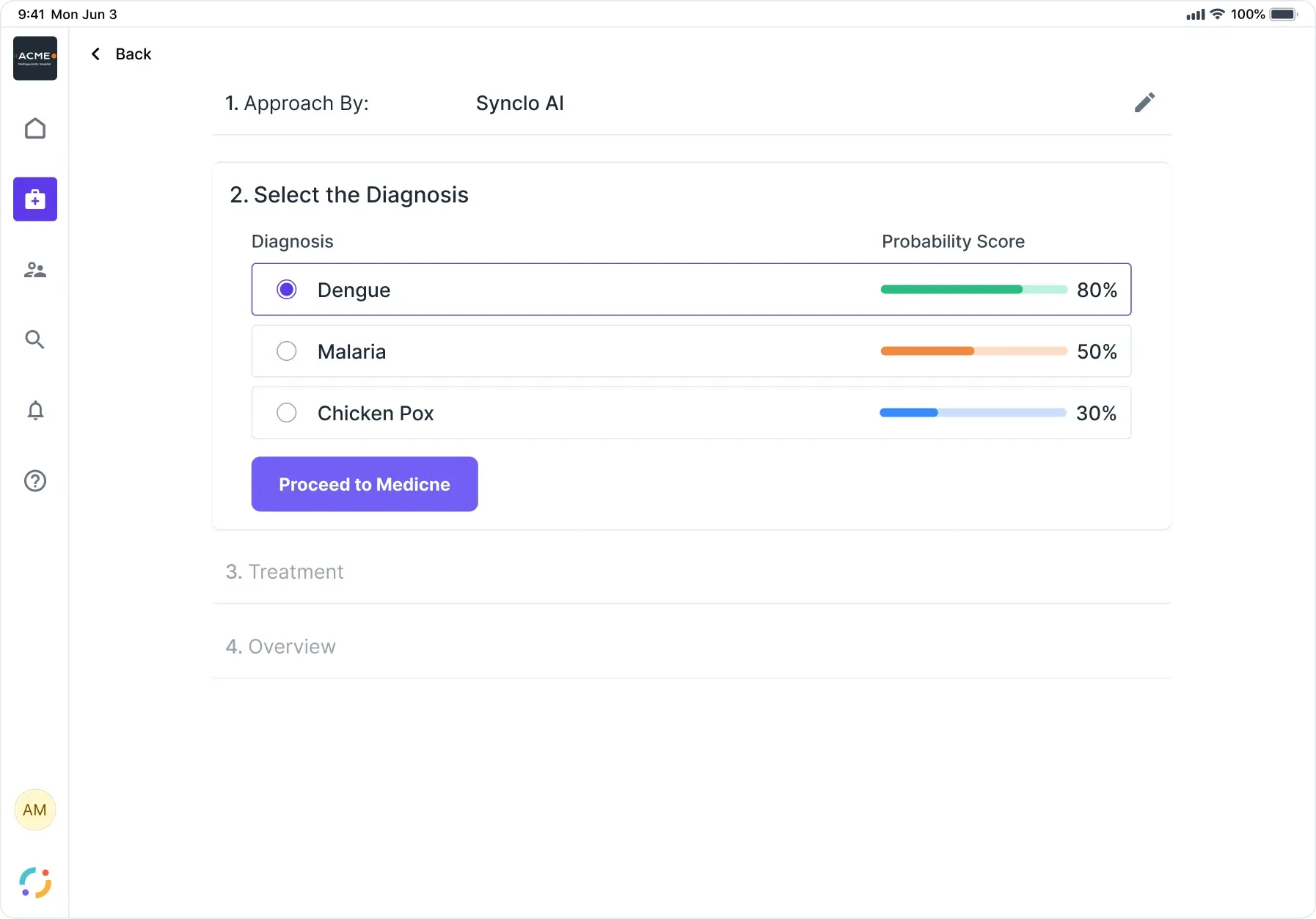
  11. Three candidate diagnoses from Synclo AI with probability scores of 80, 50 and 30 percent, as radio options the doctor must choose between before treatment unlocks
    Then the model returns three candidates and says how sure it is about each: 80, 50 and 30 percent. It does not decide. Treatment stays locked until a doctor picks one.
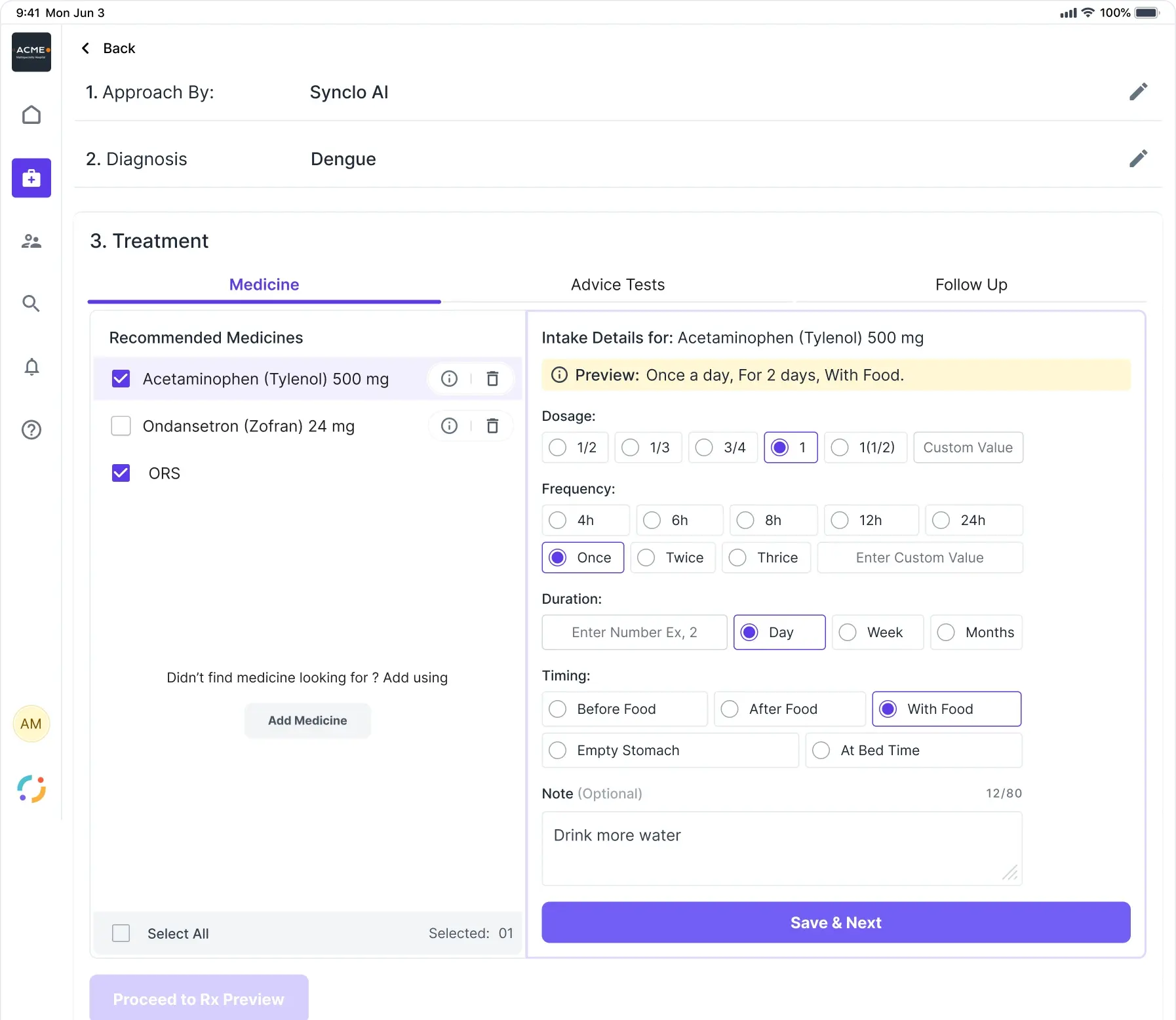
  12. Recommended medicines the doctor ticks, unticks or deletes, beside an intake panel whose plain-English preview composes from the dosage, frequency, duration and timing chosen
    Then it recommends medicines, and the doctor keeps, drops or deletes them one by one. The preview composes the instruction in plain English, so what the patient will read is checked before it is a prescription.
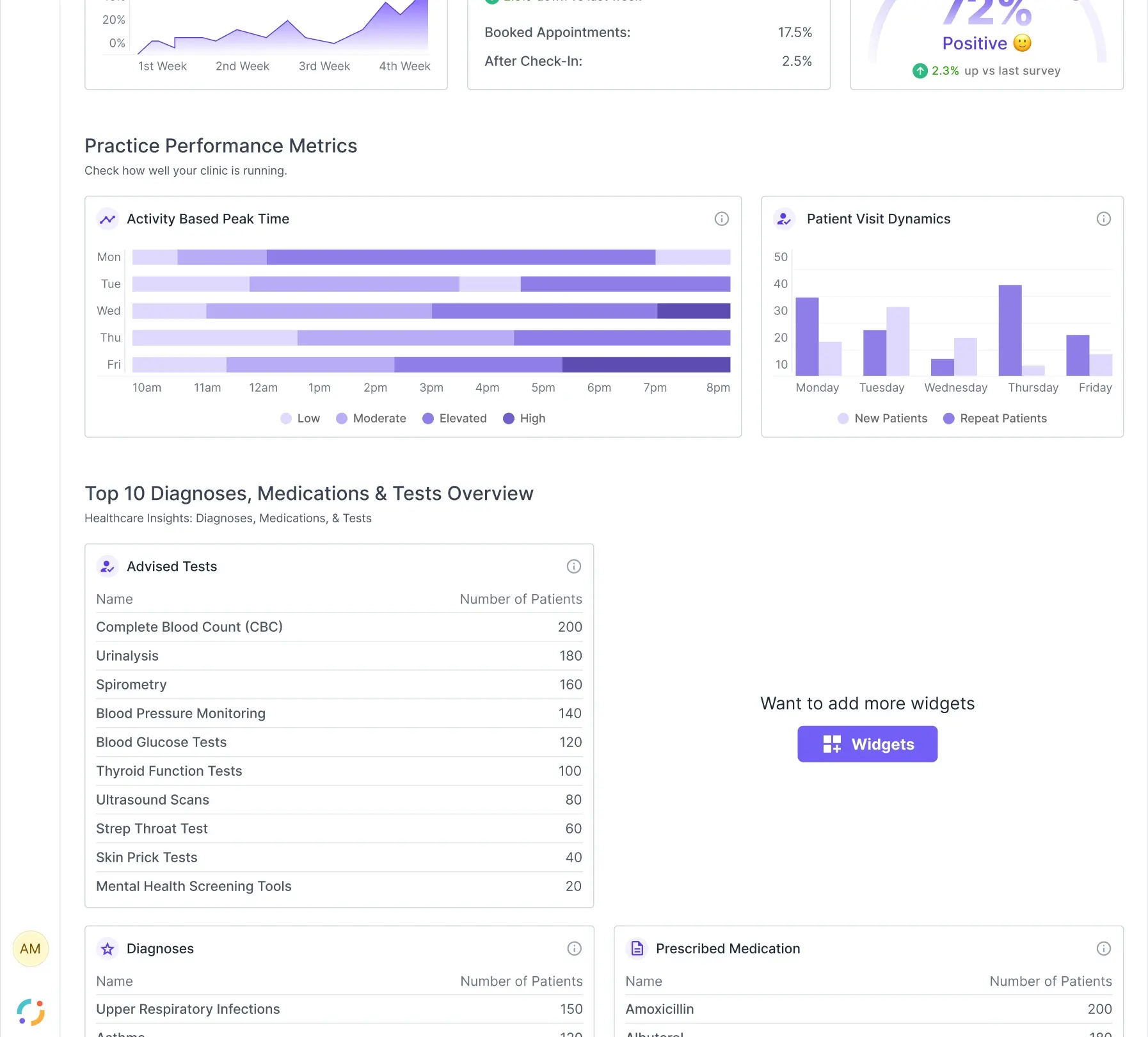
    • Practice performance metrics: an activity heatmap by day and hour, new against repeat patient visits, and top-ten tables for diagnoses, medications and advised tests
      How the practice is running
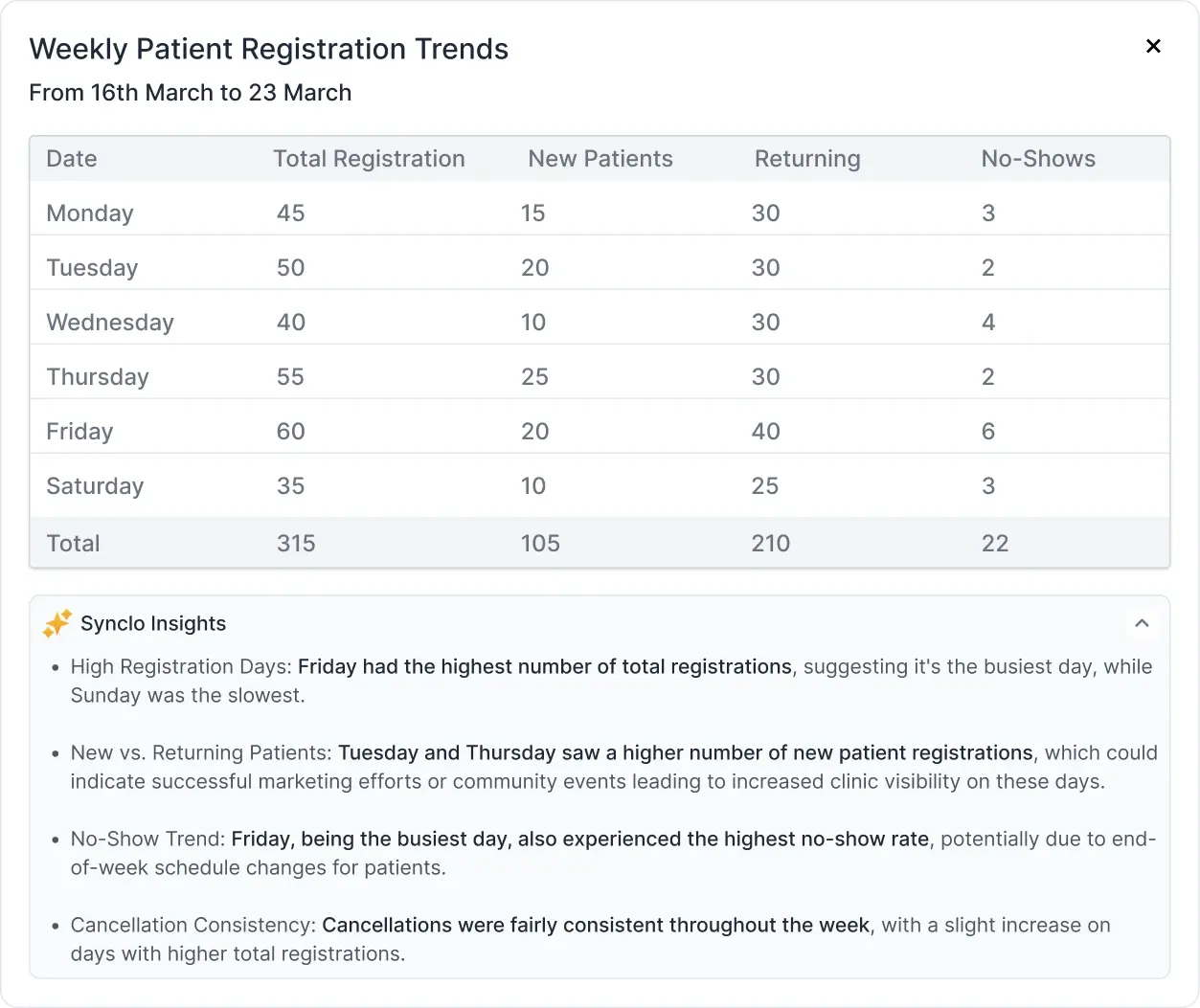
    • A weekly registration table expanded, with an AI insights panel beneath it that bolds each observed fact and hedges each interpretation
      Fact bolded, inference hedged
    What the clinic learns from all of it. Peak hours, new against returning, top diagnoses and medications, and an insights panel that bolds what the data says and hedges what it only suggests.
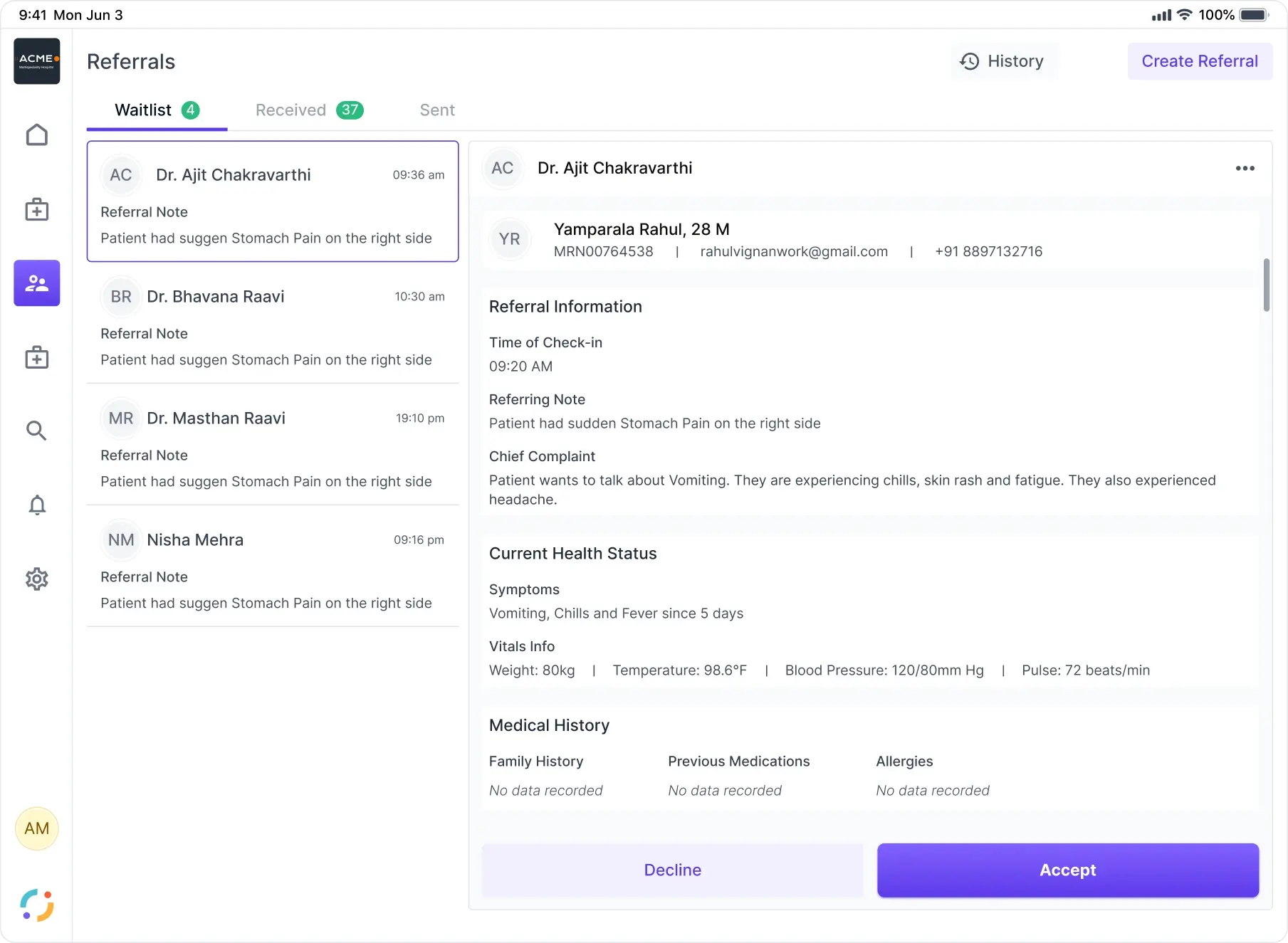
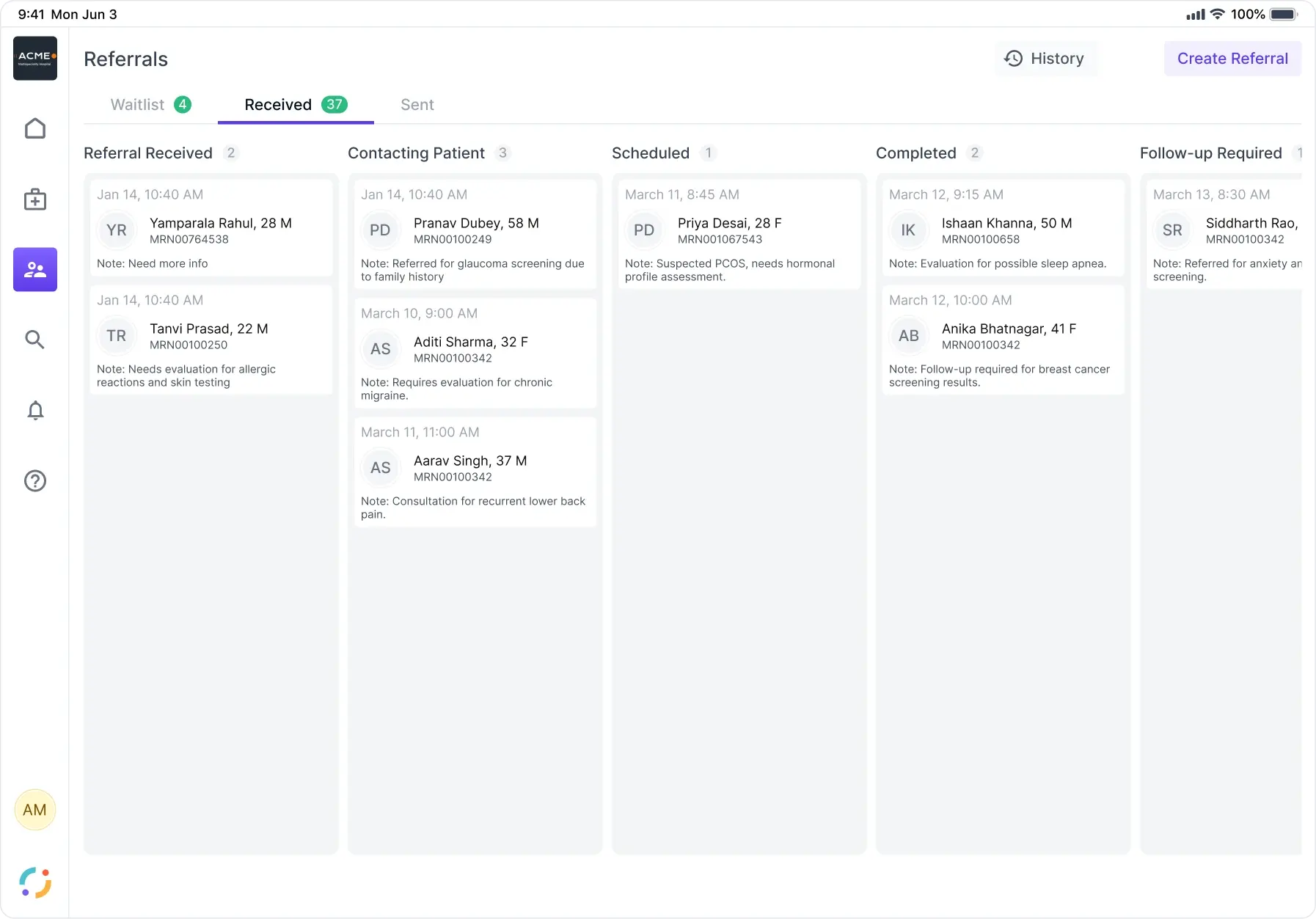
    • The referrals inbox with waitlist, received and sent tabs, a referral list on the left and its clinical detail on the right ending in decline or accept
      Accept or decline
    • Received referrals as a pipeline board running referral received, contacting patient, scheduled, completed and follow-up required
      As a pipeline
    A referral is not a message, it is a state: received, contacting the patient, scheduled, completed, follow-up required. Accepting one is a decision with the clinical detail attached.
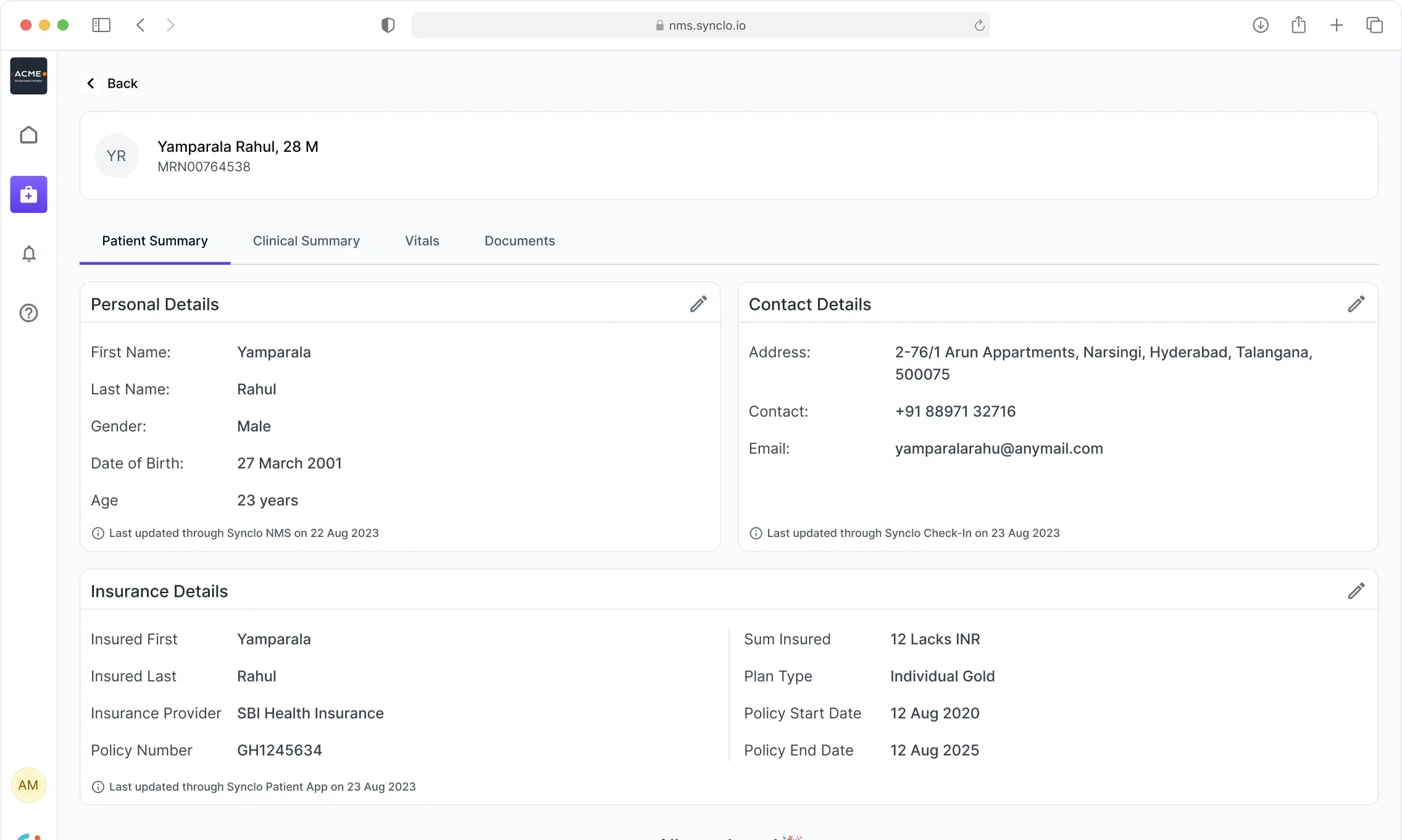
  13. NMS patient summary where each block of details names the product that last updated it and when
    One record, written by several products, and it says so. Each block names which one last touched it and when, so a nurse can tell where a fact came from before trusting it.
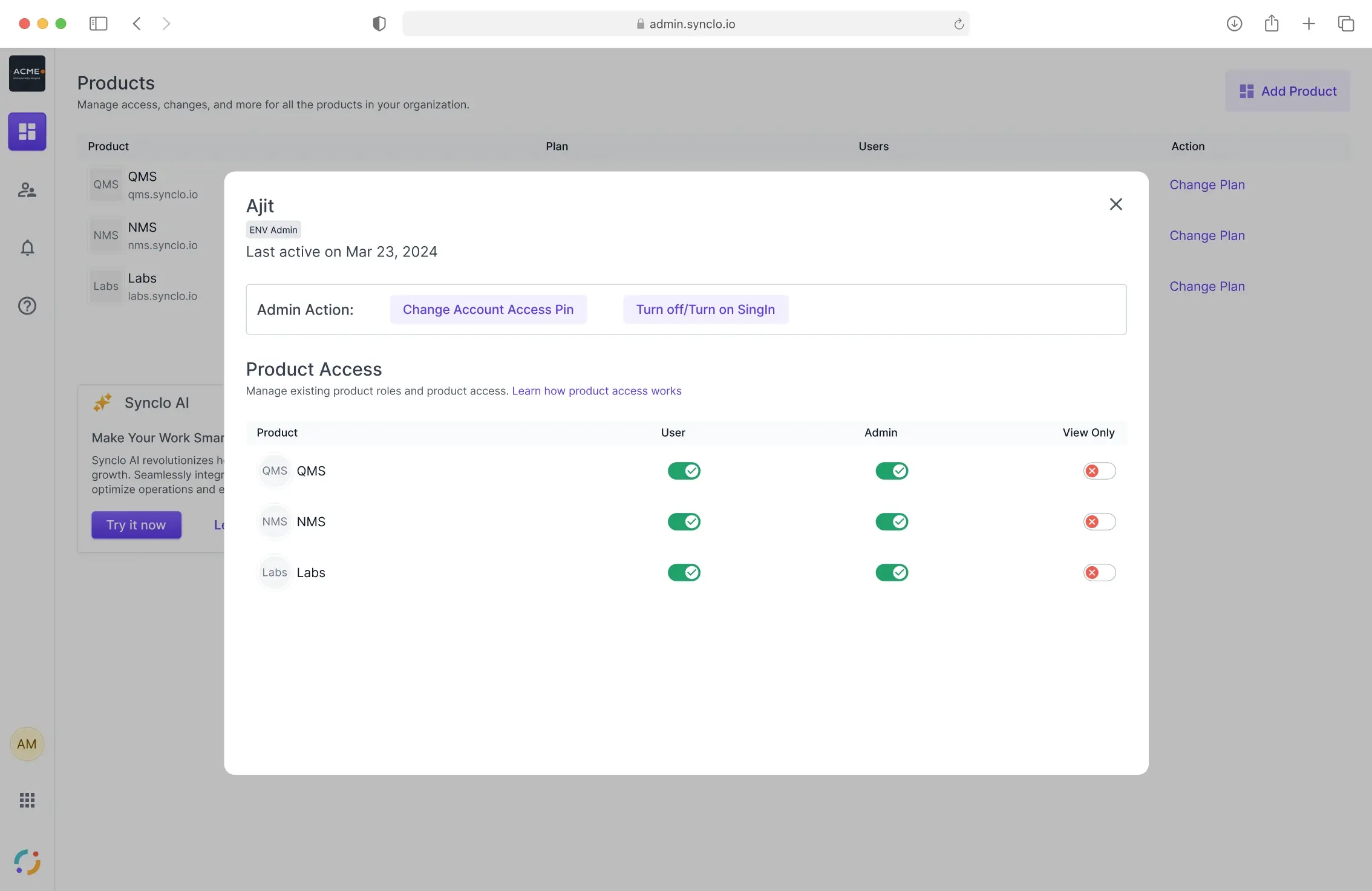
  14. Synclo admin product list with a user panel open, granting User, Admin or View Only access per product across QMS, NMS and Labs
    And who is allowed into any of it: QMS, NMS and Labs as products an organisation buys, with User, Admin or View Only granted per person per product.
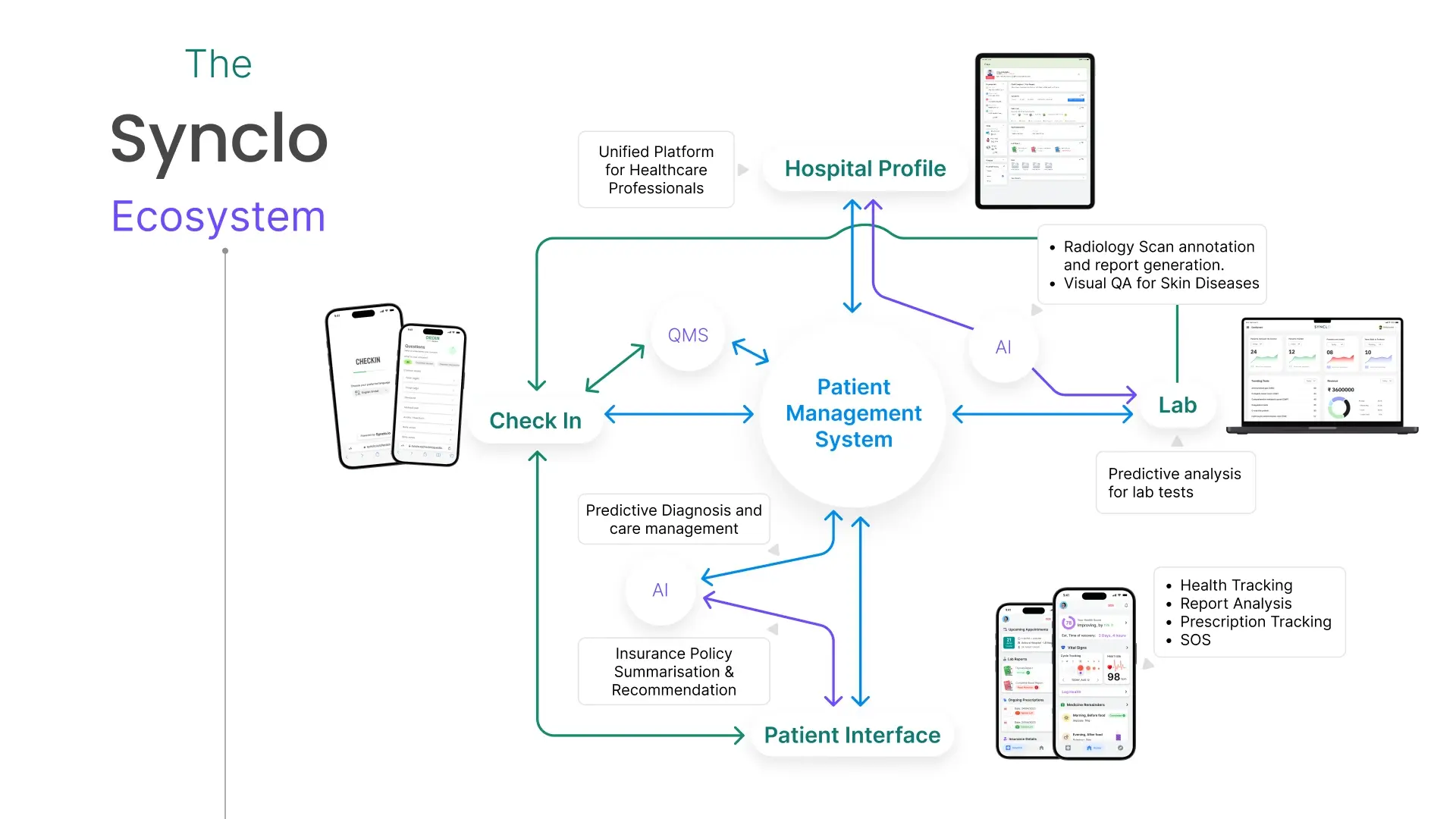
  15. The Synclo ecosystem map, connecting check-in, QMS, the patient management system, lab and patient interface, with AI nodes for radiology annotation, predictive diagnosis and insurance summarisation
    The whole estate, and the reason the queue board could not be designed alone: check-in, QMS, patient management, lab, and the surfaces each role actually touches.
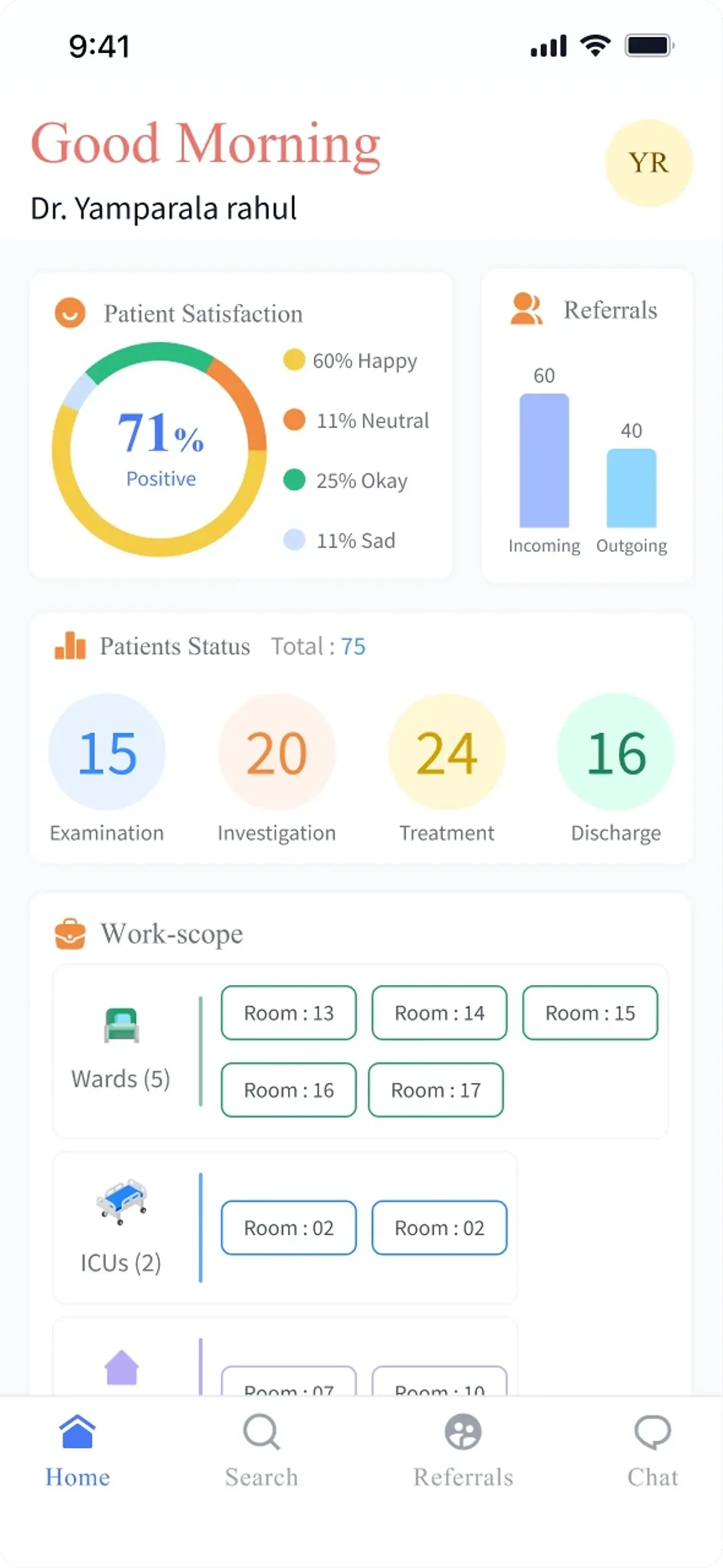
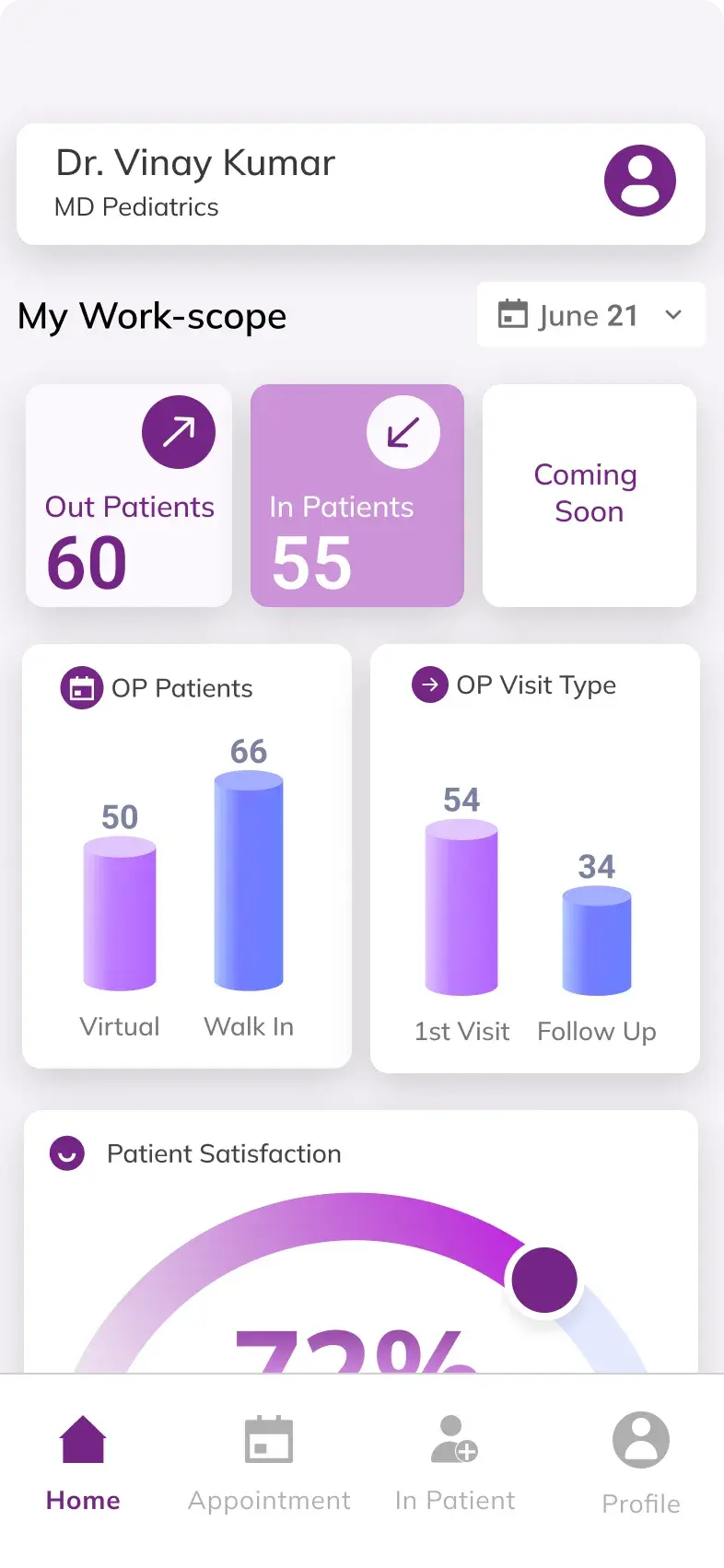
    • A doctor's dashboard showing patient satisfaction, incoming against outgoing referrals, patients split across examination, investigation, treatment and discharge, and a work-scope of wards and ICUs by room
      The day, in numbers
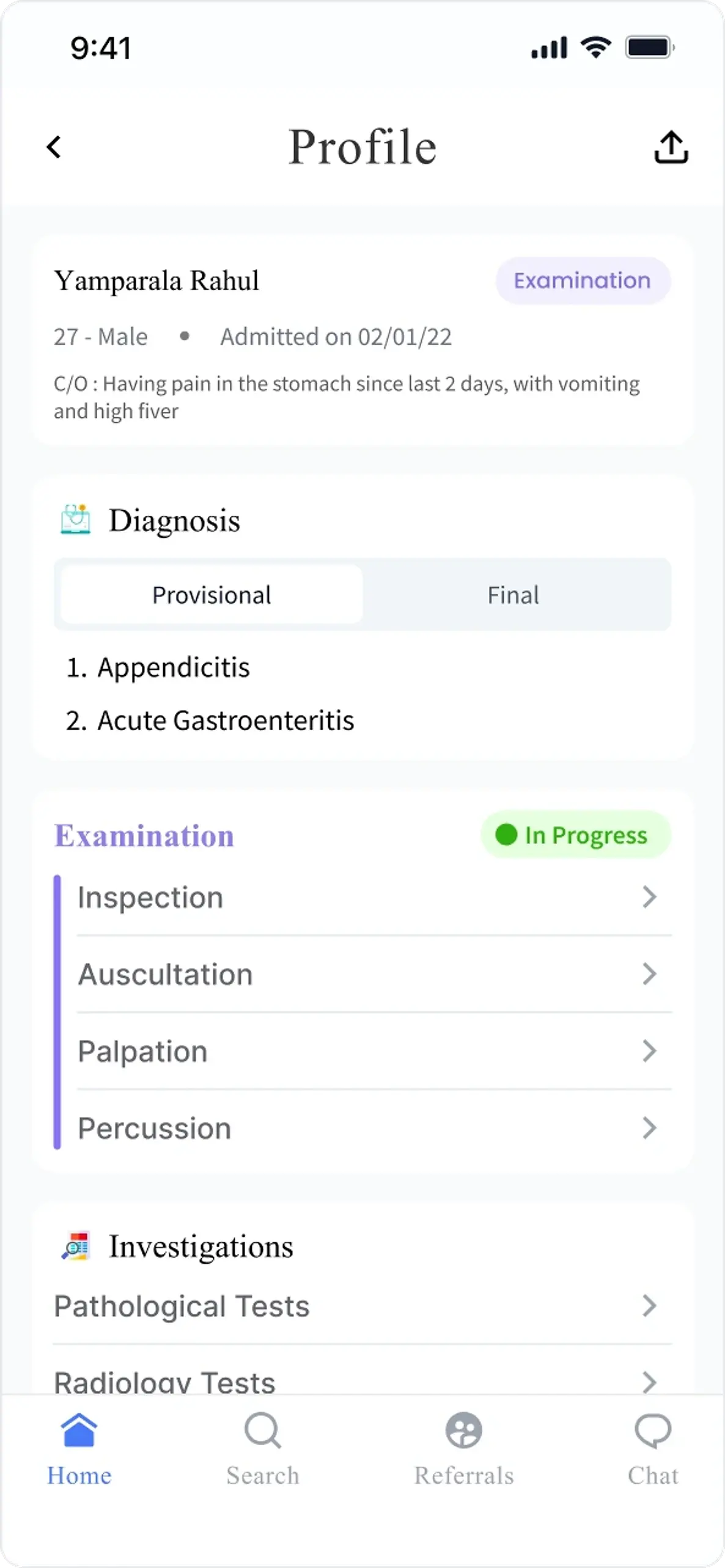
    • A patient profile listing provisional and final diagnosis tabs above examination methods and investigations
      Provisional, then final
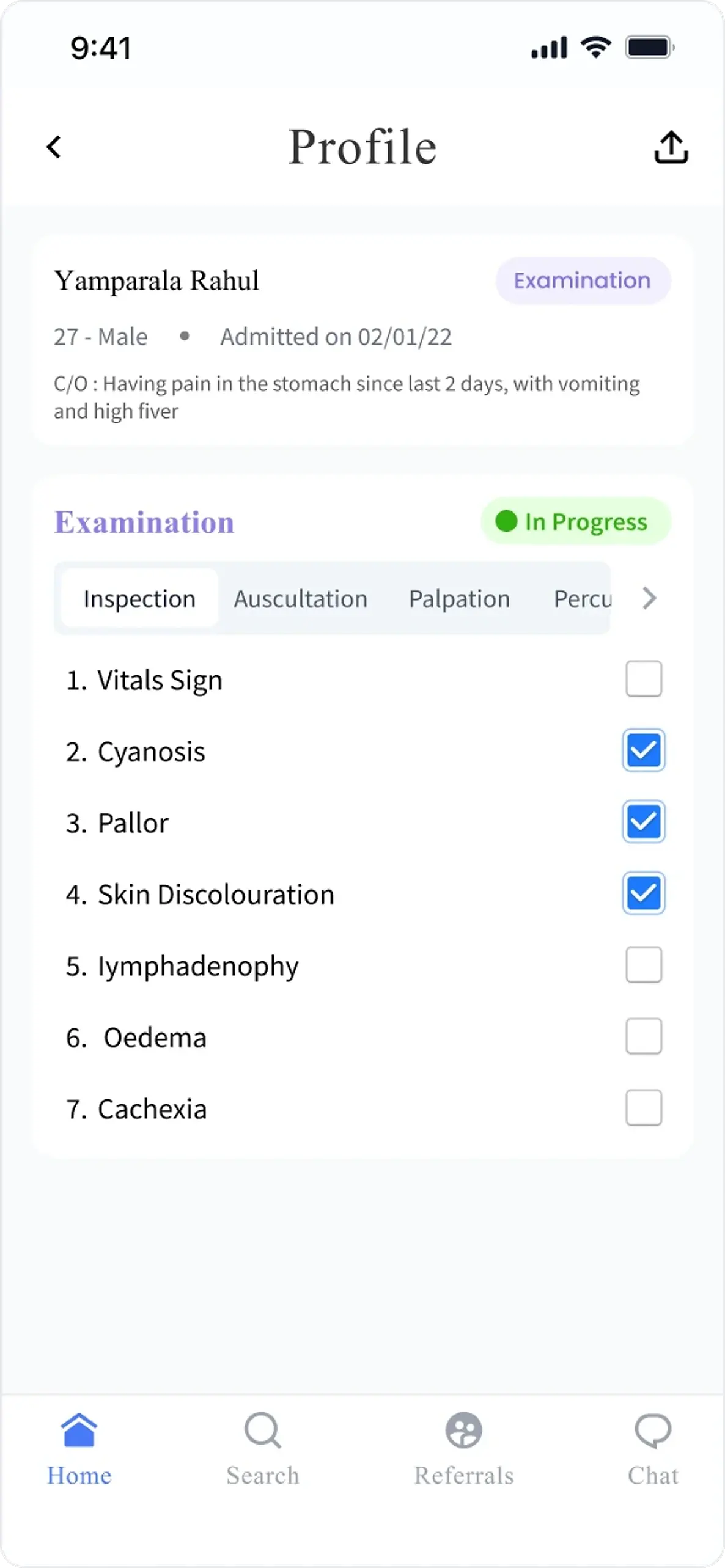
    • An examination in progress, with tabs for inspection, auscultation, palpation and percussion and findings ticked off as a checklist
      Examination as a checklist
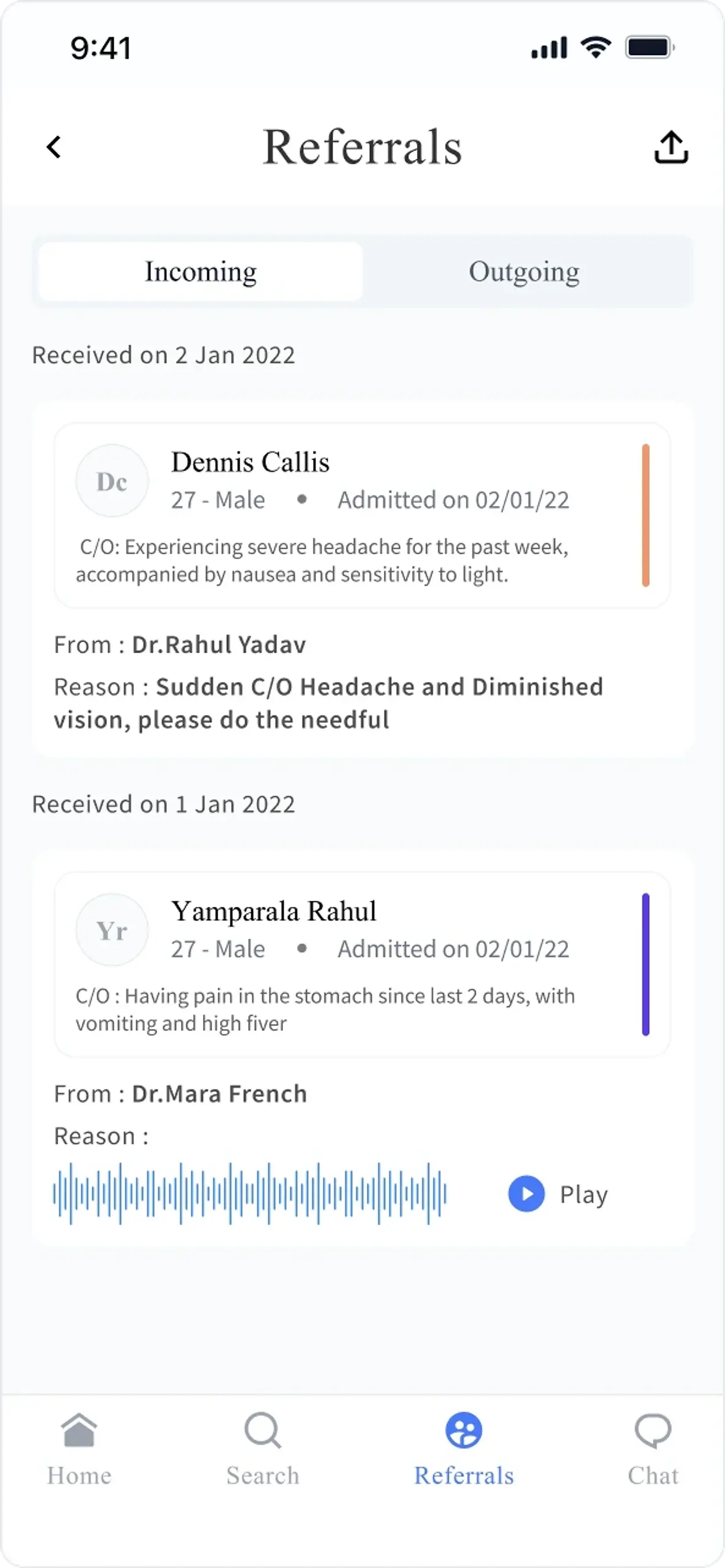
    • The referrals list in the Synclo doctor phone app
      Referrals
    The doctor's half of that estate in a pocket: the day by patient stage and ward, then a patient profile that runs provisional diagnosis into a structured examination, inspection through percussion, ticked off as findings.
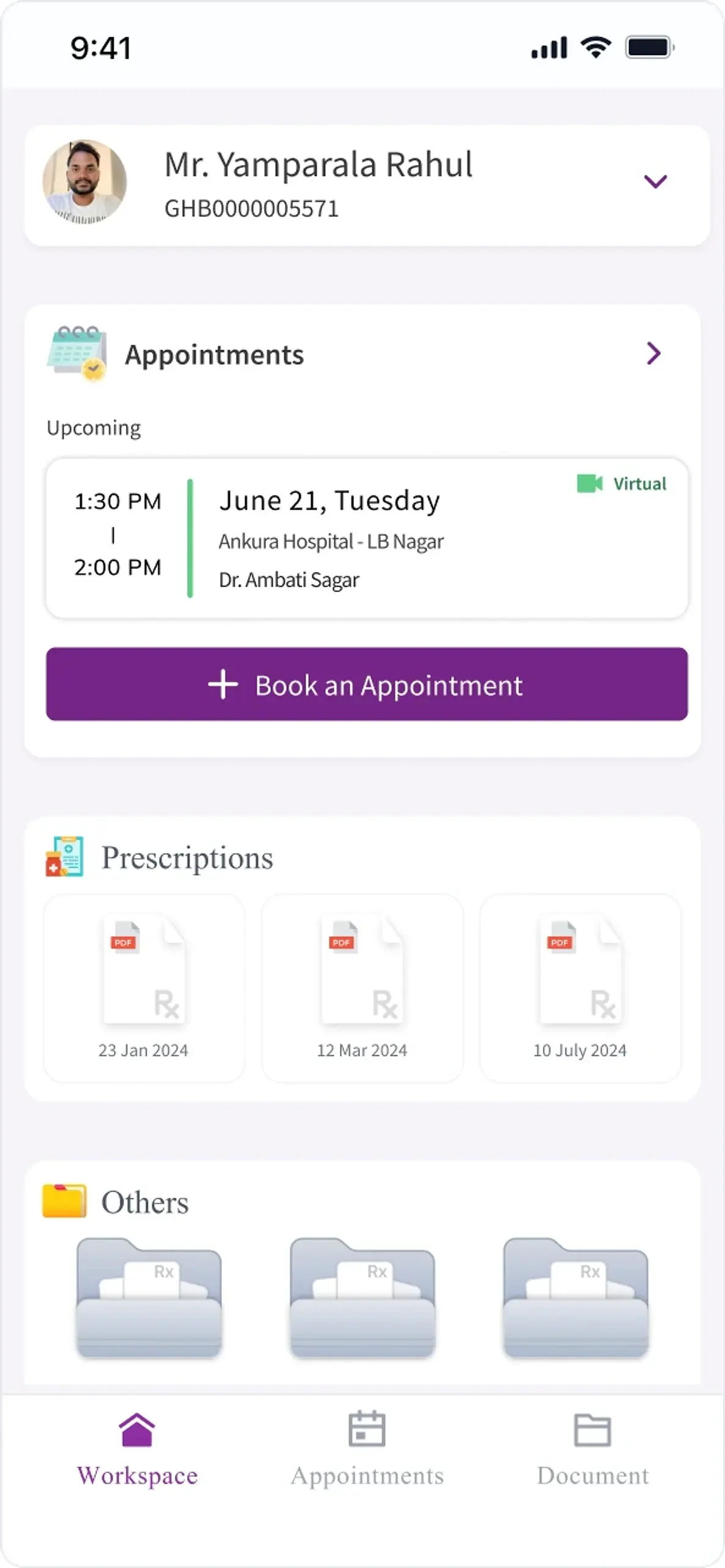
    • A patient's home showing the next appointment with its hospital and doctor, recent prescriptions as documents, and a book-an-appointment action
      Home
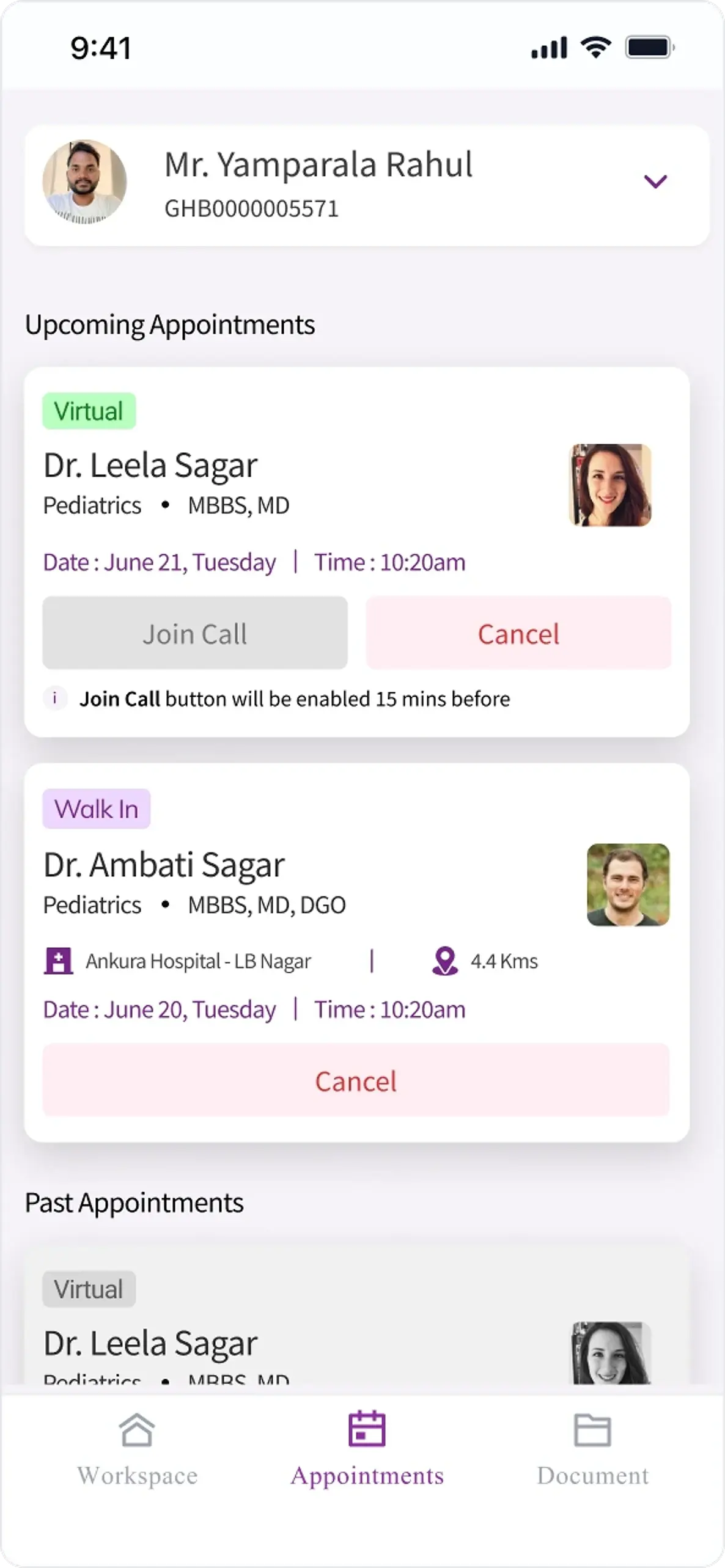
    • Upcoming appointments marked virtual or walk-in, with a join-call control that says it enables fifteen minutes before, above past appointments
      Virtual or walk-in
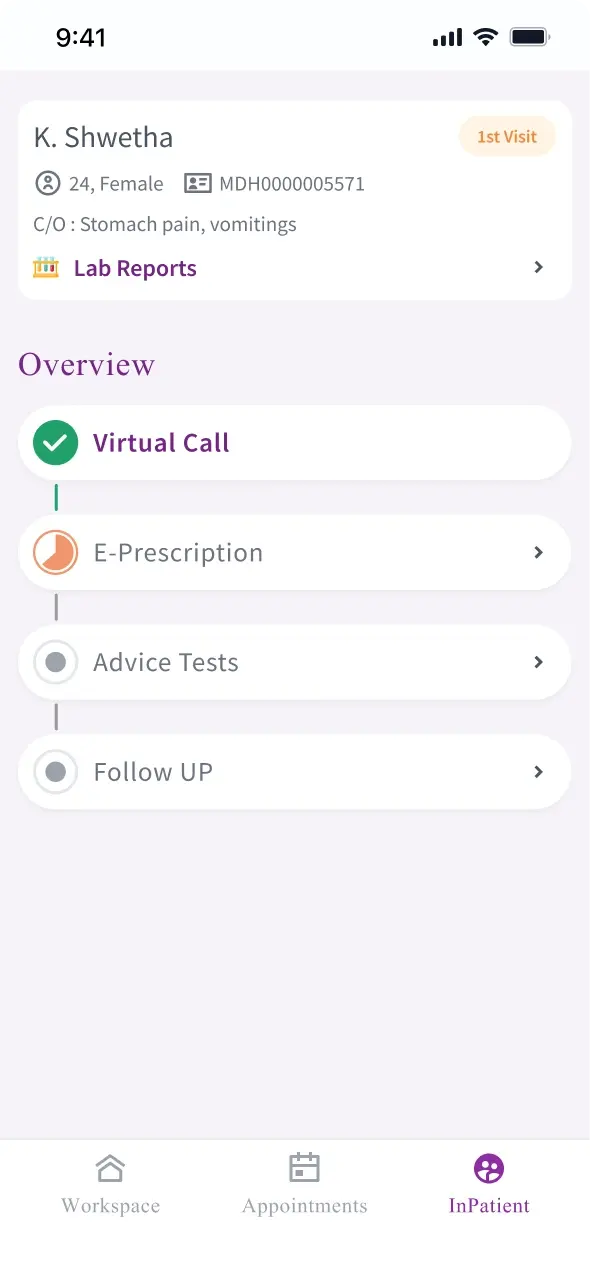
    • After a virtual consultation, the visit shown as a progress track running virtual call, e-prescription, advice tests and follow up
      What happens next
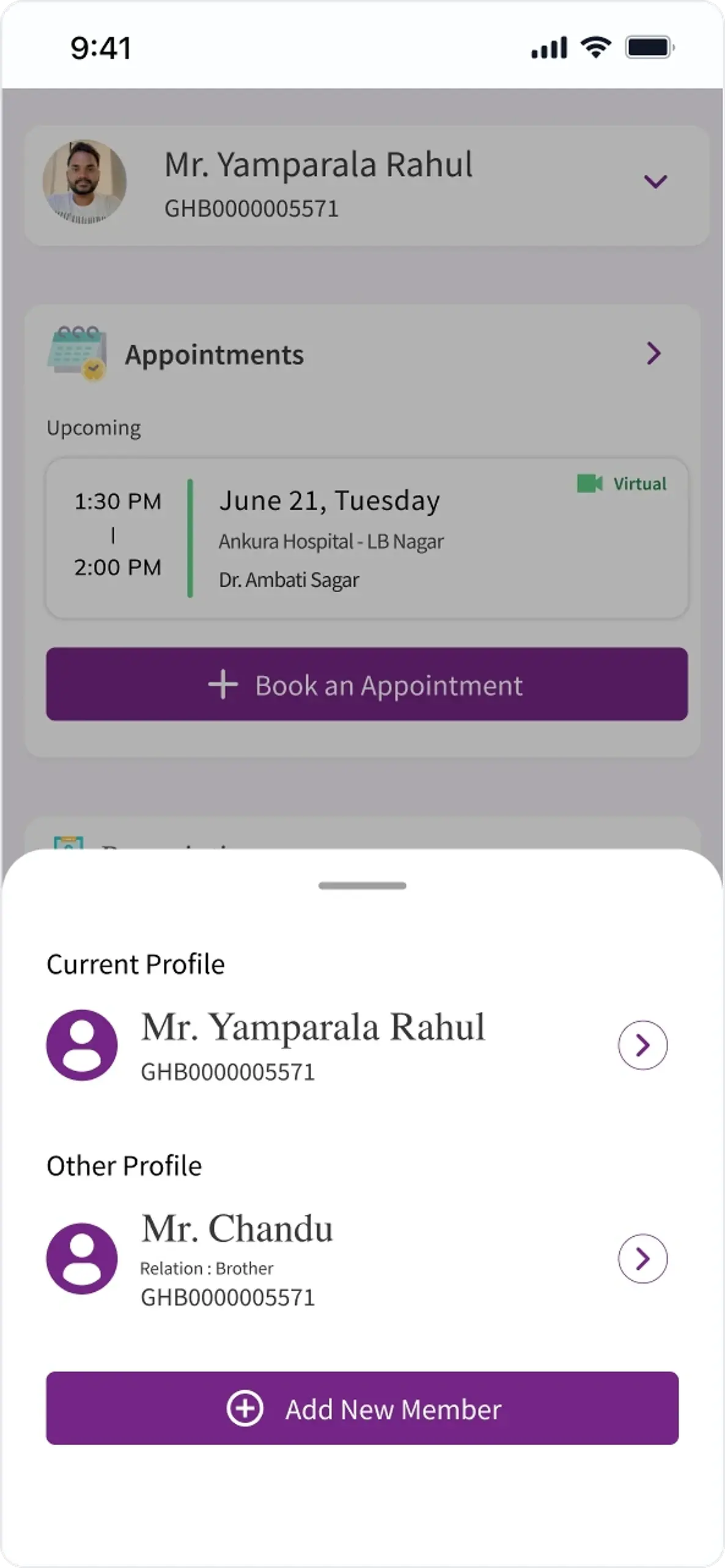
    • A profile sheet switching between the patient's own record and a family member's, with an option to add a new member
      The family's records too
    And the patient's half: appointments virtual or walk-in, what happens after the call, and a profile that holds the family's records beside your own.
    • Doctor App home screen showing clinic information and OPD cases
      Doctor App, home
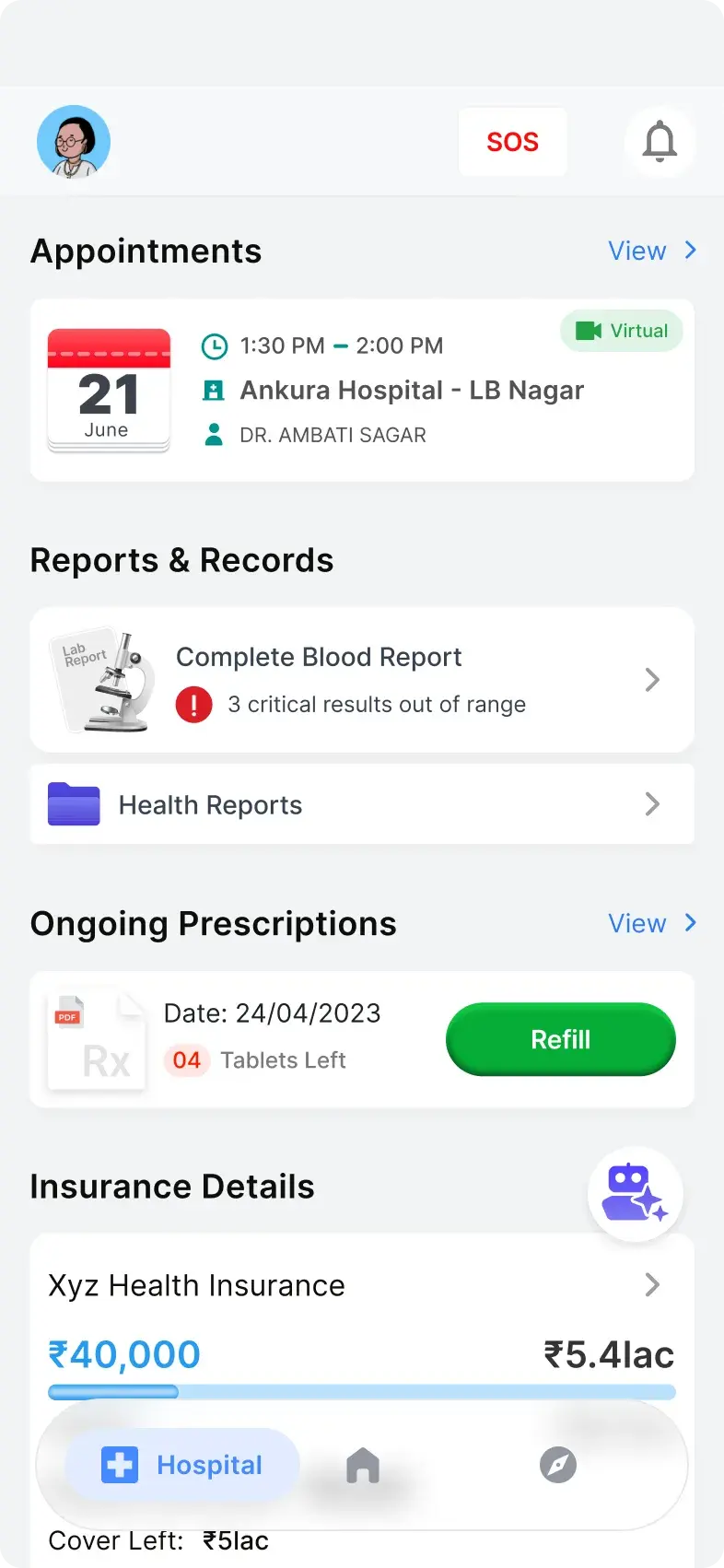
    • Patients App hospital screen with appointments, reports, prescriptions, and insurance entry points
      The hospital screen
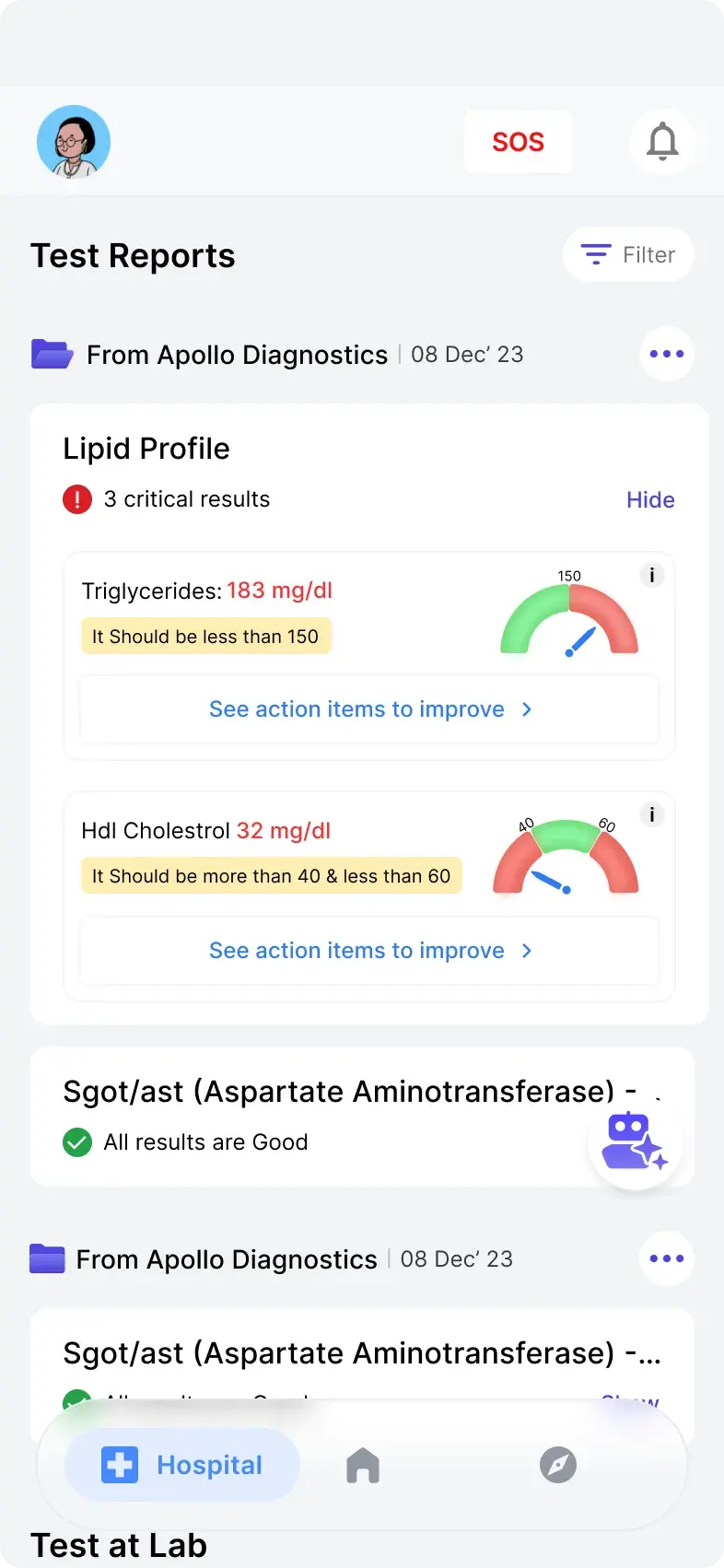
    • Patients App reports screen opened from the hospital screen
      Reports, unaccompanied
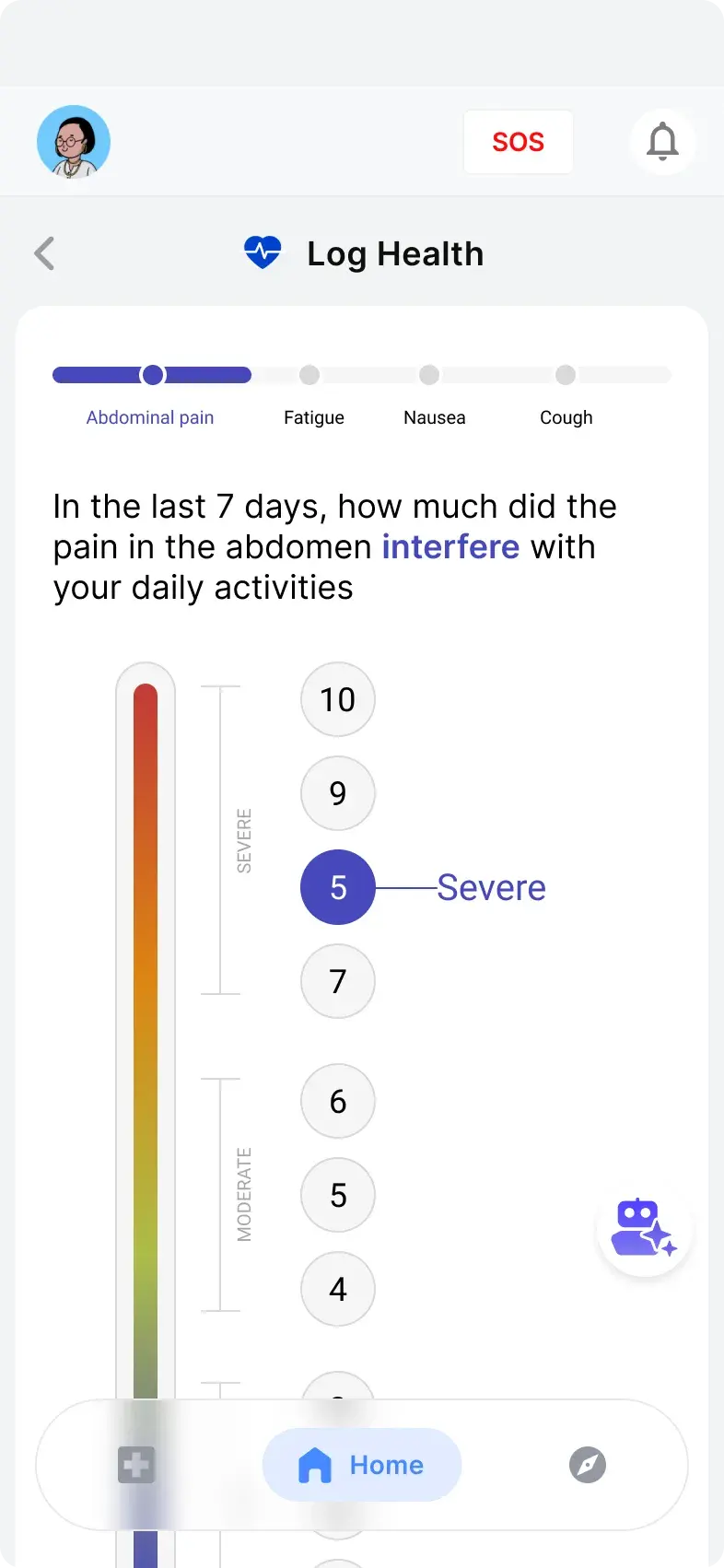
    • Patients App log health screen for entering health condition updates
      Logging a condition
    The generation before those two: a doctor's home, and the patient side of the same appointment with reports they can open unaccompanied and a record they keep between visits.
    • Synclo MyMed splash screen
      Splash
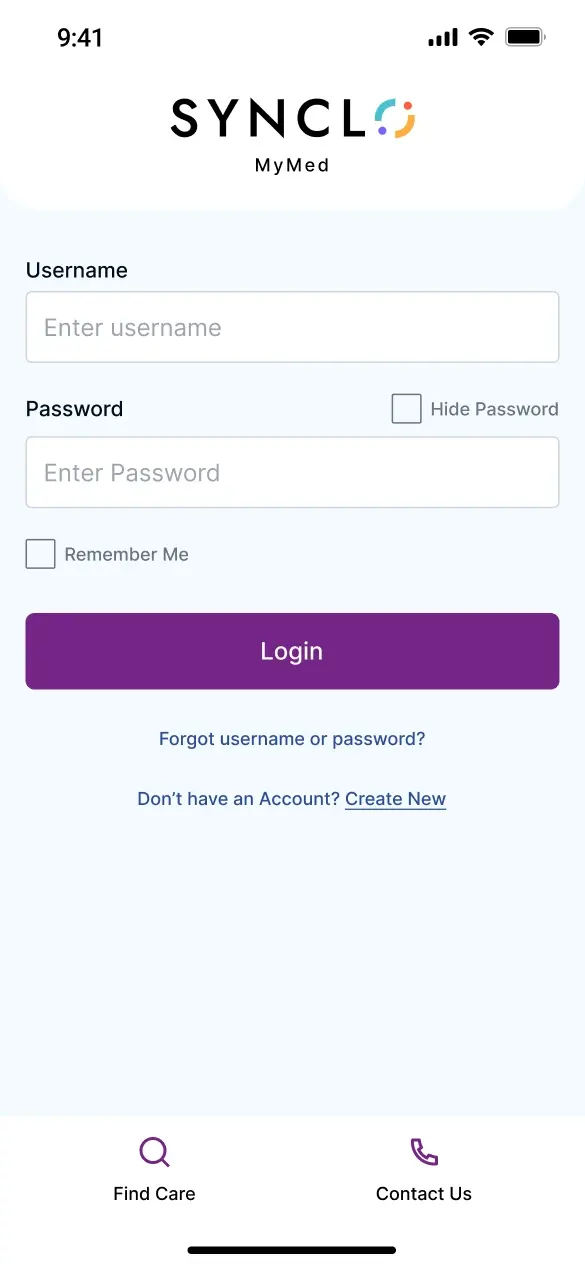
    • Synclo MyMed login screen with Find Care and Contact Us in the footer
      Login
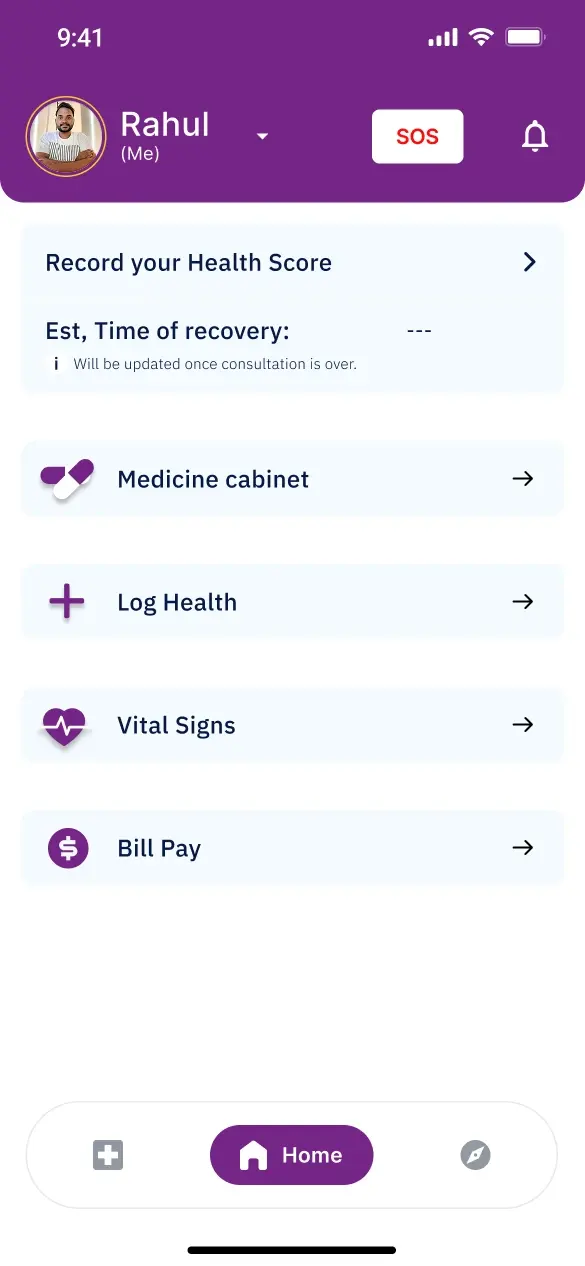
    • MyMed home with health score, medicine cabinet, log health, vital signs and bill pay
      Home
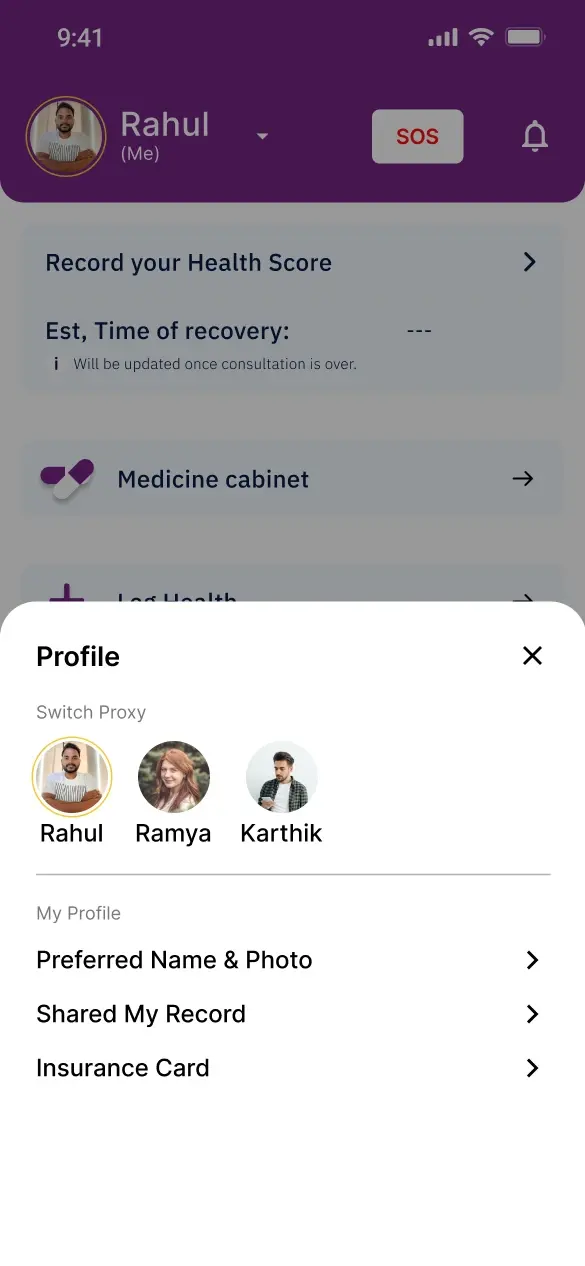
    • MyMed profile sheet offering a switch between Rahul, Ramya and Karthik
      Switch proxy
    MyMed, the same patient problem redrawn for a different market as a trial. Proxy switching is the part worth looking at: one person holding their own record and their family's, which is how care actually gets managed.
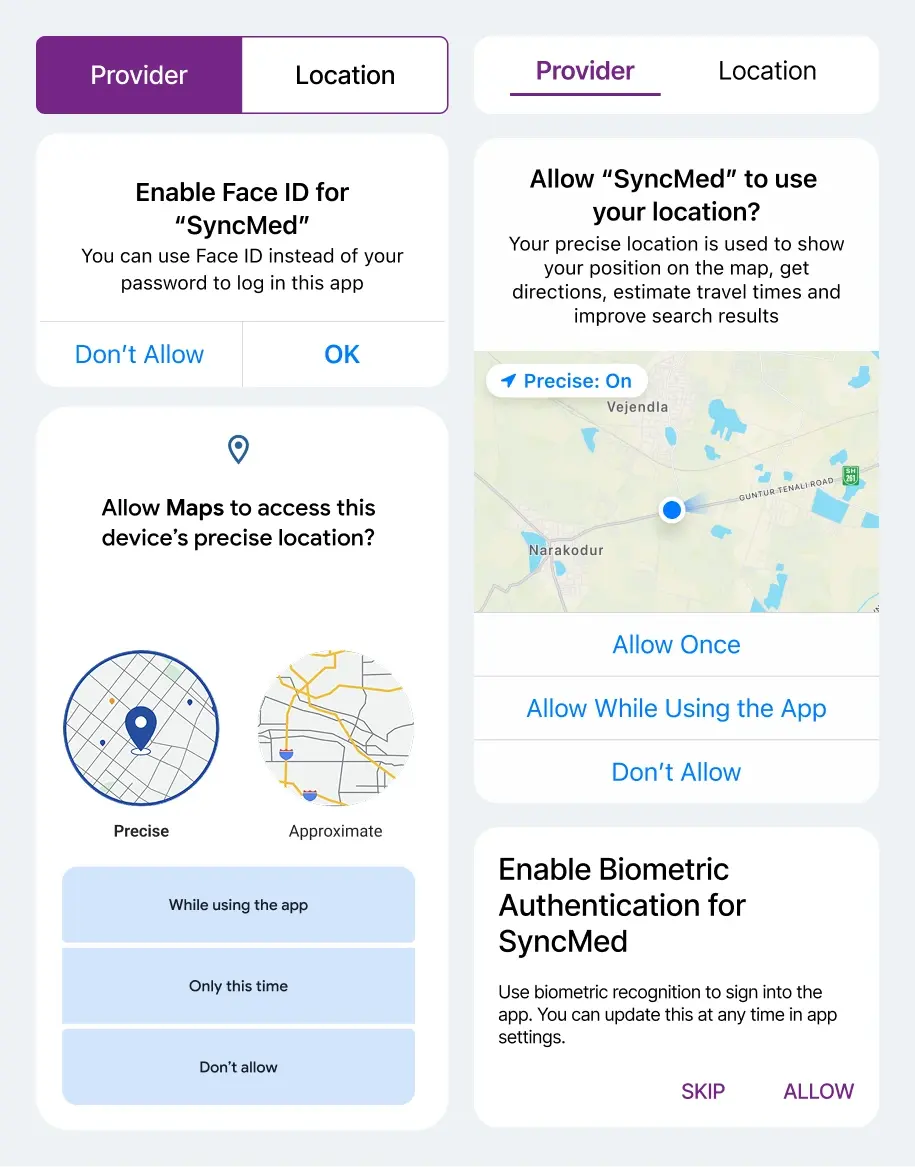
  16. MyMed permission and tab patterns compared across iOS and Android, covering biometric authentication and location access
    The same permission moments drawn twice, iOS on the left and Android on the right, rather than once and hoped for.
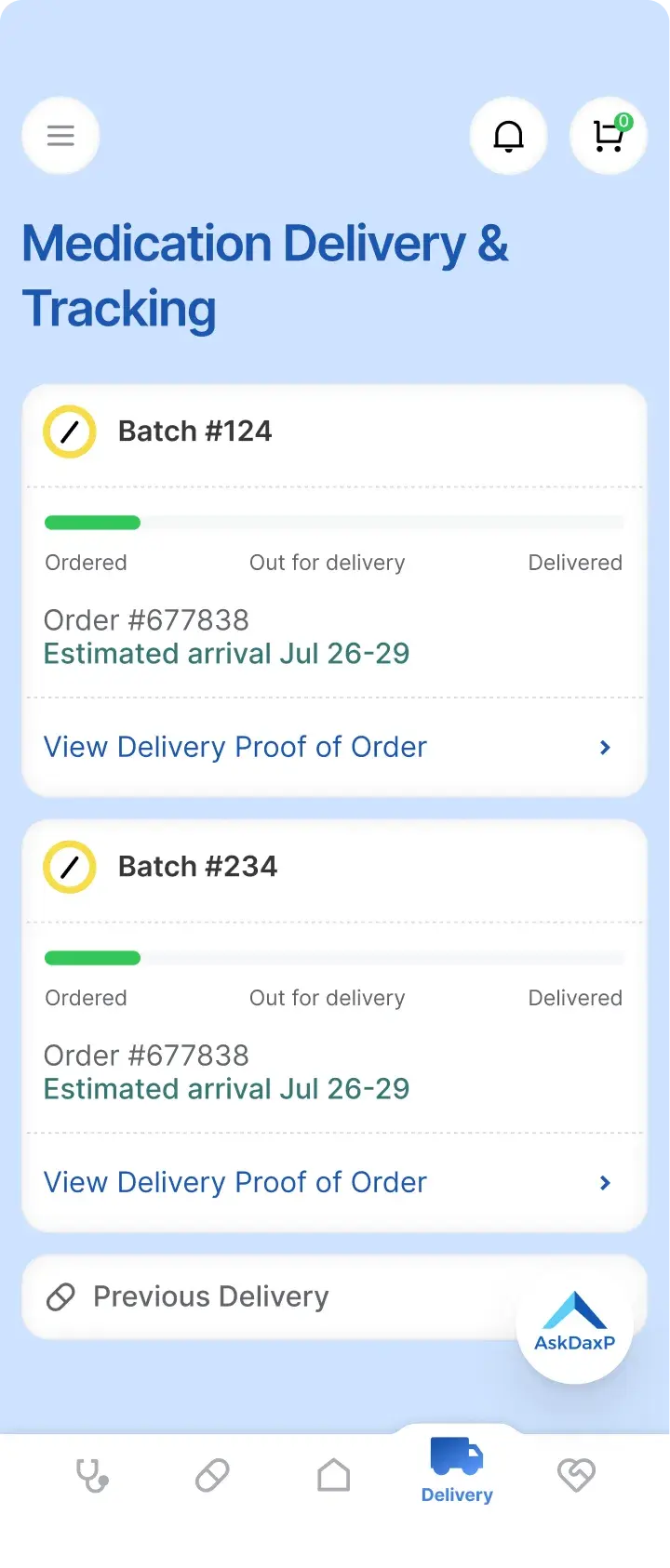
    • DaxP medicine delivery info screen showing delivery status
      Delivery status
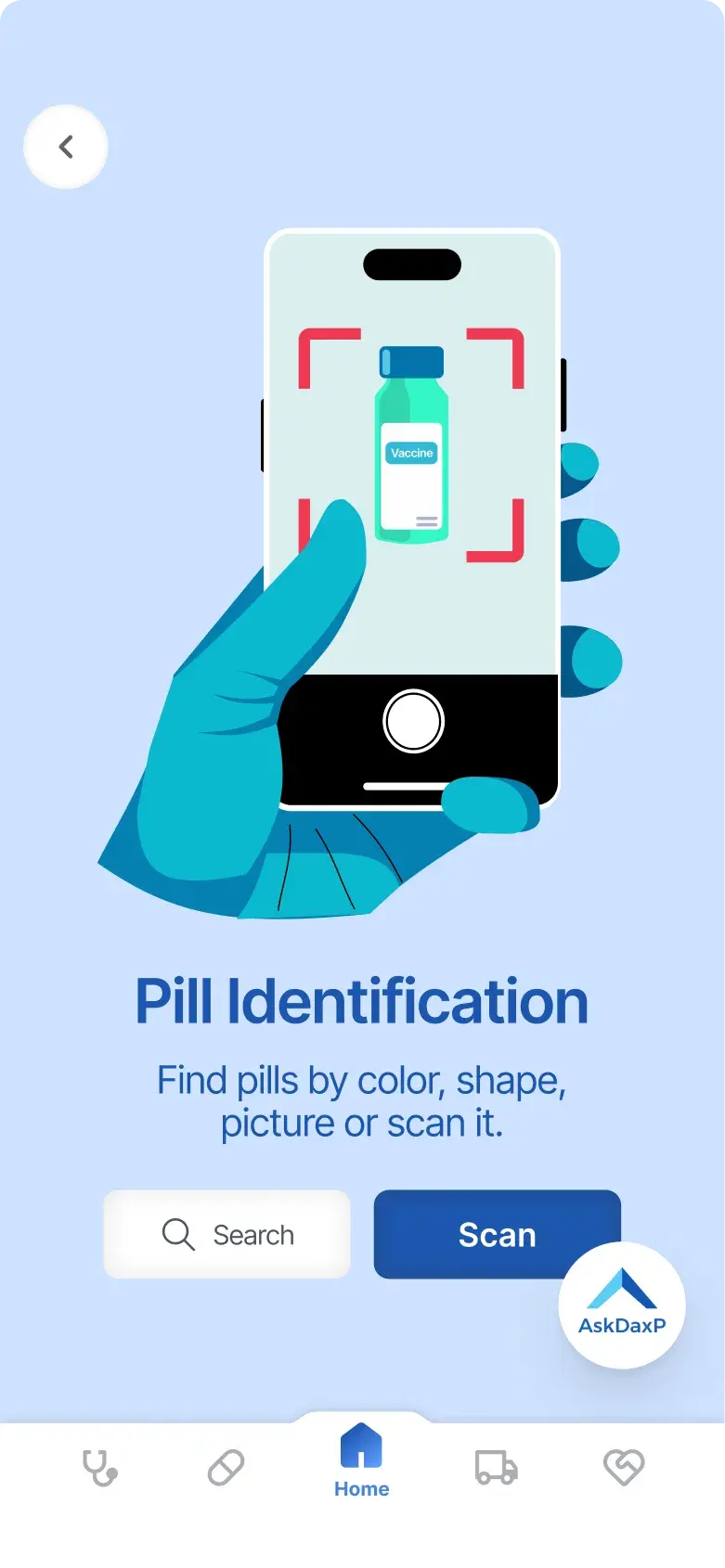
    • DaxP intro screen for AR pill identification
      Identify a pill
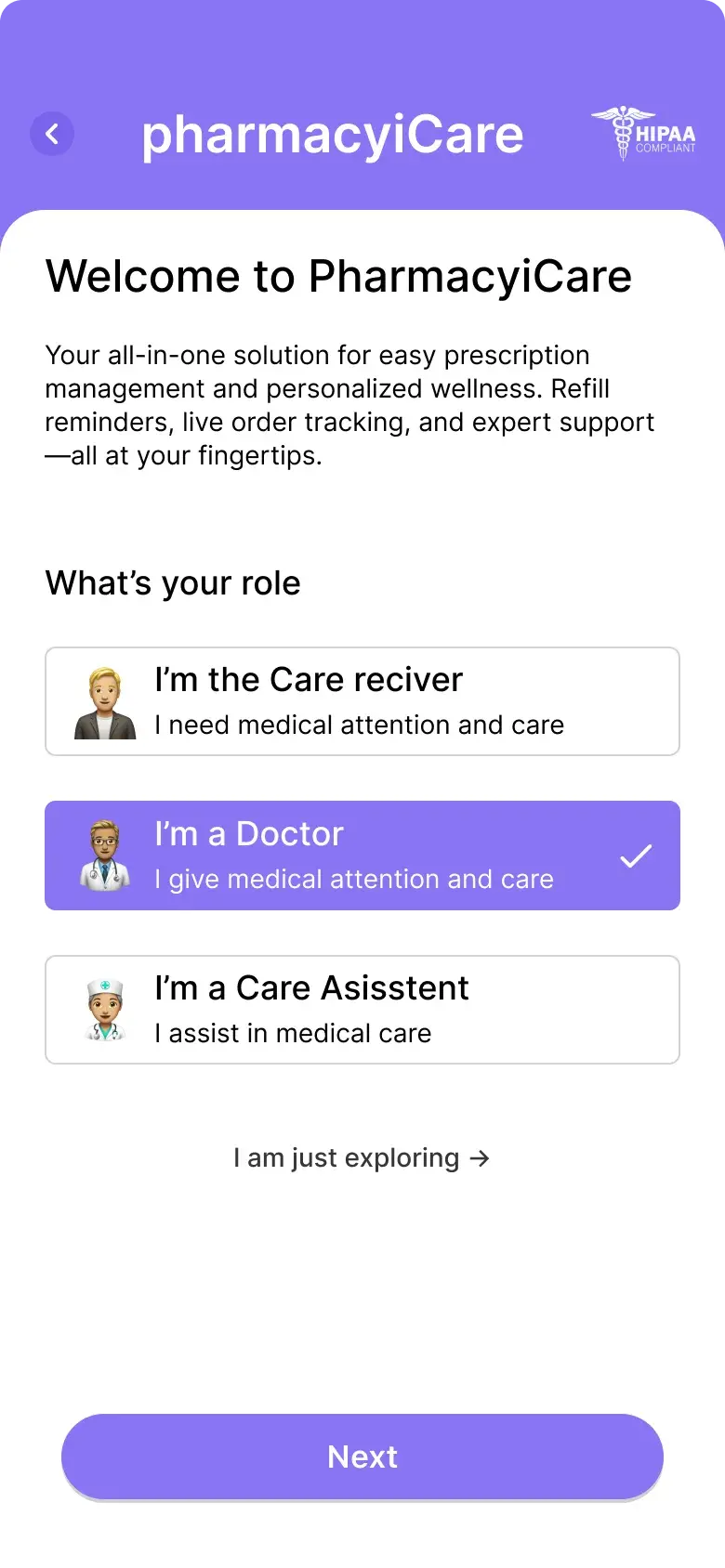
    • DaxP onboarding role selection screen for doctors
      Which profession
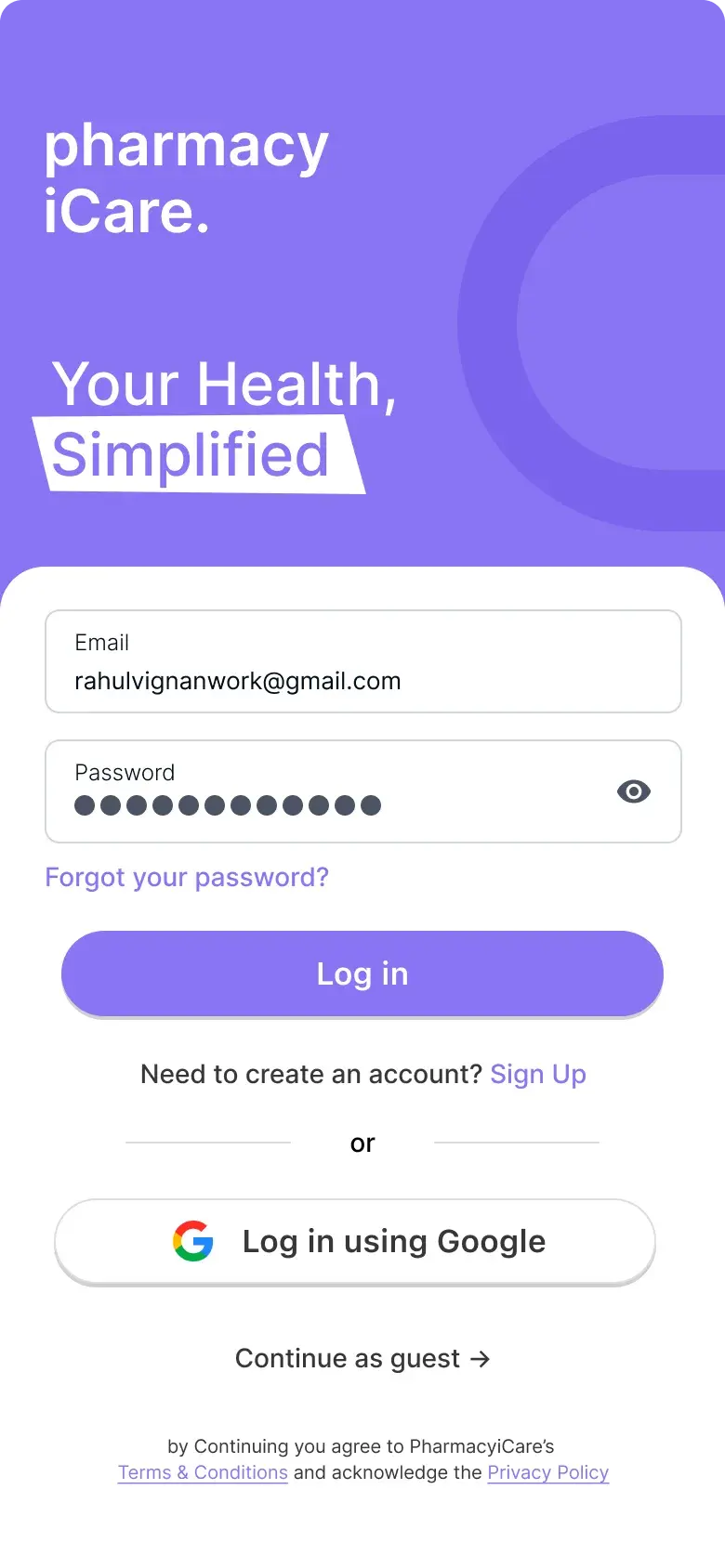
    • DaxP doctor login screen
      Sign in
    DaxP, a freelance healthcare app: delivery status stated plainly enough to stop the follow-up call, a pill identified by pointing a camera at it, and two professions separated before the first screen rather than after it.