Case study · Healthcare
Synclo
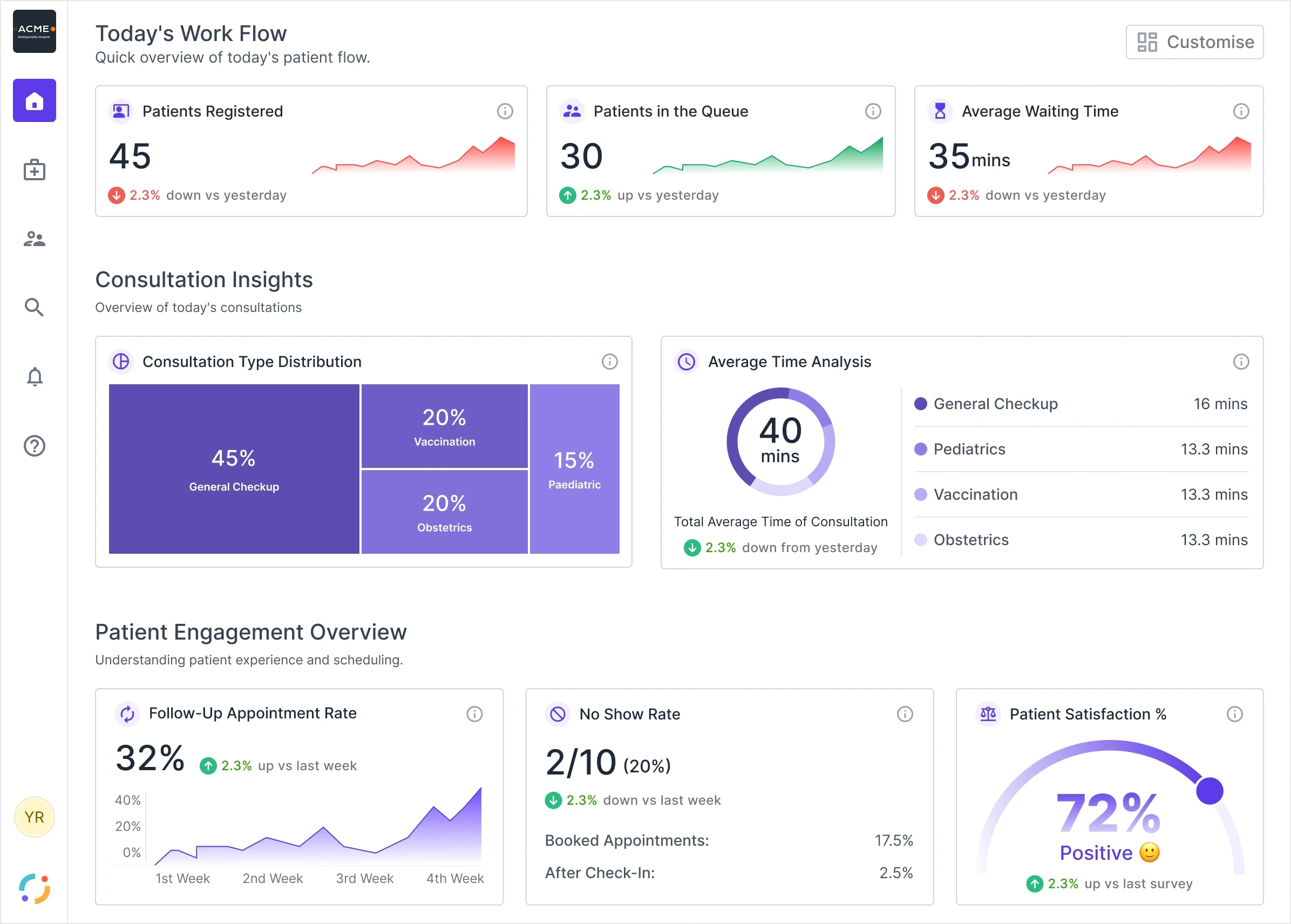
Synclo Complete Care was a suite of hospital products, one for each person in a visit: the patient at the helpdesk, the doctor, the nurse at the station and the lab technician. I designed all of it as the only designer, and helped build it.
- Role
- The only designer across the product line, as an individual contributor. I also helped build the system.
- Team
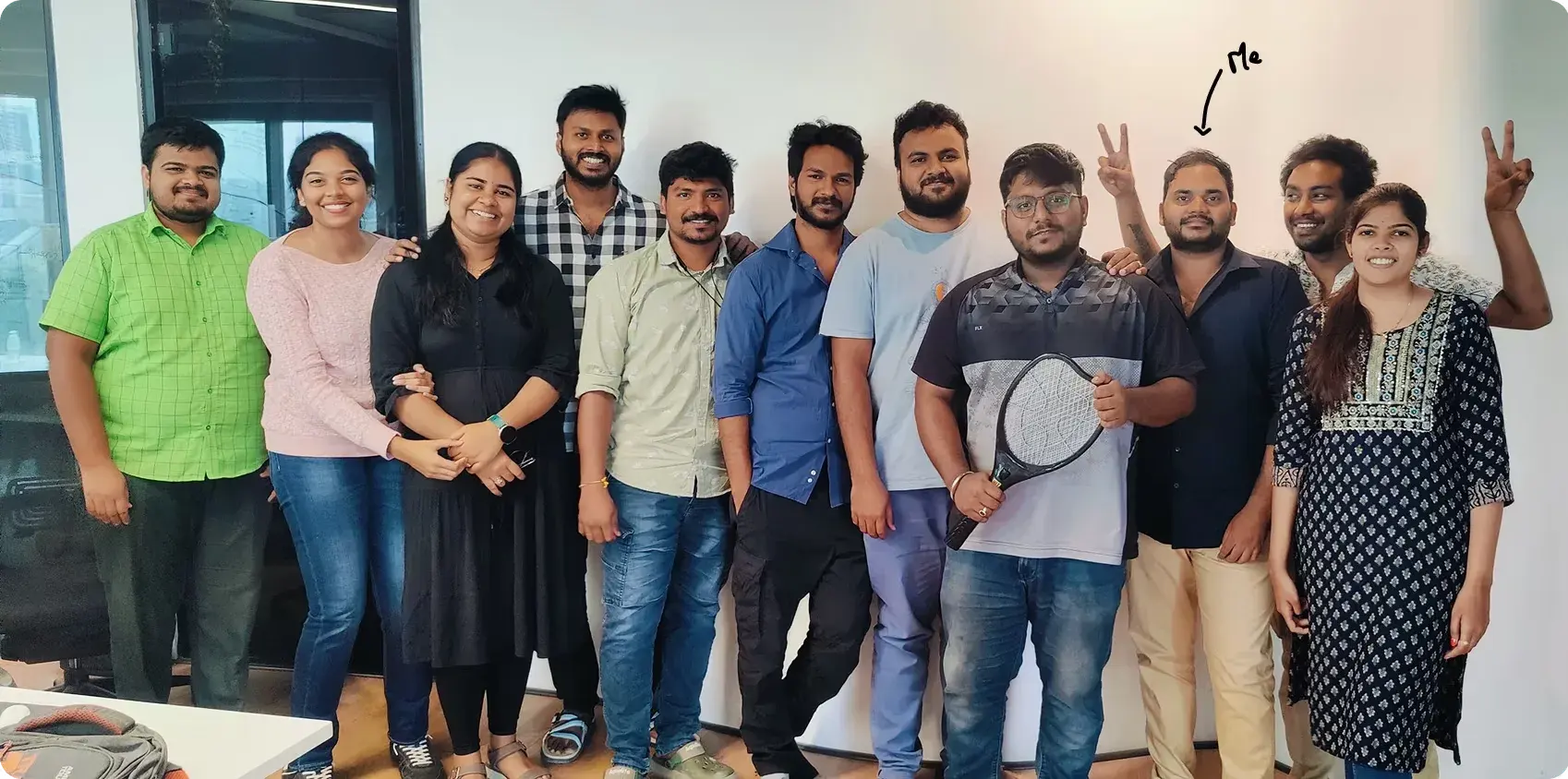
- I was the only designer, alongside engineers including Vinay Kumar (senior software engineer) and Akhil Ravilla (software engineer), under our CEO, Ajit.
- When
- 2020–2022, at Detrix, which became Synclo
Read as MarkdownUpdated
The products
Six products, one for each person in a visit. I designed all of them, and a test run in real hospitals removed two.
- CheckInWebPatients at the hospital helpdeskCheck in by scanning a QR code, in the patient's own language.
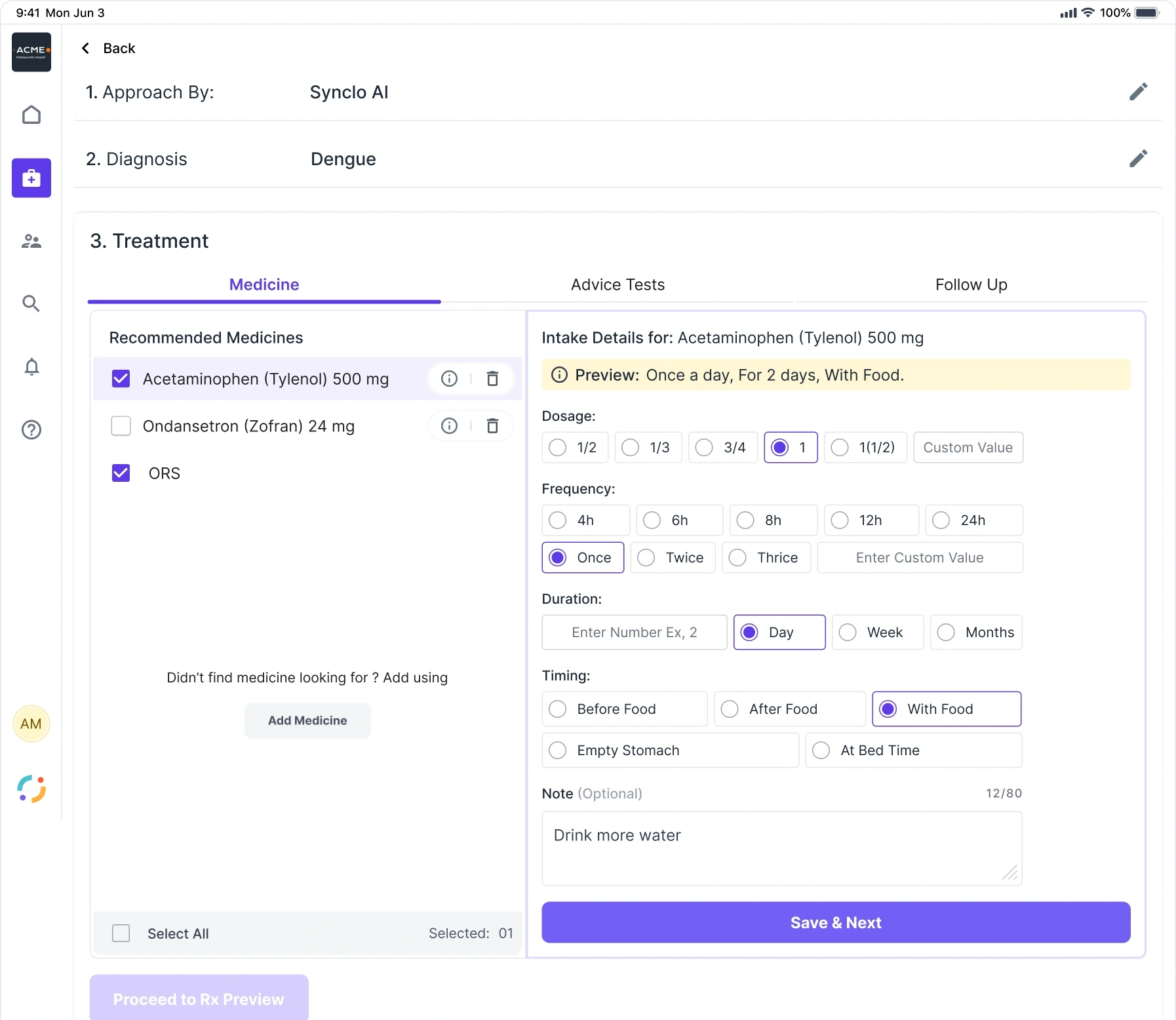
- QMS for DoctorsiPadOPD doctorsRun the day's patient queue and consultations, with AI diagnostic support and e-prescriptions.
- MDsynciOS and AndroidDoctorsOversee consultations, with a full view of each patient's profile.Removed after the hospital test run
- PatientSynciOS and AndroidPatientsView reports, book and manage appointments, and track maternity care.
- LabSyncWindowsLab techniciansHandle lab report requests and billing.Removed after the hospital test run
- NPmSDesktop and webHead nurses at the nursing stationMonitor patients, assign work and keep the station productive.
Why we started with medium-sized hospitals
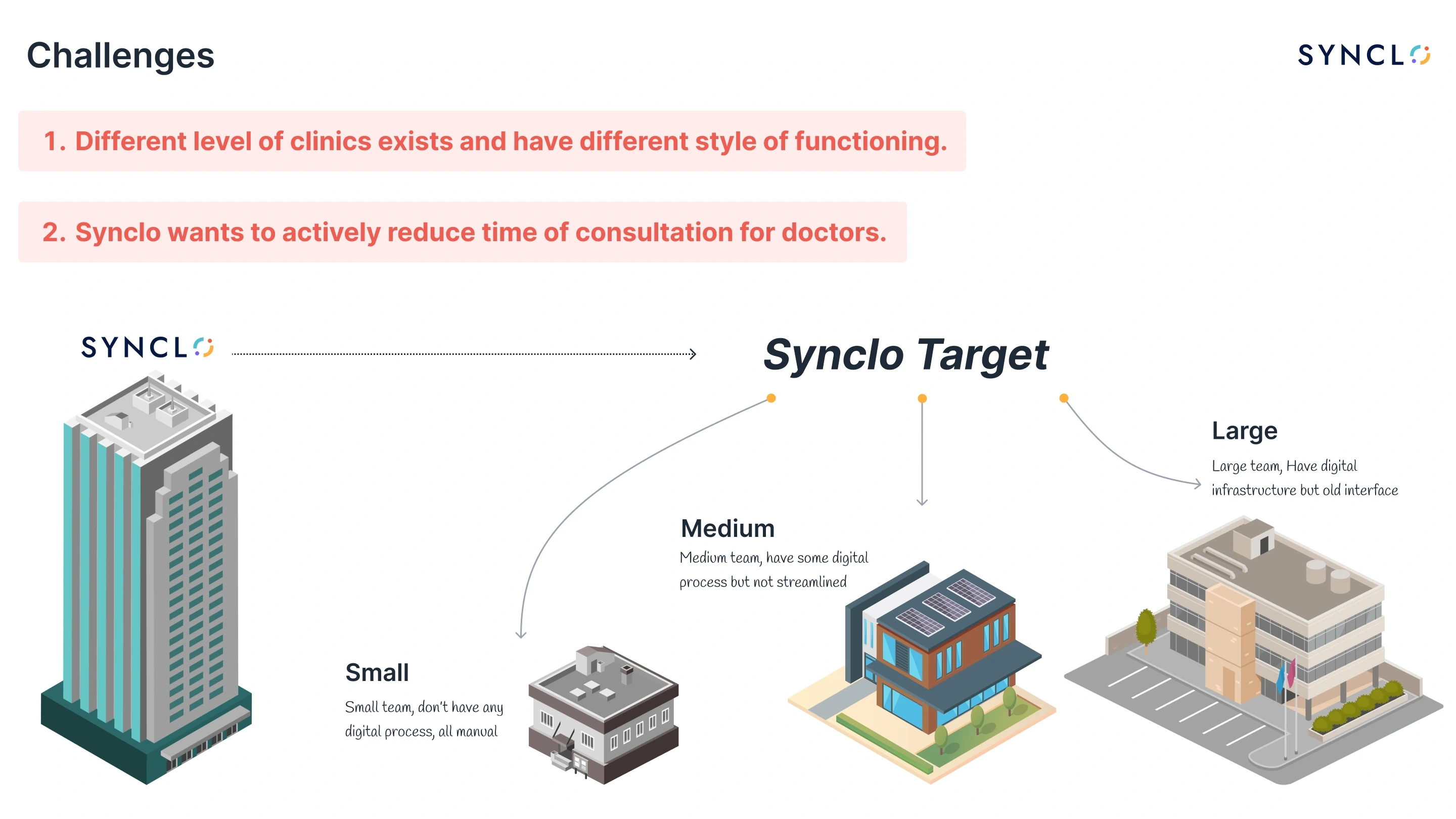
The size of a hospital changed the problem, so we chose a size before we designed a screen.
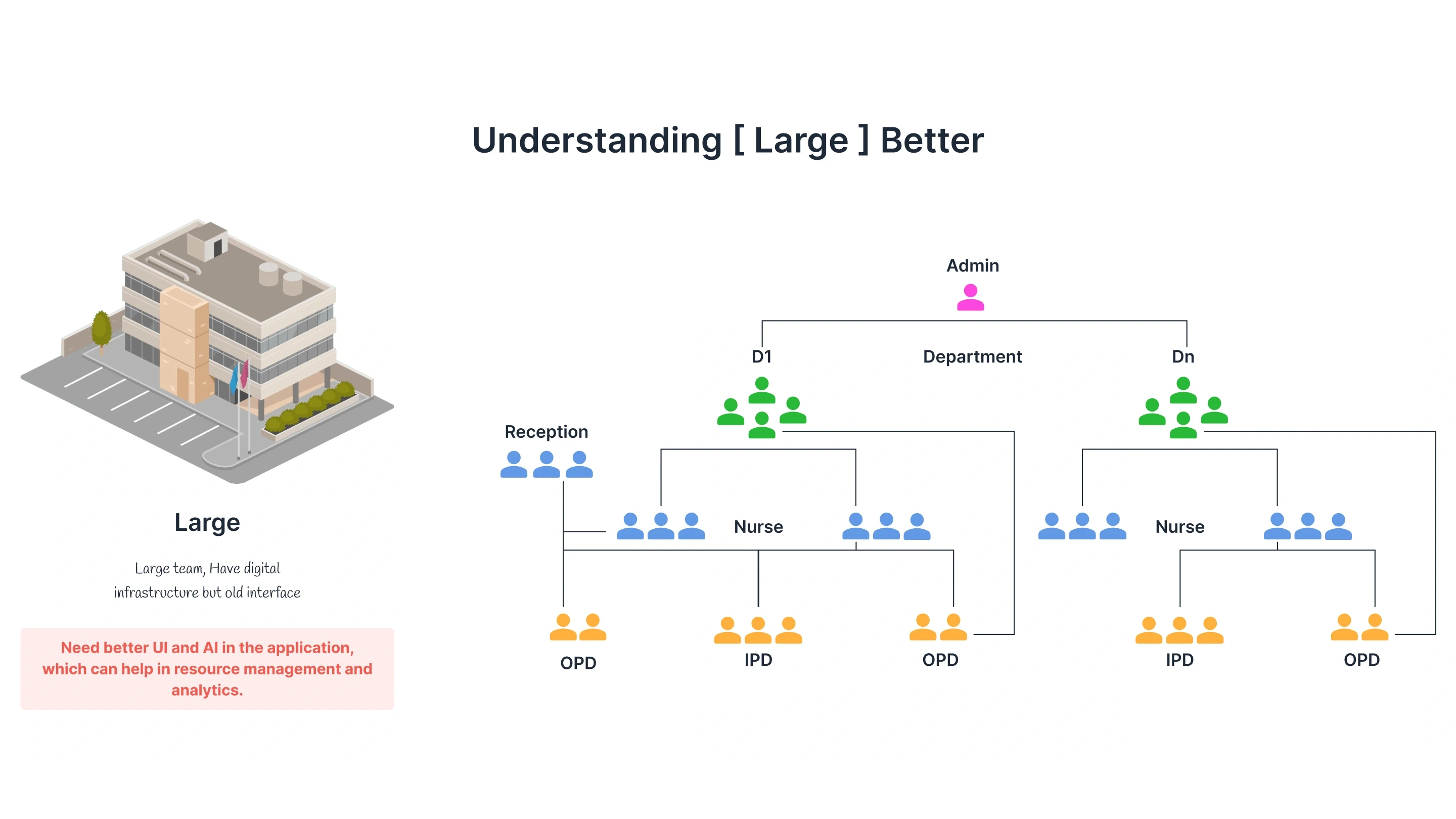
We sorted hospitals into three sizes by who works there and how many patients they see. Turn the knob on the clinic model to compare them.
Small clinics had little reason to change. Large hospitals keep patient data inside the hospital; for them we planned the suite on their own servers, managed by us. Medium hospitals were willing to experiment and had a budget, and we needed somewhere to build, test and change the product. We started there.
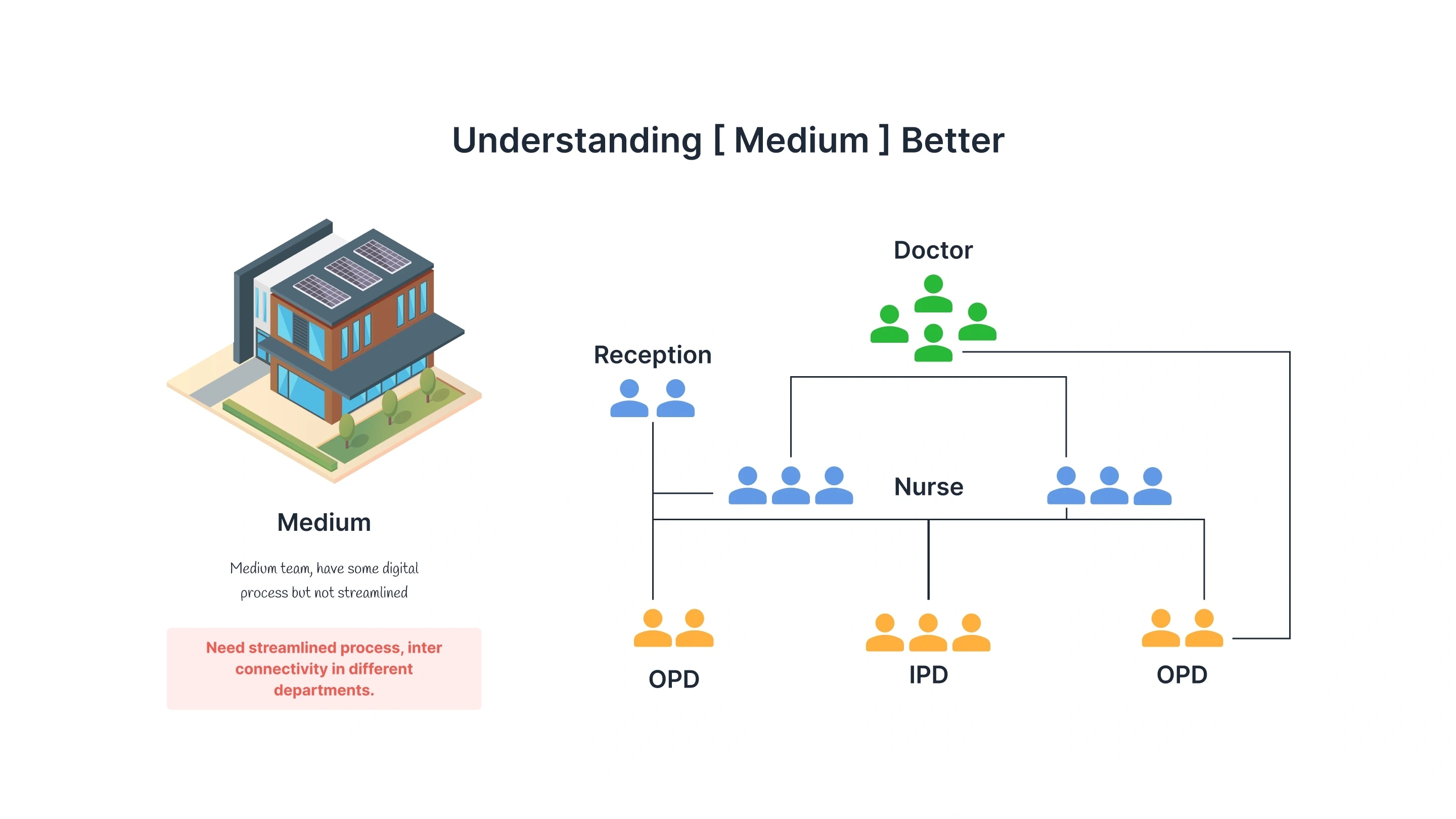
- 3–5 doctors
- 6–12 nurses
- 1 head nurse
- 2 at reception
Tap or hover a room to see who works there.
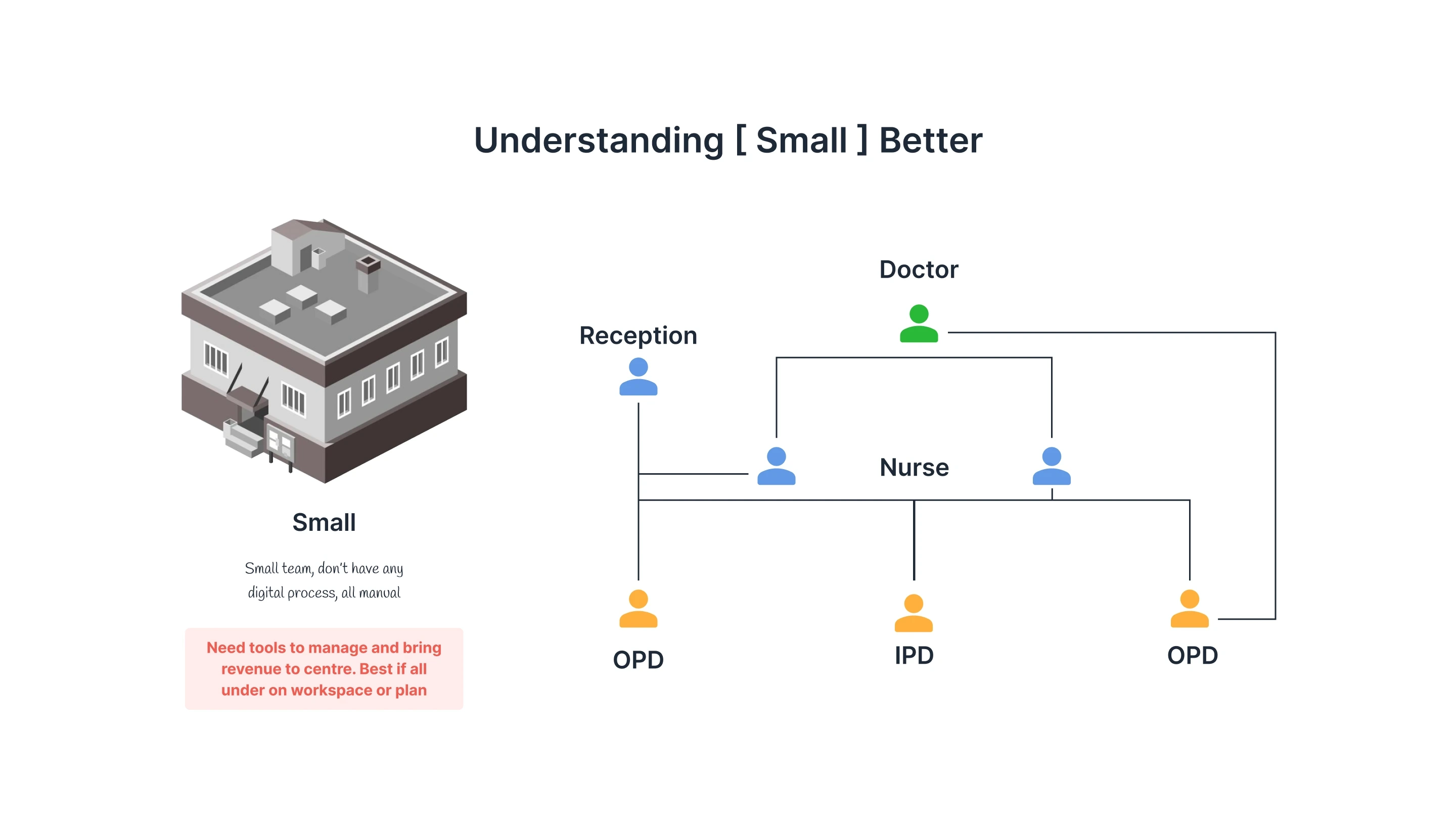
Small clinic
- What they had
- A small team with no digital process. Everything is manual.
- What they asked for
- Tools to manage the clinic and bring in revenue, ideally all in one workspace or plan.
Why we did not start here
Small clinics had little reason to optimise. Many were evening practices run by doctors who also worked at a larger hospital, sometimes below their own homes, and sent patients who needed more to that hospital.
Medium clinic
- What they had
- A medium team with some digital process, not streamlined.
- What they asked for
- A streamlined process, and departments that connect to each other.
Why we started here
Often run by a doctor couple, with two different sets of patients' needs. They had enough coordination to need a connected suite, were willing to experiment, and had a budget. A startup needs somewhere to build, test and change a product, and they were that place.
Large clinic
- What they had
- A large team with digital infrastructure, on an old interface.
- What they asked for
- A better interface, and AI to help with resource management and analytics.
Why we did not start here
They already ran their own ERP, and they are strict about patient data leaving the hospital. That data is not material for a startup to test with.
Our plan for large hospitals
This was never a limit of the suite. We planned to supply the servers with the application, so every record stays on the hospital's premises, with us managing the servers on a platform subscription.
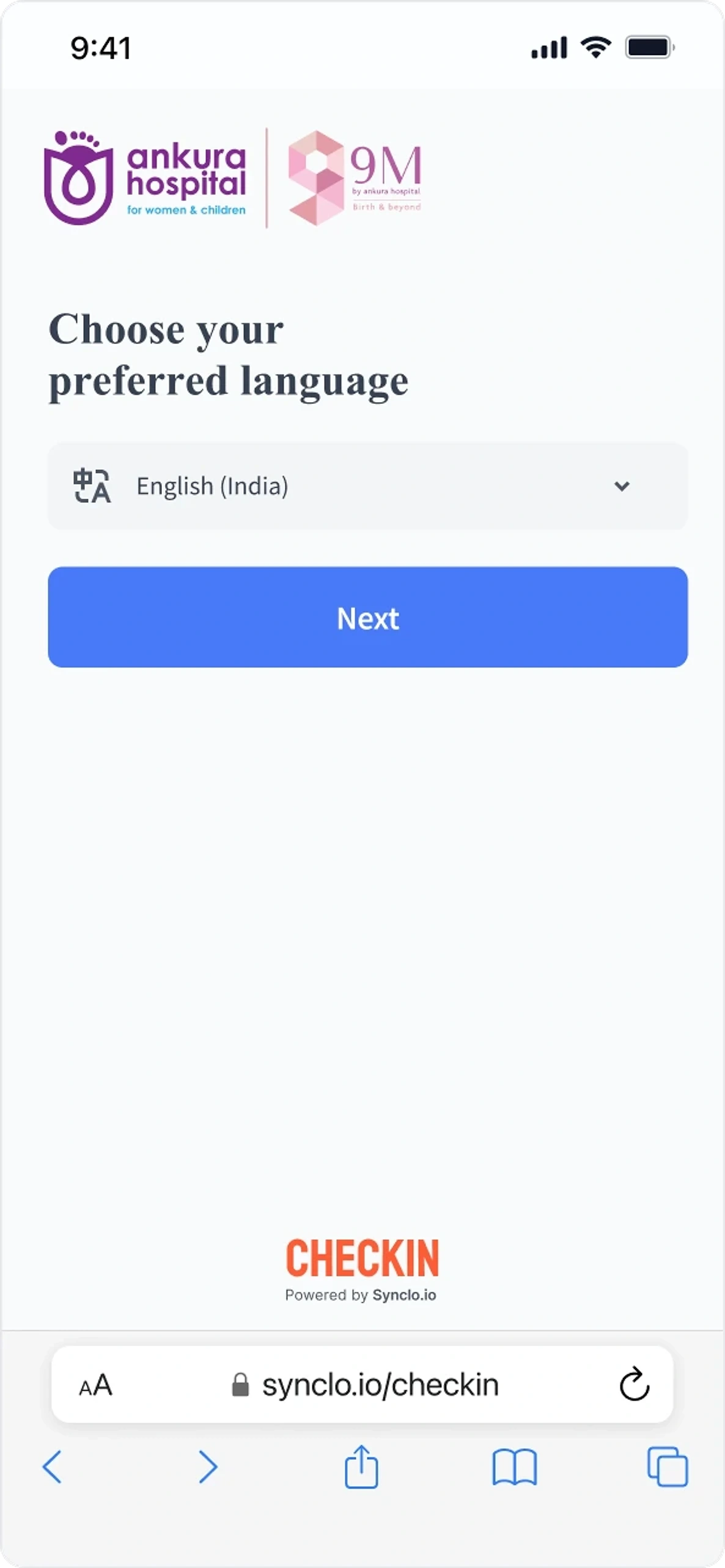
Arriving: the patient checks themselves in
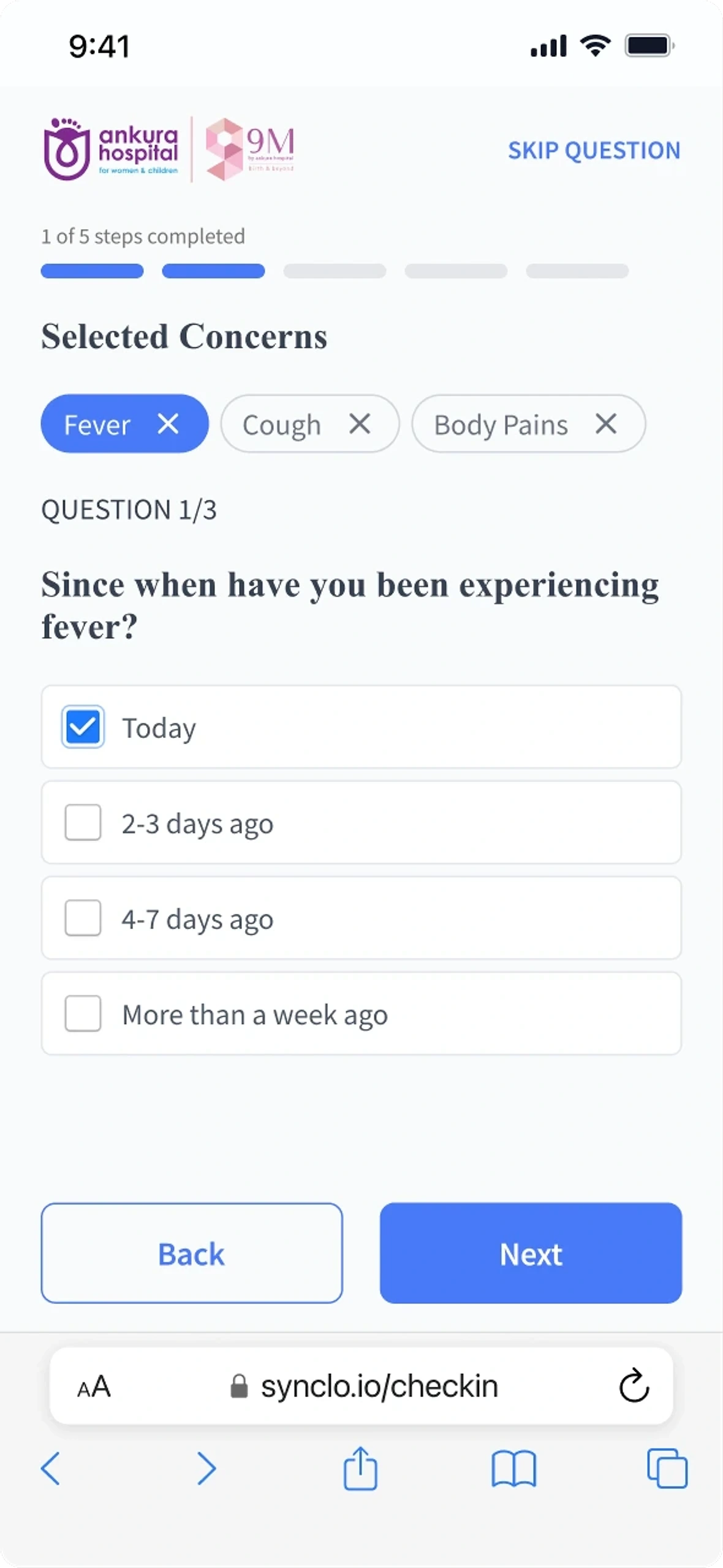
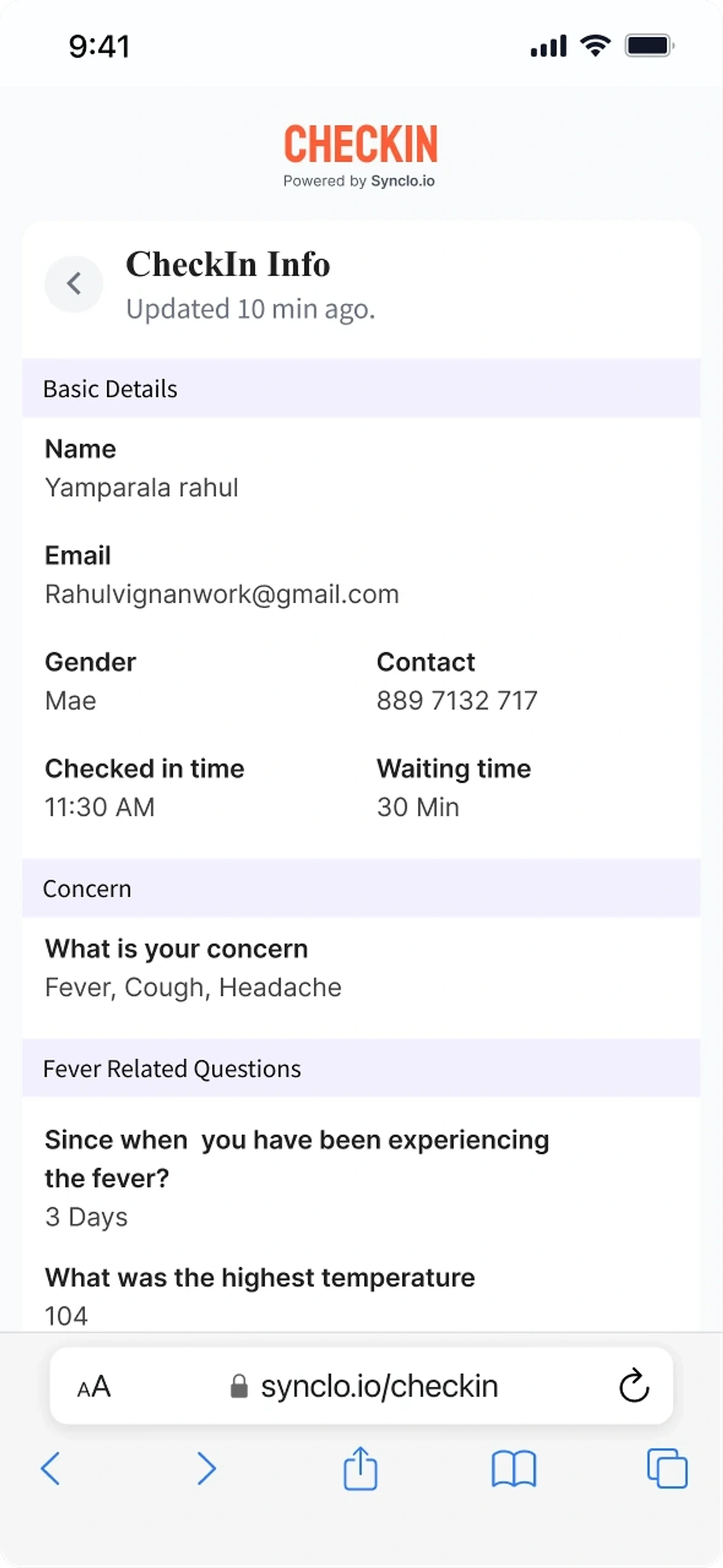
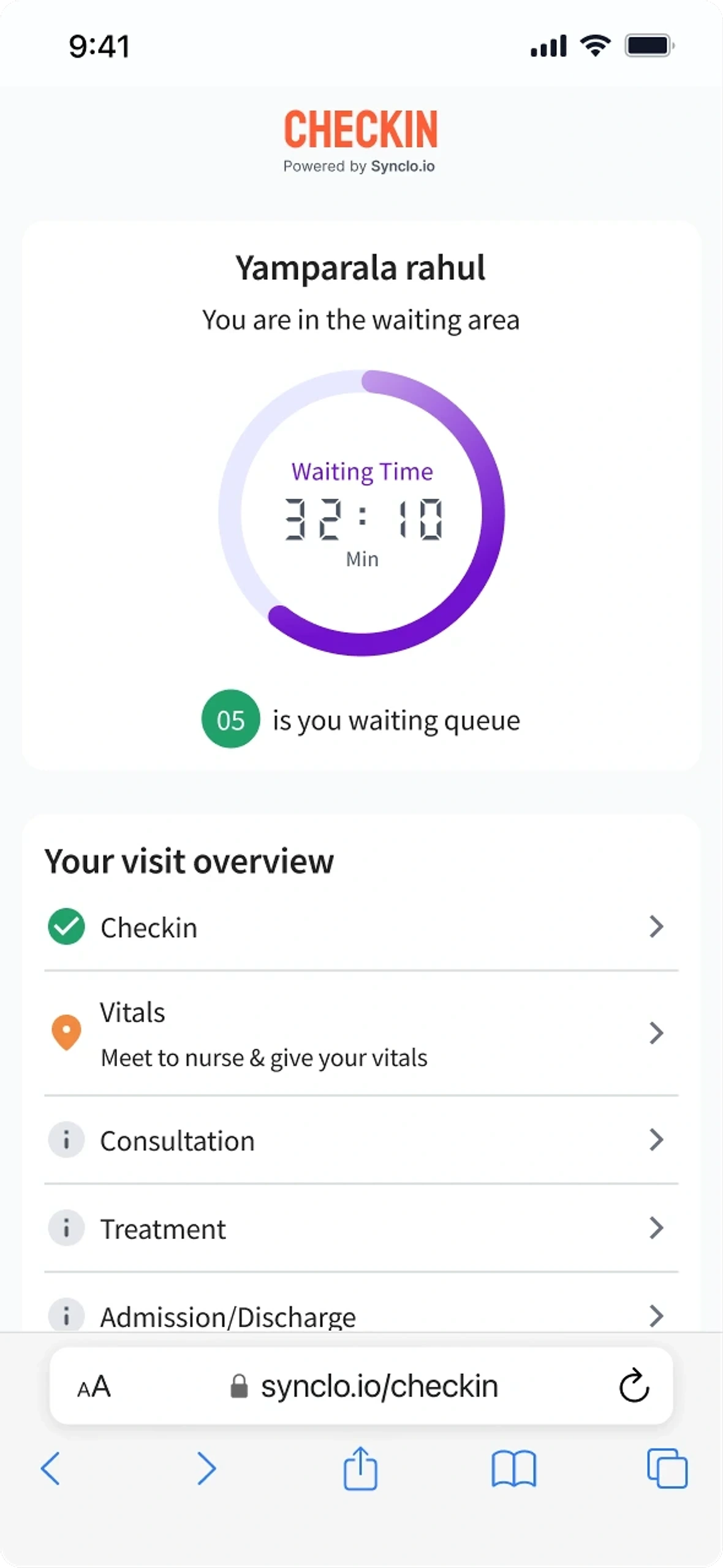
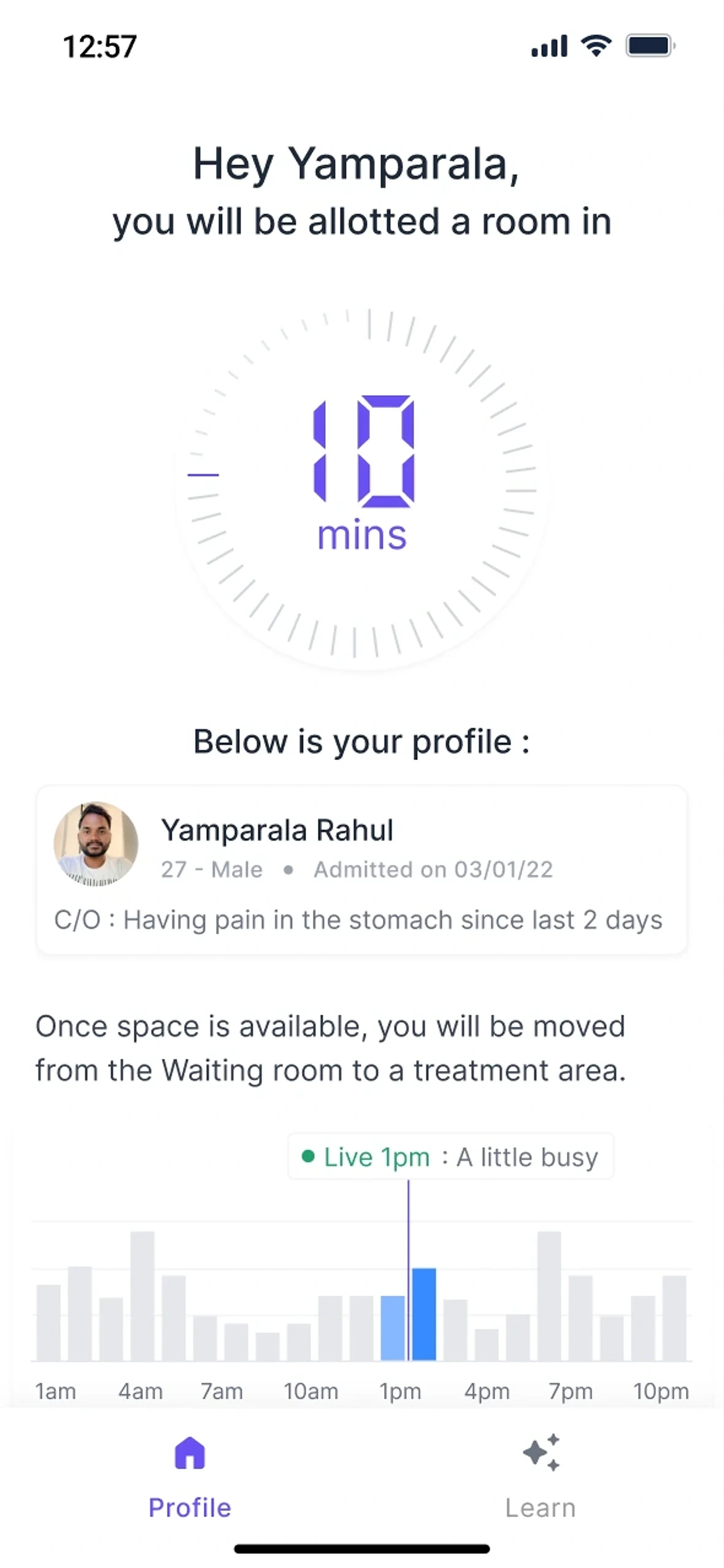
Check-in starts with the patient's own language and ends with the patient confirming what the doctor will read.
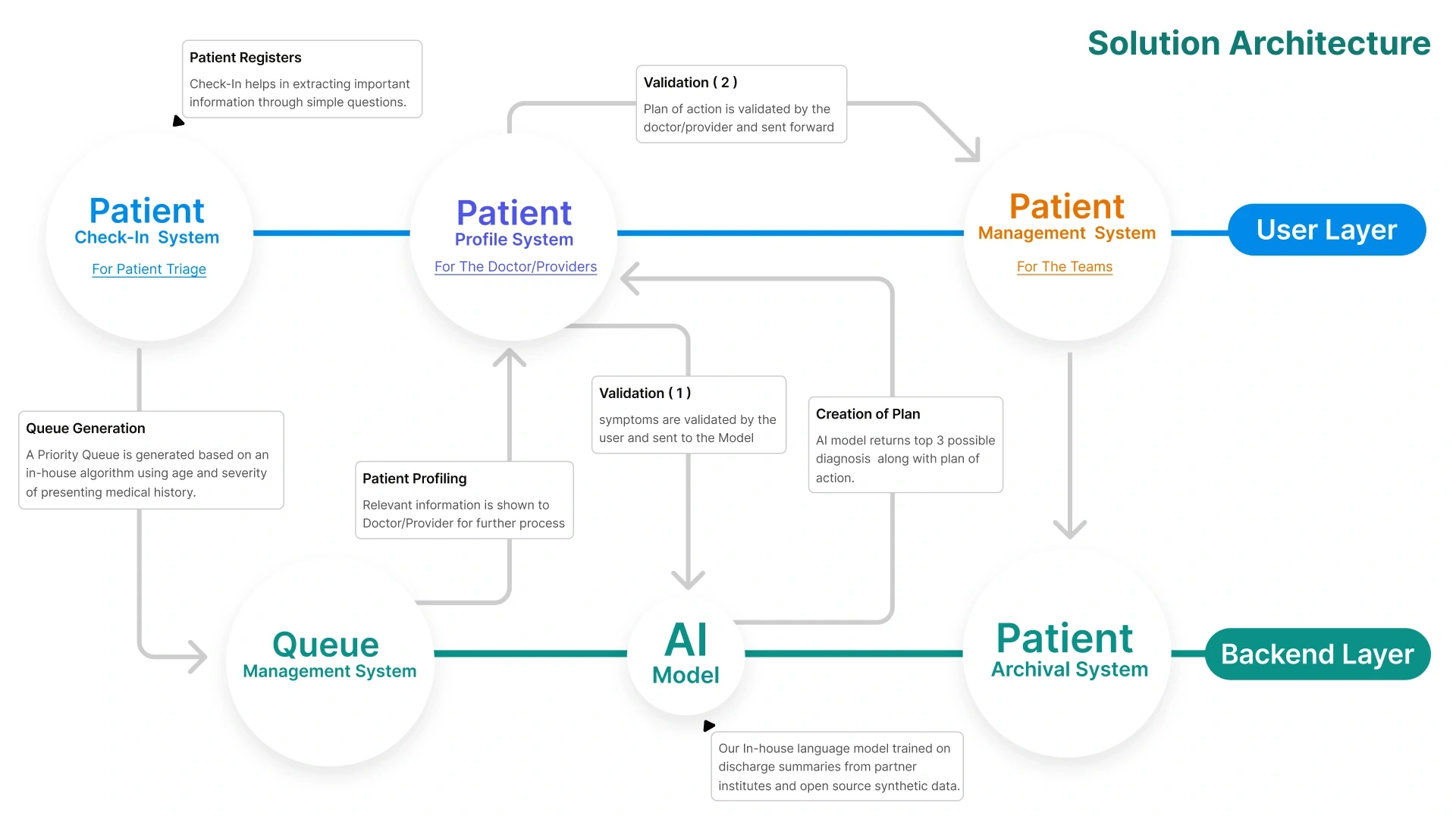
A patient scans a QR code at the helpdesk and checks in on their own phone. Before sending, they read back exactly what the doctor will see. That is the first of two checks a person makes before anything moves on; the second is the doctor's.
- Language first
- Their own words
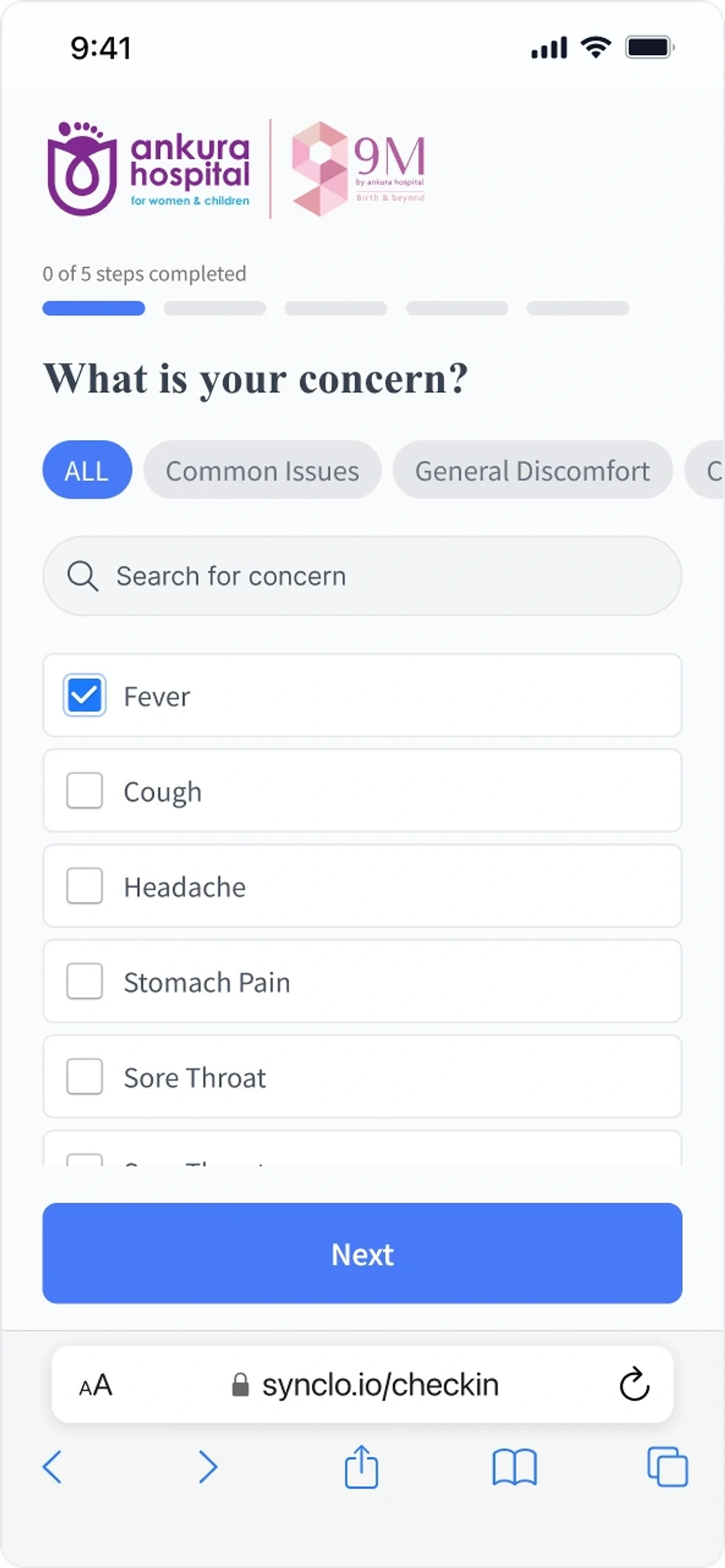
- Follow-ups
- They confirm it
- Waiting
- Waiting room allotted
The consultation
The doctor's day is one board, and the AI's suggestions wait for the doctor's choice.
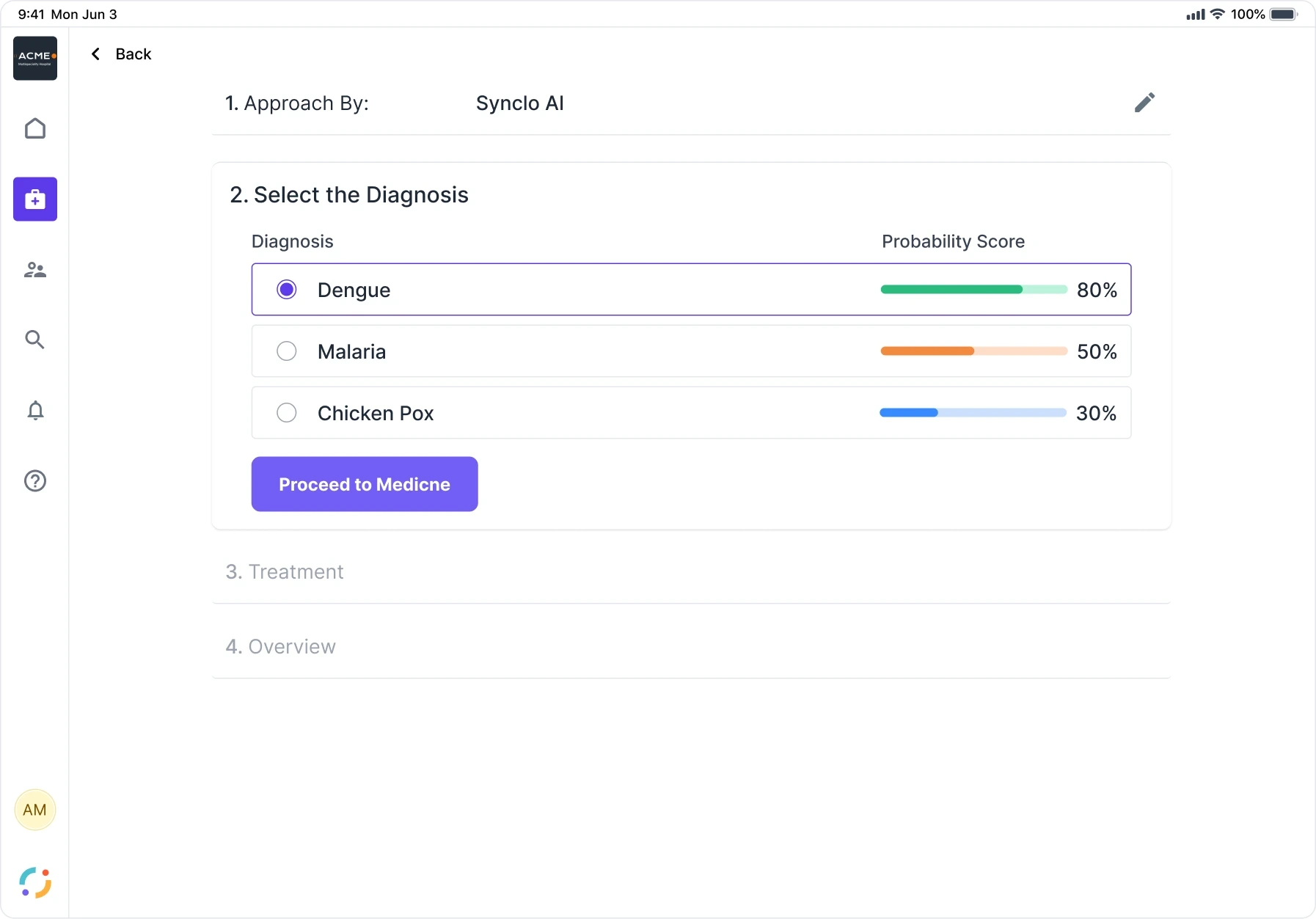
In a consultation the AI only suggests, and the doctor decides: treatment stays locked until the doctor picks one of its diagnoses.
So a person stands at both ends of the model: the patient confirms the symptoms before it sees them, and the doctor confirms the plan after.
We built the AI but never fully tested it, so these screens show how it was designed to reach the doctor, not a proven model.
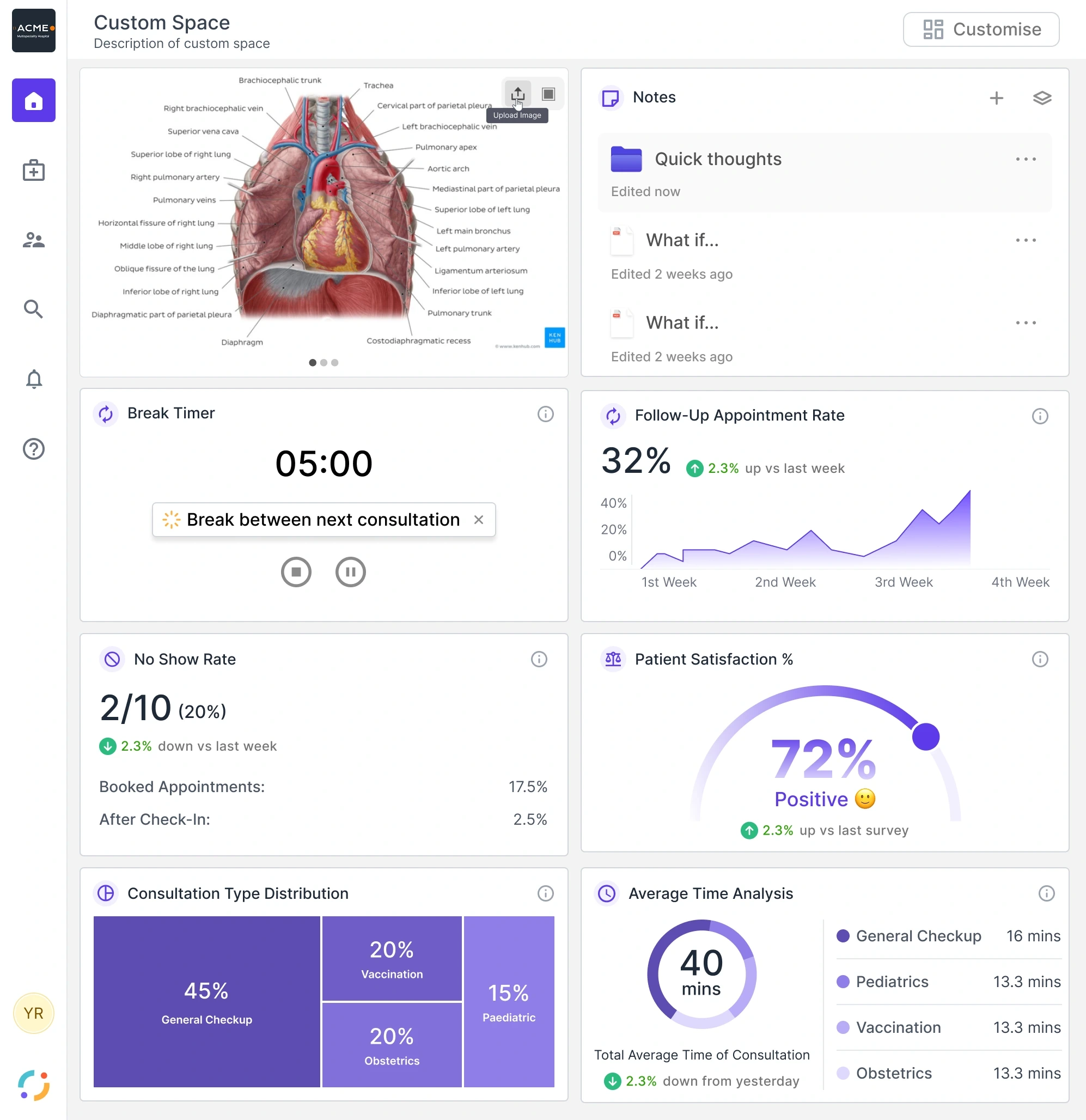
- Suggested, then qualified
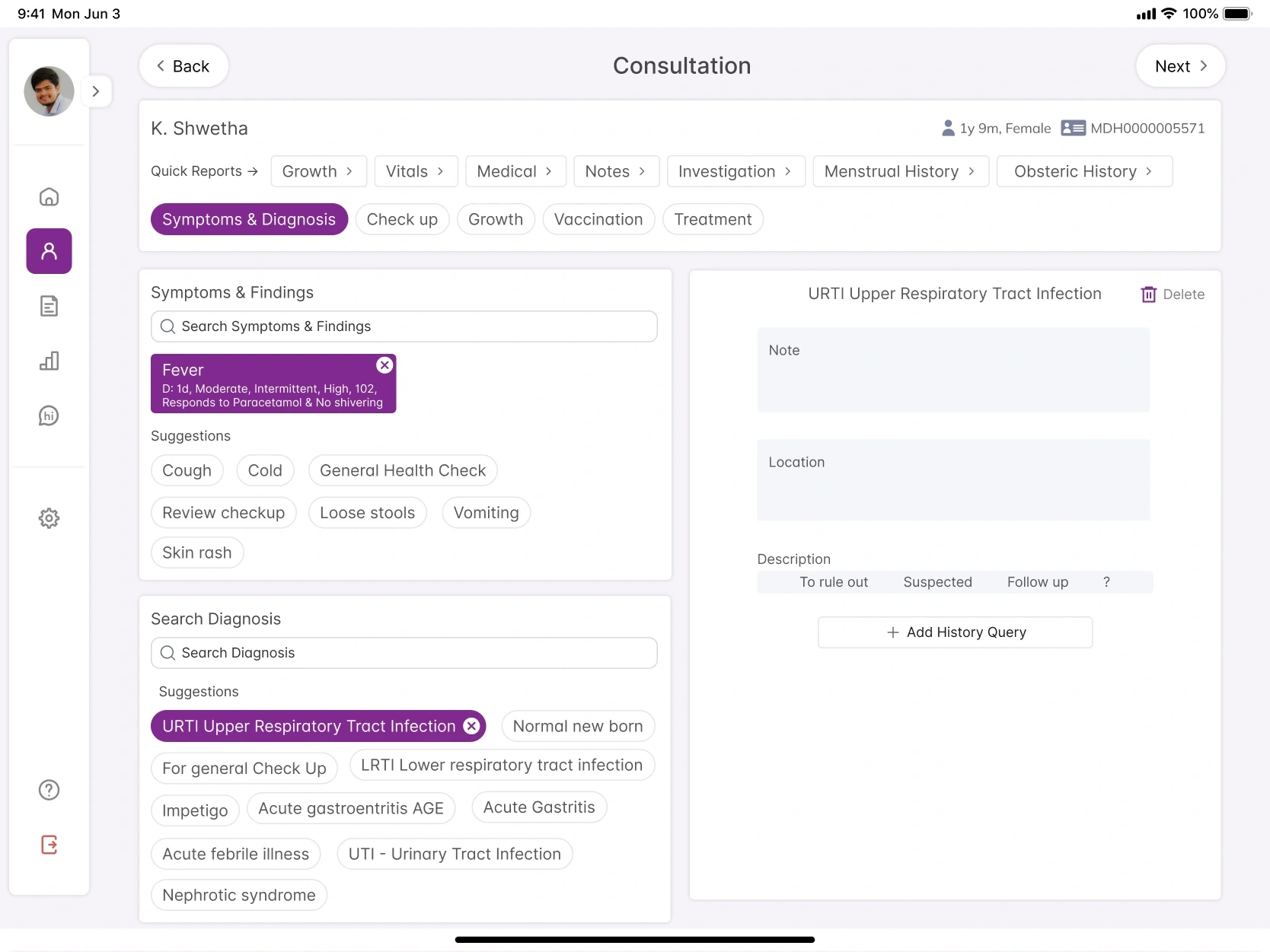
- Three candidates, the doctor picks
- Recommended, then curated
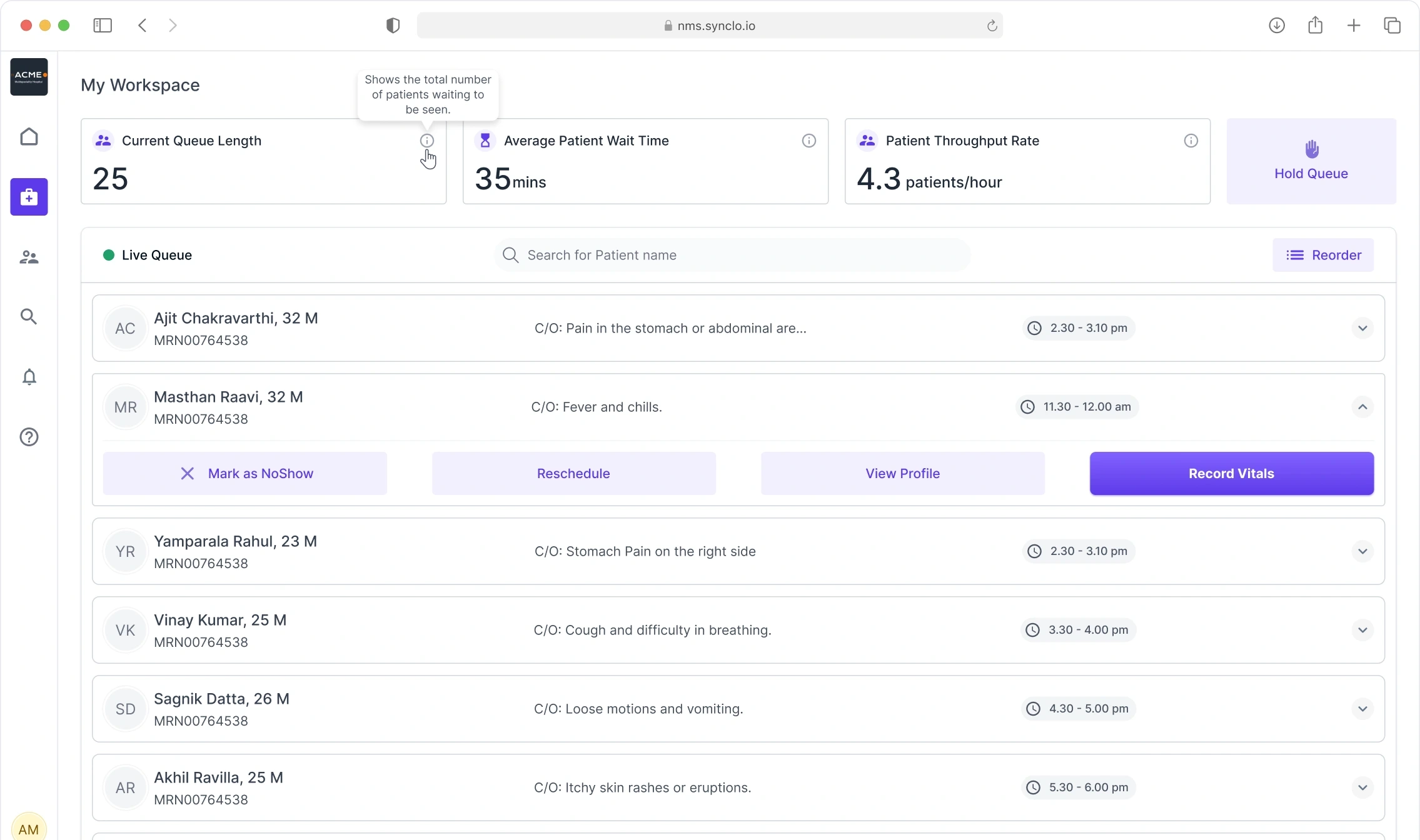
The nurse station
NPmS was designed for the head nurse: the same queue, with the actions that belong to the station.
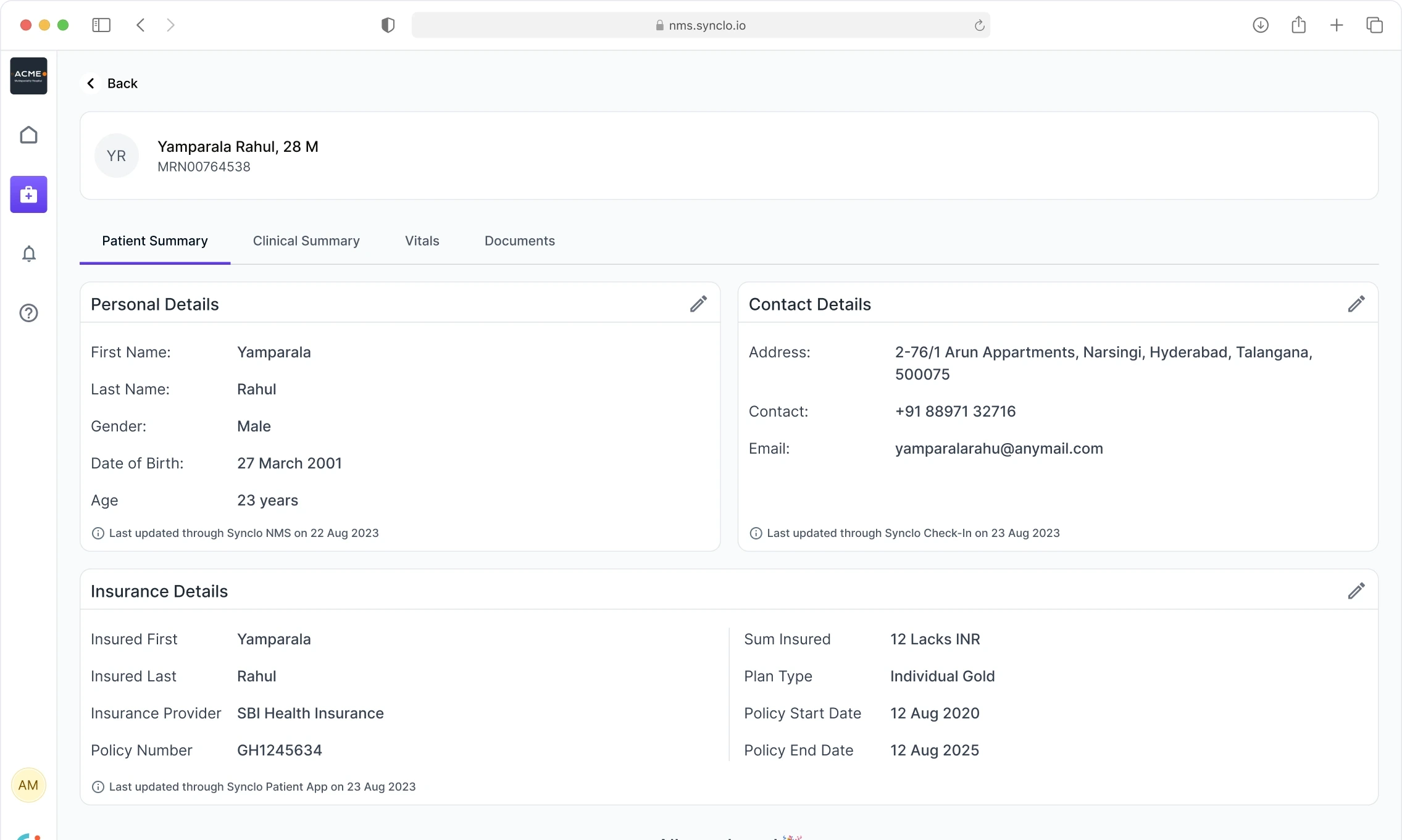
Several products write to one patient record, so each block names the product that last updated it, and when. A nurse can see where a fact came from before trusting it.
Between visits: maternity care
Maternity care runs across many visits, so the patient and the doctor need one history.
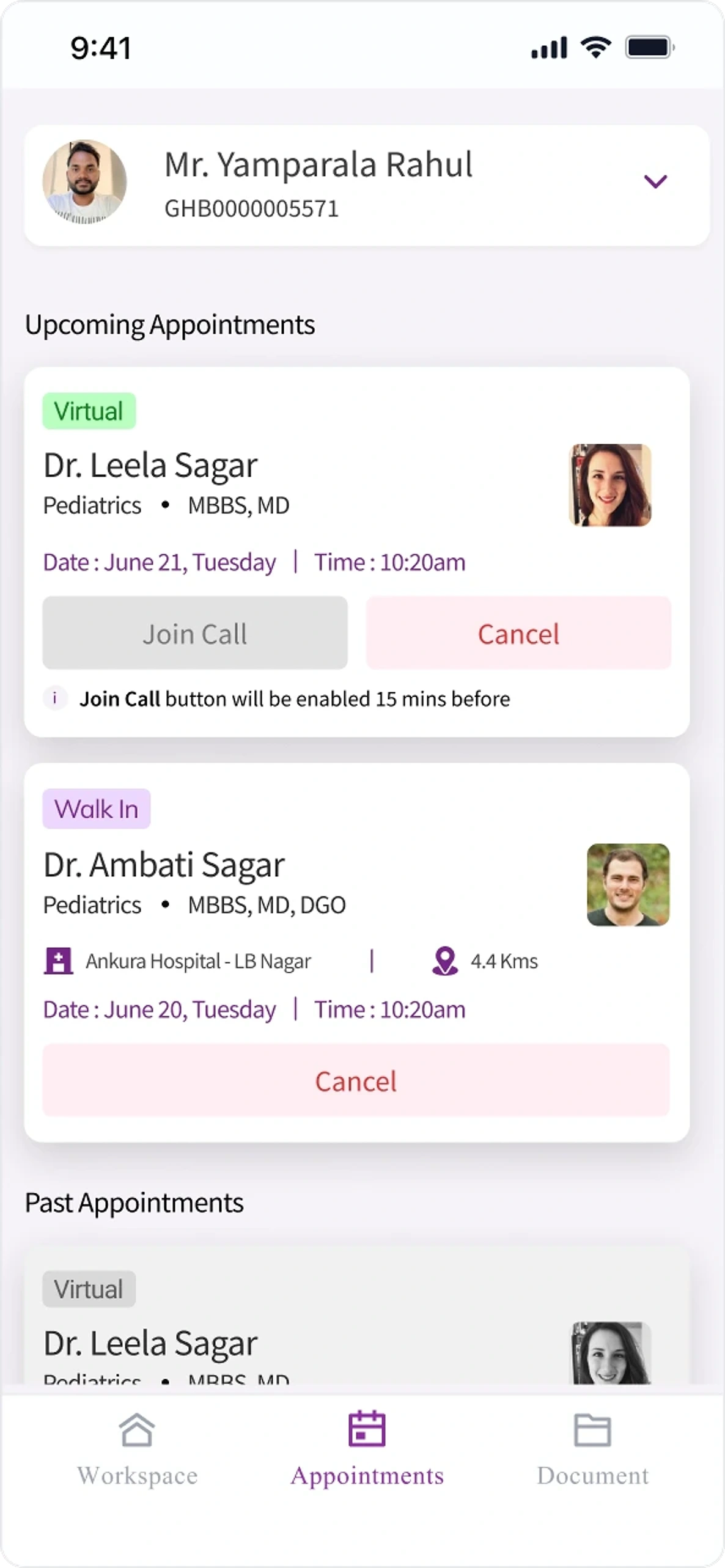
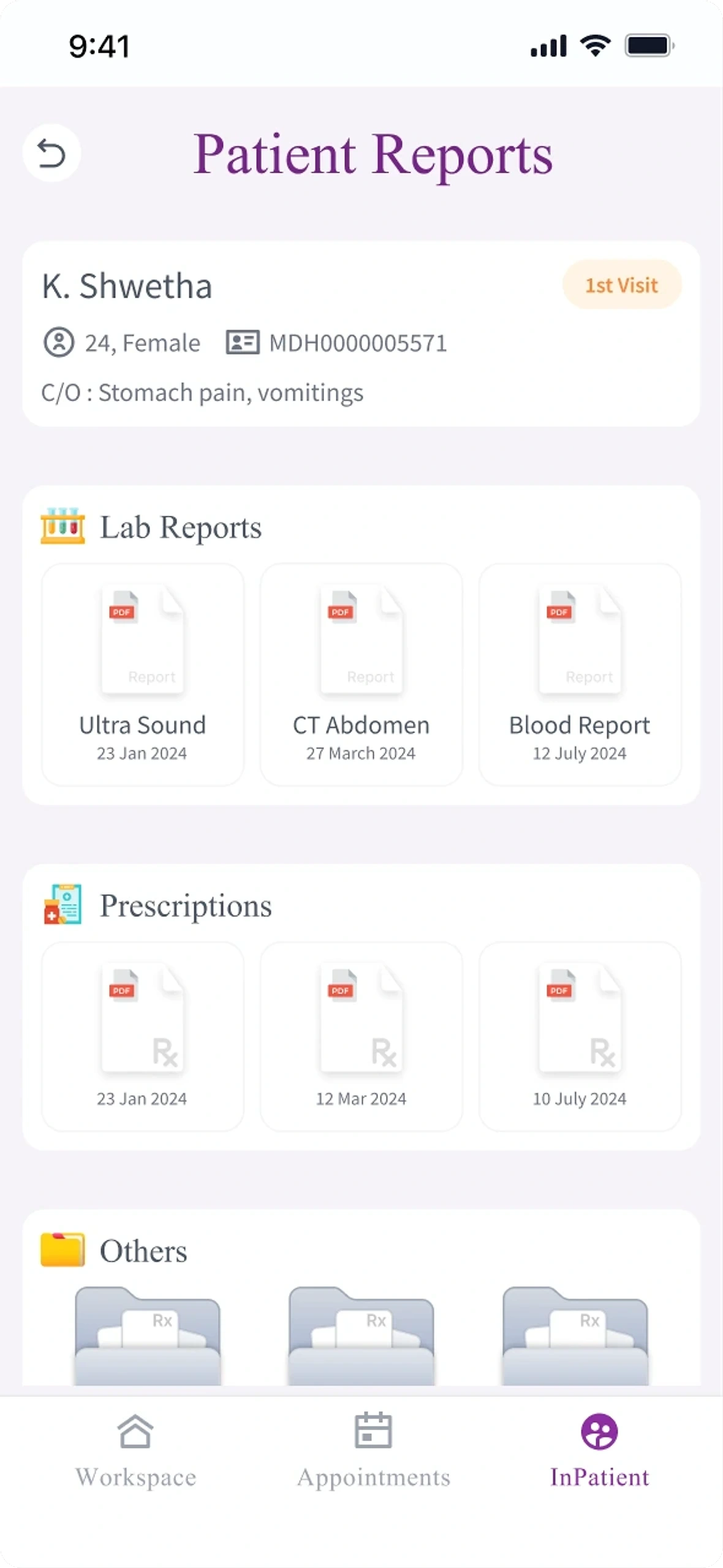
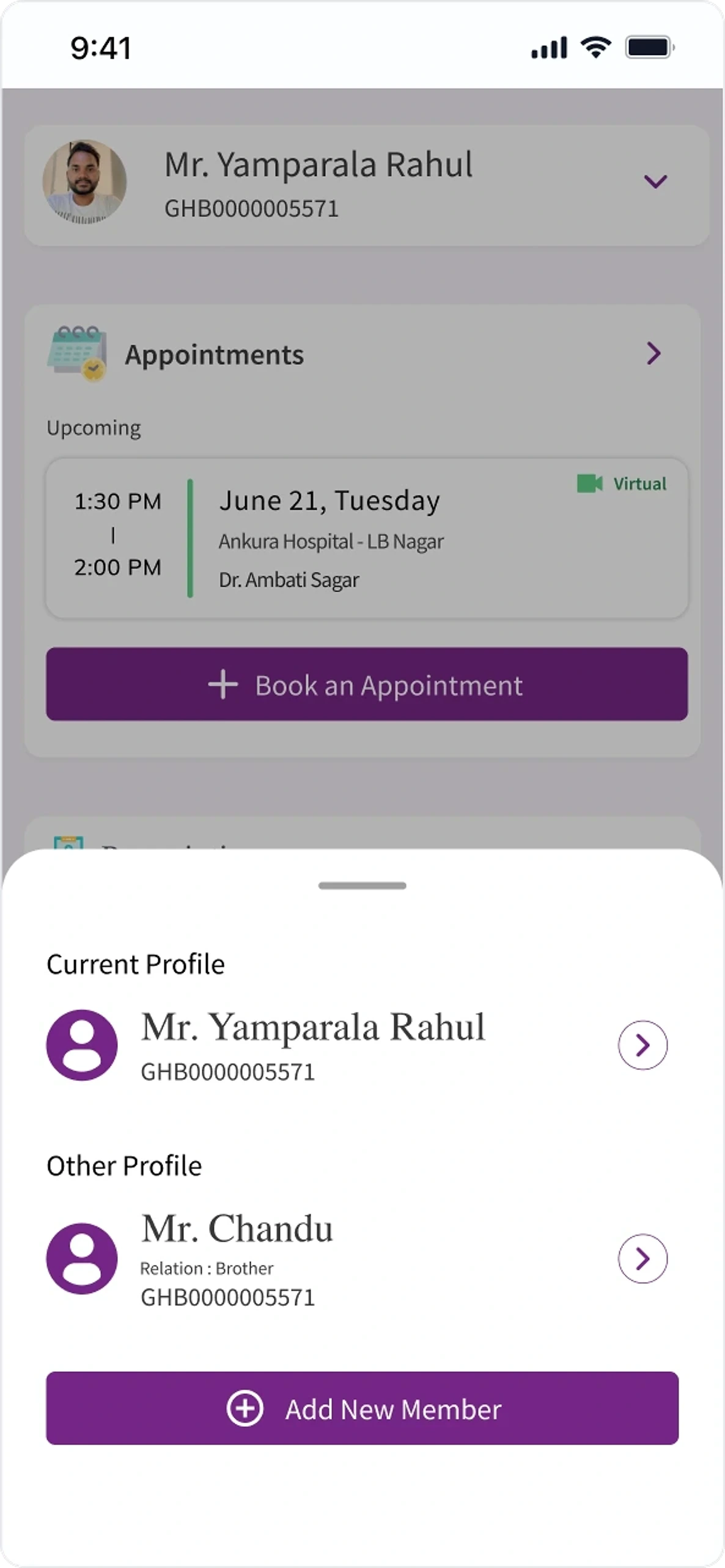
For the 9M maternity vertical of Ankura Hospitals, one of the hospitals we onboarded, we designed PatientSync: an iOS and Android app, connected to the doctor's QMS, that follows a mother through 16 months or more of visits. Every consultation starts from the whole history.
- Home
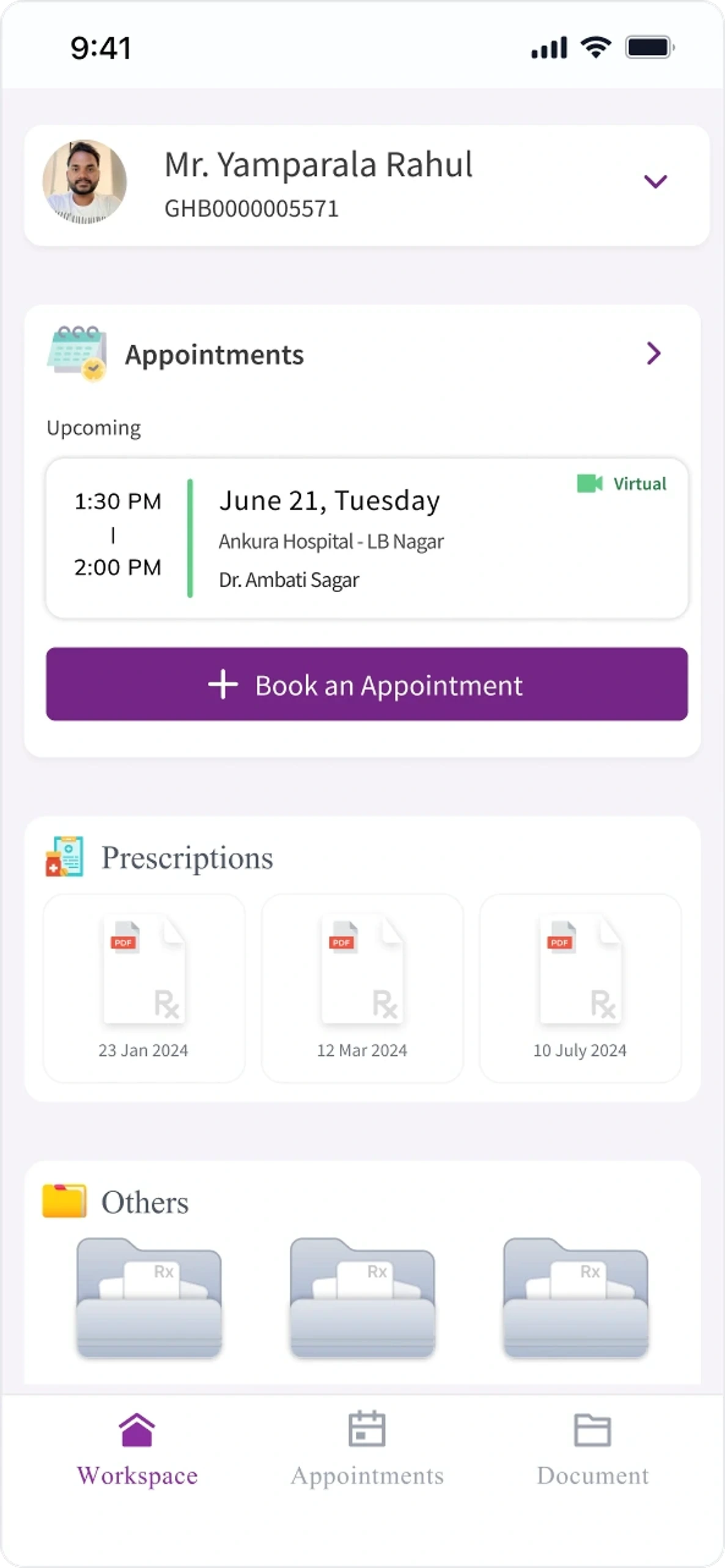
- Virtual or walk-in
- Reports
- The family's records too
What the hospitals changed
Real hospitals removed two of our six products, both because of how those hospitals worked.
After the first QMS demo, two to three multi-speciality hospitals agreed to a test run, and we onboarded three, Ankura among them. The average consultation fell from about 30 minutes to about 20.
MDsync went first. Doctors declined it: in maternity care, patients' messages are many and often urgent, and they belong in the QMS with the secondary doctor or nurse, not on the consulting doctor's phone.
LabSync went too. Most of these hospitals used partner labs, so there was no in-house lab for it to serve.
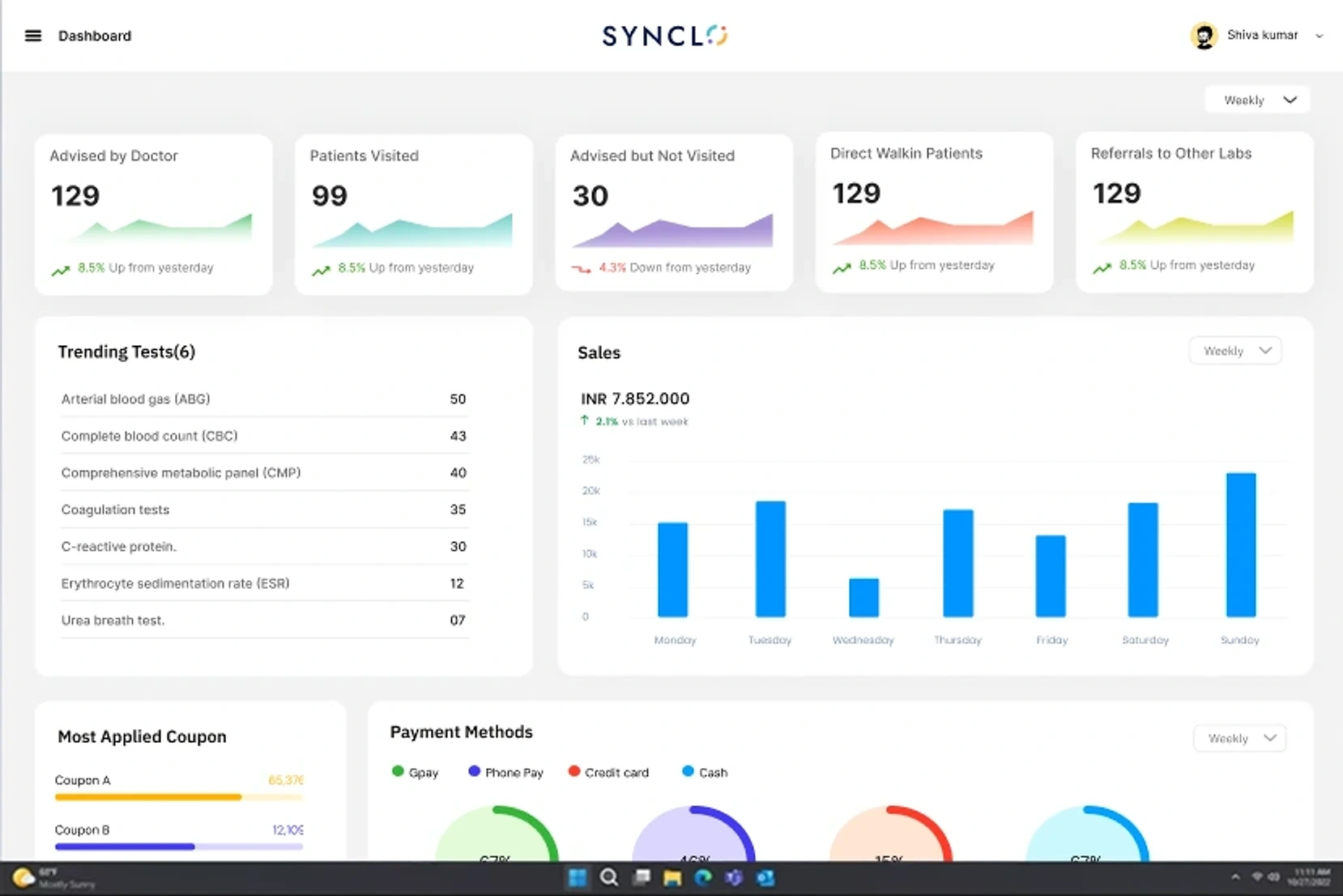
- The day, in numbers
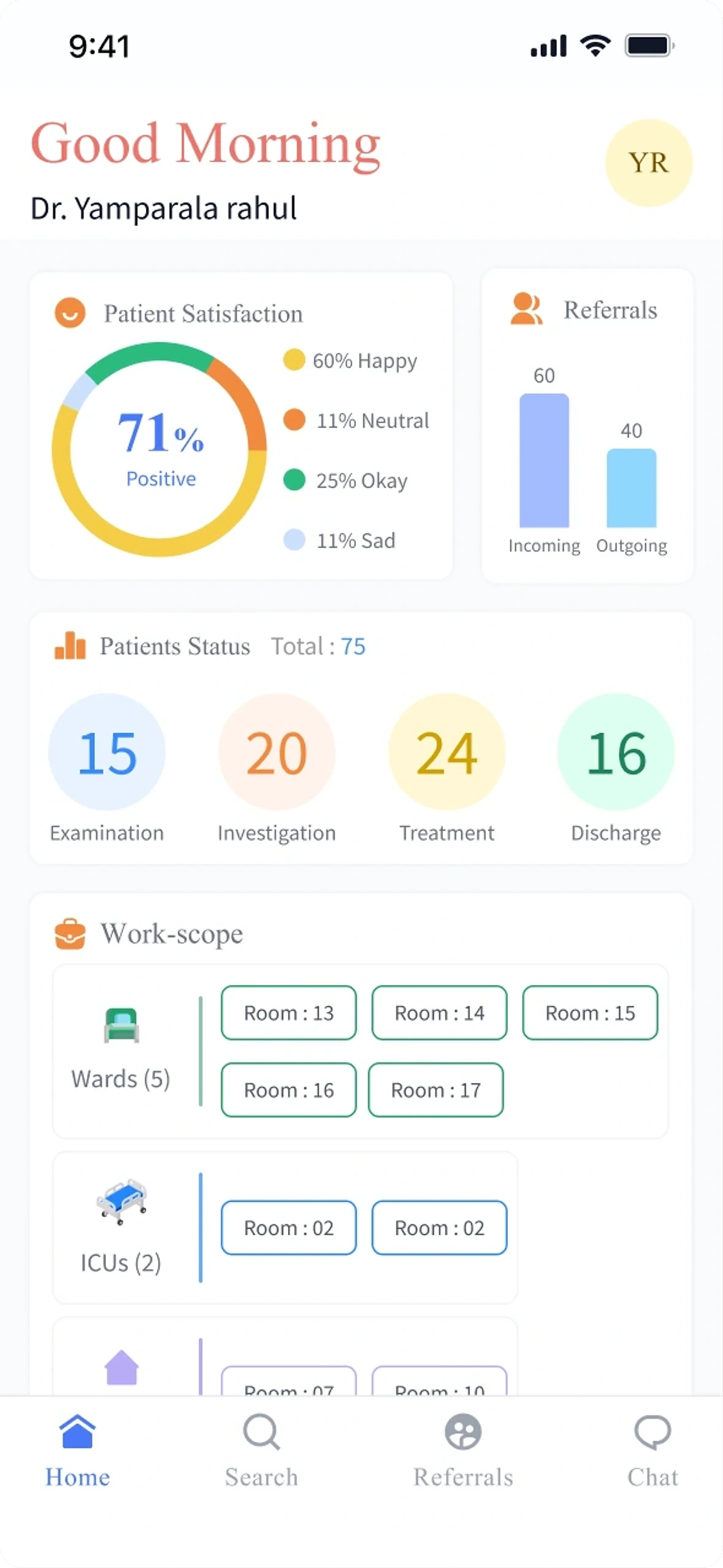
- Provisional, then final
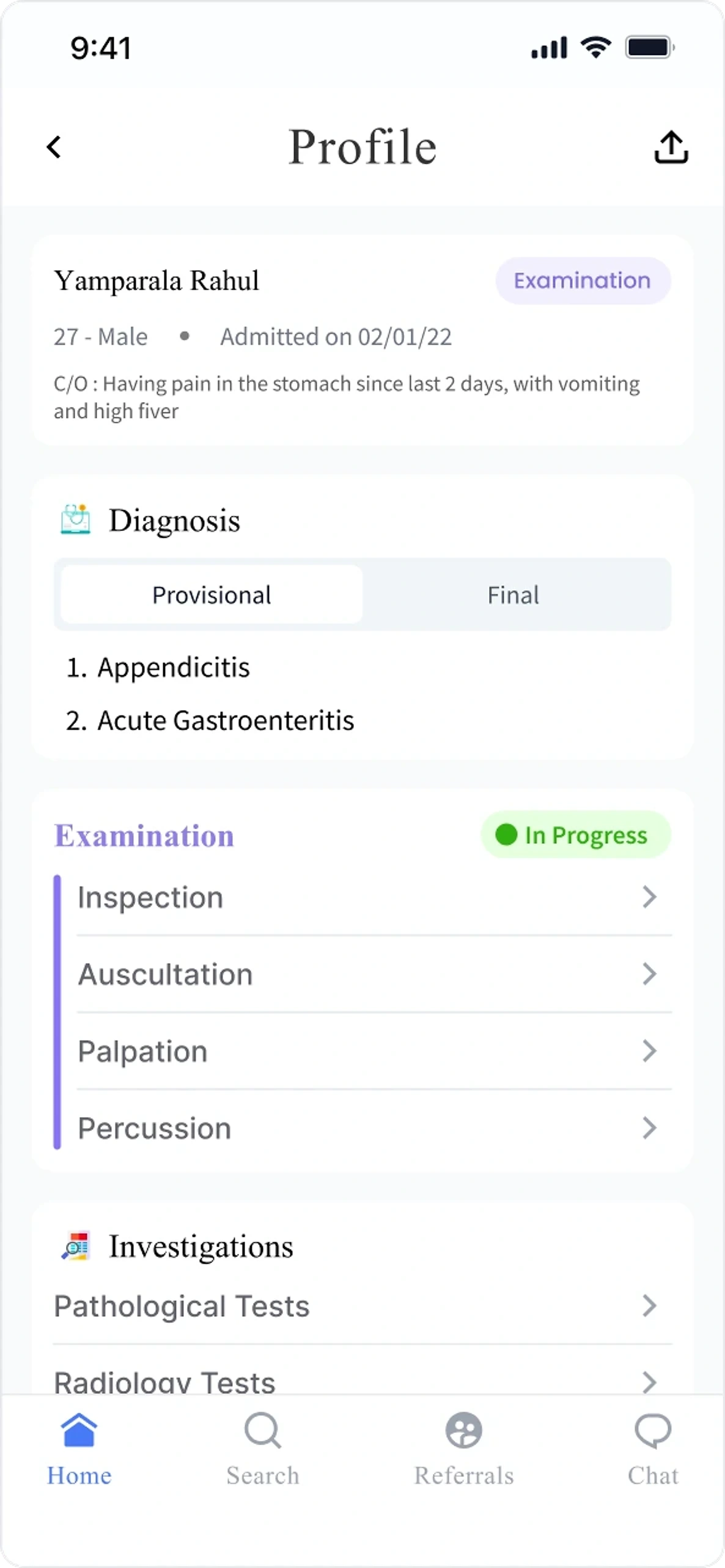
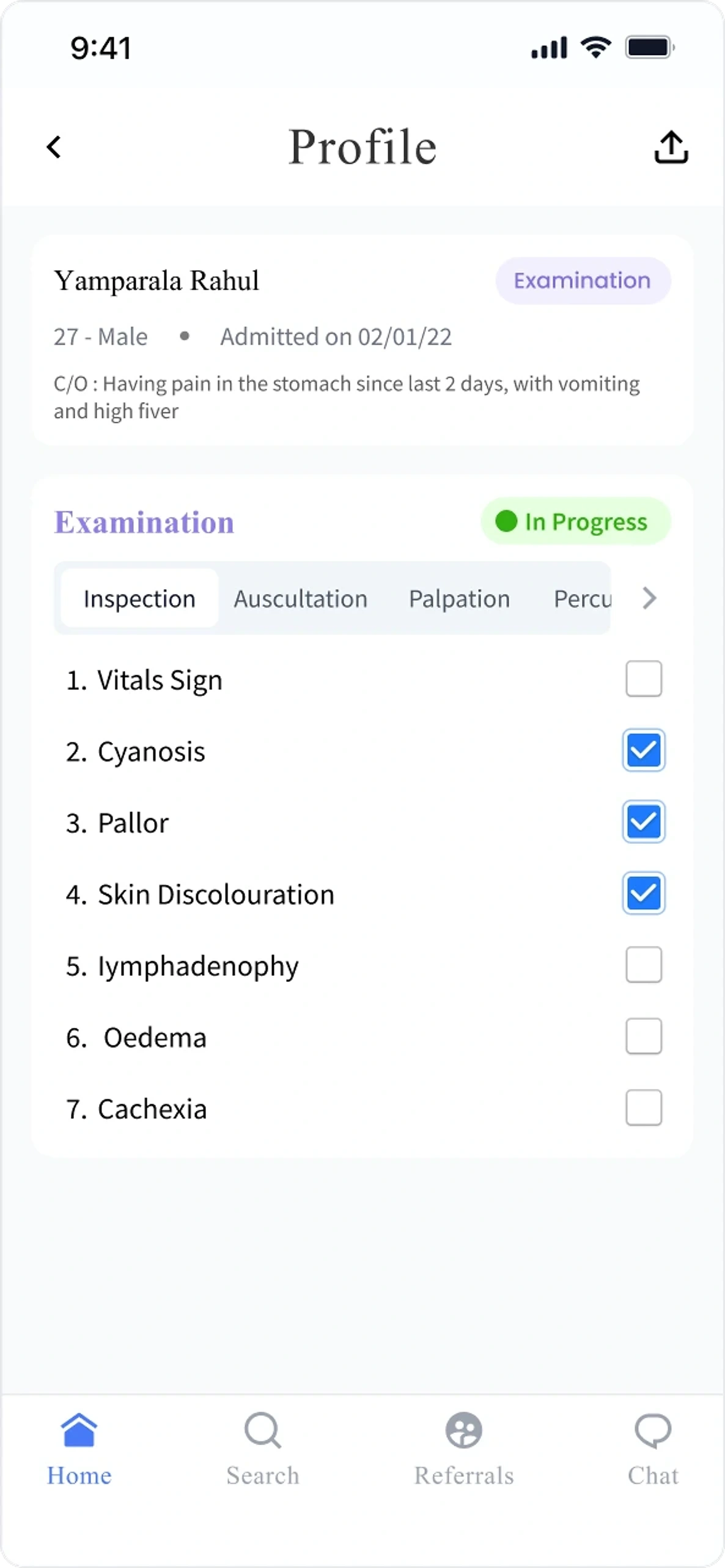
- Examination as a checklist
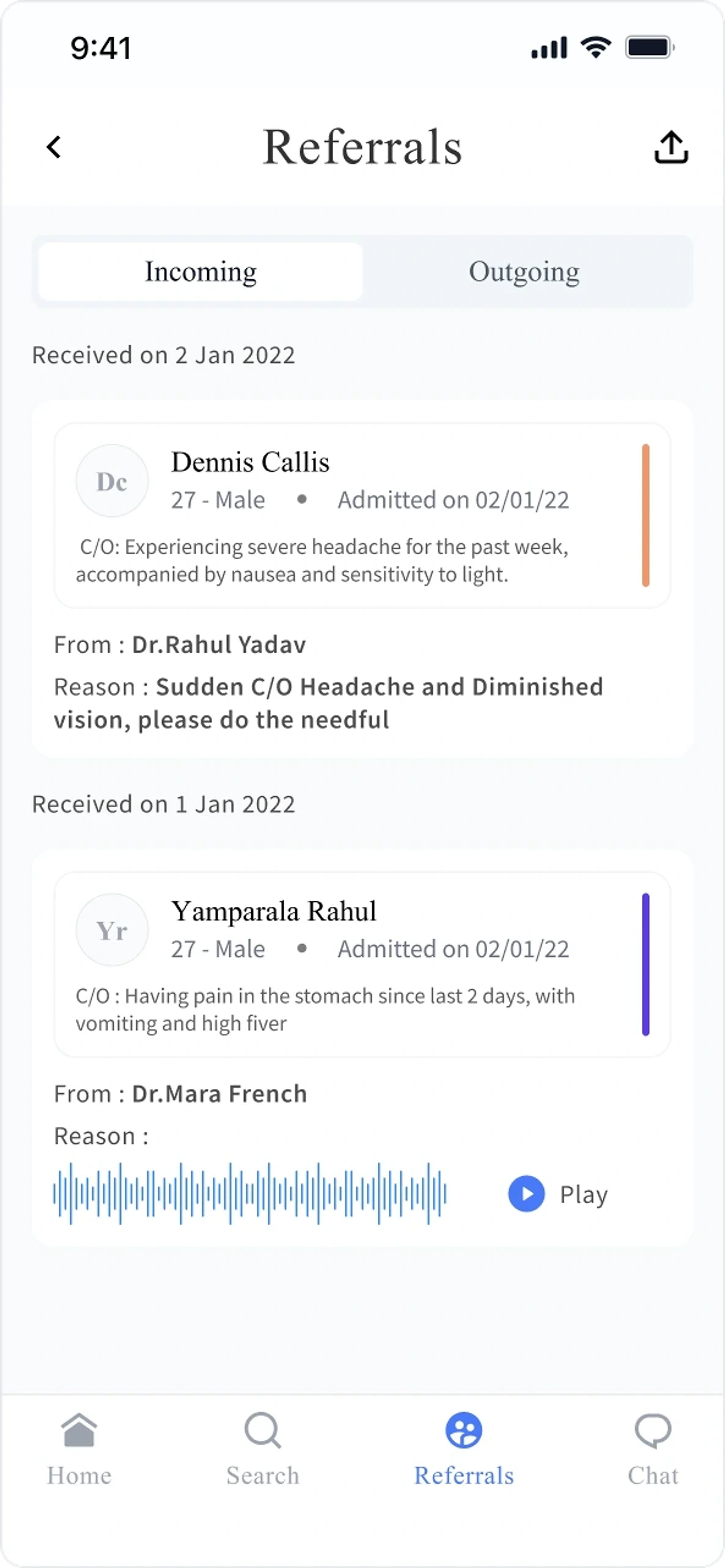
- Referrals
What this page does not claim
- The clinic sizes are the team's planning segments, not a survey of real hospitals.
- The AI was built but never fully tested. Its screens show how the review steps were designed, not diagnostic accuracy or clinical validation.
- The drop from about 30 to about 20 minutes per consultation comes from the hospital test run, not a controlled study.
- The clinic model is drawn for this case study, not a Synclo screen. Its furniture shows what a room is for, not how many it holds.
The team